







What is the average lifespan of a Maytag dishwasher?
A Maytag dishwasher typically lasts 10 to 12 years with normal household use. For your Maytag MDB8959SFH4, consistent cleaning, correct loading, and fixing small issues early (like draining or heating problems) can push real-world life closer to the high end of that range.
- Water quality: hard water speeds up mineral buildup on spray arms and the heating system.
- Cleaning routine: keeping the filter area and sump clean reduces strain on the pump.
- Drying and heating performance: weak heat can leave moisture behind and increase residue.
- Drain performance: slow draining makes the motor work harder and can cause odors.
- Door sealing and alignment: leaks can damage components and flooring.
- Run a cleaning cycle and wipe the door gasket and bottom edge.
- Check spray arms for clogs and clear debris.
- Use the right detergent amount; too much can cause buildup.
- Confirm the dishwasher drains fully at the end of the cycle.
- Inspect for drips under the door and at the toe-kick.
| Symptom | Likely system involved | Example part for MDB8959SFH4 |
|---|---|---|
| Water left in tub | Drain system | Dishwasher drain pump WPW10348269 |
| Dishes not drying well | Heating system | Element assembly W10703867 |
| Leaks at bottom of door | Door sealing | Dishwasher door seal, lower W10909089 |
A dishwasher that is cleaned and draining correctly runs with less load on the circulation and drain components, which is the biggest driver of long-term reliability. If you are seeing blinking lights or cycle interruptions, use the Maytag-specific troubleshooting in Maytag microclean he dishwasher error codes to address problems early.
Last updated: January 2026
What is the most common problem with a Maytag dishwasher?
On the Maytag MDB8959SFH4 dishwasher, the most common issues we see are poor cleaning and draining problems. In many cases, the cause is simple (clogged spray arms or filters, overcrowded racks, or low water temperature), but a failing pump or inlet valve can also be involved.
- Clean the filter area and remove any food debris.
- Make sure spray arms spin freely and the holes are not plugged.
- Avoid blocking the detergent dispenser with large pans.
- Run hot water at the sink before starting the cycle (helps wash performance).
- Confirm the drain hose is routed correctly and not kinked.
| Symptom | Most common cause | Parts often involved |
|---|---|---|
| Dishes still dirty | Clogged spray arms, poor loading, low water temp | Detergent dispenser, circulation system |
| Water left in tub | Clogged drain path, disposal plug not removed, drain restriction | Drain pump, drain hose |
| Leaks | Door seal wear, loose hose connections, over-sudsing | Door seal, inlet valve, hoses |
| Won’t start or stops | Door not latching, control issue, error code | Door latch, console/control |
If basic cleaning and loading changes do not help, these model-compatible parts are common fixes:
- Dishwasher drain pump WPW10348269 for standing water or slow draining.
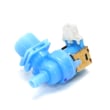
- Dishwasher water inlet valve WPW10327249 for not filling or weak wash action.
- Dishwasher detergent dispenser W10861000 if the detergent cup will not open or won’t dispense.
If your MDB8959SFH4 is flashing lights or showing a fault, use an error-code chart to narrow the cause before replacing parts: Maytag microclean he dishwasher error codes.
Poor cleaning, not draining, and leaking can all start as minor maintenance issues, but they can quickly lead to odors, standing water, or water damage. Catching the root cause early usually keeps the repair simpler and less expensive.
Last updated: January 2026
Is Maytag MDB8959SFH4 discontinued?
Yes. The Maytag MDB8959SFH4 dishwasher is discontinued, which means it is no longer being manufactured and sold as a current model. You can still keep it running by repairing it with compatible replacement parts and using the model number to match parts correctly.
A discontinued dishwasher can still be a great candidate for repair. For MDB8959SFH4, the key is matching parts by model and symptom.
- You can still replace common wear items (hoses, latches, pumps, seals).
- Some cosmetic items (panels, consoles) may become harder to source over time.
- If a part is unavailable, a compatible substitute may exist for the same function.
- Using the exact model number helps avoid fit and wiring mismatches.
If you are deciding whether to repair or replace, these are frequent, practical fixes for this Maytag dishwasher:
| Symptom | Often involved part | Example part for this model |
|---|---|---|
| Won’t drain | Drain pump or drain hose | Dishwasher drain pump WPW10348269 |
| Door won’t latch or won’t start | Door latch | Dishwasher door latch WPW10653840 |
| Not filling | Water inlet valve | Dishwasher water inlet valve WPW10327249 |
| Leaking at the bottom of the door | Lower door seal | Dishwasher door seal, lower W10909089 |
Knowing MDB8959SFH4 is discontinued helps set expectations: replacement parts and targeted troubleshooting are usually the fastest path to extending the dishwasher’s life, while also helping you decide when a major repair (like a control or console) is worth it.
When a Maytag dishwasher shows an error or won’t run, we use error-code and symptom-based checks to narrow down the failed component.
- Maytag microclean he dishwasher error codes
- Dishwasher not draining video
- Dishwasher has power but wont run could be demo mode
Last updated: January 2026
How to reset Maytag dishwasher control lock?
On the Maytag MDB8959SFH4 dishwasher, the control lock is typically turned off by pressing and holding the Control Lock (or Lock) pad for about 3 seconds until the lock indicator light turns off. If the keypad is unresponsive, a power reset often restores normal control operation.
- Press and hold Control Lock/Lock for 3 seconds.
- Wait for the lock light to go out (or for a tone, depending on your console).
- Try starting a cycle again.
- If the lock will not clear, do a power reset (below).
- Turn off power to the dishwasher at the breaker (or unplug it if accessible).
- Leave power off for 1 minute.
- Restore power and try holding Control Lock/Lock again for 3 seconds.
Control Lock prevents accidental button presses during a cycle or while cleaning the control panel. If it stays on, the dishwasher can look “dead” even though it has power.
If Control Lock turns off but reactivates or the console acts erratic, focus on common causes below.
- Moisture or cleaner residue on the control panel
- A stuck key on the console
- Door not fully latched (some models limit control response)
- Intermittent power at the dishwasher
- A failing user interface/control assembly
| Symptom | Most likely cause | What to try first |
|---|---|---|
| Lock light stays on | Control Lock still enabled | Hold Lock for 3 seconds |
| No response to any keys | Control glitch or power issue | 1-minute power reset |
| Starts then stops, odd beeps | Door not fully latched | Check latch engagement |
If the door is not latching consistently, the lock feature and cycle start can be affected. For this model, the door latch is a common related part: dishwasher door latch WPW10653840.
For Maytag-specific fault patterns that can look like a lockout, use: Maytag microclean he dishwasher error codes.
Last updated: January 2026










