 Installation guide
 Owner’s manual
 Error Codes




How to reset Kenmore Quiet Guard Deluxe dishwasher?
To reset a Kenmore Quiet Guard Deluxe dishwasher like model 66517572202, we clear the current cycle and control indicators by using CANCEL/DRAIN, then reselecting a cycle and pressing START. If the controls seem “dead,” we also check whether Lock On is enabled.
- Press CANCEL/DRAIN once.
- Close the door and let the dishwasher run the drain; it can take about 2 minutes.
- When the drain finishes, select a new cycle and any options.
- Confirm the detergent dispenser is filled correctly for the new cycle.
- Press START to begin.
On this Kenmore dishwasher, when LOCK ON is lit, the buttons are disabled (the light may flash if you press pads while locked).
- To turn Lock On on: press and hold LOCK ON for 4 seconds.
- To turn Lock On off: press and hold AIR DRY for 4 seconds.
A reset is mainly a control and cycle clear. It does not fix a mechanical issue like a drain restriction or a failed motor.
| Symptom | Most likely “reset” action | Next best check |
|---|---|---|
| Stuck mid-cycle | CANCEL/DRAIN, then restart | Drain path and sink/disposer connection |
| Buttons unresponsive | Turn off Lock On (AIR DRY 4 sec) | Power supply, door latch engagement |
| Won’t start after selecting cycle | Press START, door fully latched | Try repeating cycle selection |
Clearing the cycle with CANCEL/DRAIN prevents the dishwasher from trying to continue a stalled program and lets you start fresh with the correct cycle, options, and detergent setup.
For model-specific control details and indicator behavior, use the 66517572202 owner's manual.
Last updated: January 2026
What are the common problems with Kenmore dishwashers?
Common problems on the Kenmore 66517572202 dishwasher are not draining, not starting, poor cleaning, leaks, and long run times. Many of these trace back to simple checks in the troubleshooting section of the 66517572202 owner's manual, plus a few high-wear parts like hoses, seals, and fuses.
- Won’t start or stops mid-cycle: door not fully latched, power issue (breaker or house fuse), or an internal fuse issue
- Won’t fill: overfill protection float stuck; the manual notes the float must move up and down freely
- Not draining: drain path restriction (filter area, drain hose routing, air gap), or a pump issue
- Dishes not clean: spray arm blockage, overloaded racks, hard water film, or wash system restriction
- Leaks: door seal wear, loose clamps, or a cracked/loose drain hose
- Runs too long: incoming water temperature too low, pauses that are normal for certain cycles, or a wash system problem
- Confirm the door closes tightly and latches.
- Verify power at the dishwasher; check the household breaker or fuse.
- Make sure the water shutoff valve is fully open.
- Press down on the overfill protection float to ensure it is free.
- Inspect the drain path: sink air gap (if used), disposer inlet plug (new installs), and hose routing.
If the basic checks look good, these model-matched parts are frequent solutions:
| Symptom | Part to inspect | What it affects |
|---|---|---|
| Dead/no power | Fuse 8193762 | Protects the dishwasher from electrical overload |
| Not draining or drains poorly | Dishwasher drain hose 8269144A | Carries water to the sink/disposer drain |
| Leaking at the door | Gasket W11196317 | Seals the tub to the door to prevent drips |
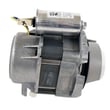
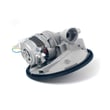
| Poor wash performance/noisy wash | Dishwasher pump and motor assembly W10782773 | Drives circulation for spray arms and cleaning action |
Catching the root cause early prevents repeat failures. For example, a kinked drain hose can mimic a bad pump, and a stuck float can look like a water valve problem.
Last updated: January 2026
What does red lock mean on a dishwasher?
On the Kenmore 66517572202 dishwasher, a red lock (padlock) light means the Control Lock (Lock On) feature is turned on, so the buttons are disabled. To unlock it, press and hold the correct key for about 4 seconds until the lock light turns off (see the 66517572202 owner's manual).
Follow the lock instructions for this model:
- Press and hold AIR DRY for 4 seconds to turn Lock On off.
- Watch for the LOCK ON light to go out.
- If you press buttons while locked, the lock light typically flashes several times.
- The door can still be opened even when the controls are locked.
The lock is usually enabled by holding a button too long while wiping the control panel.
- Press and hold LOCK ON for 4 seconds to turn the lock on.
- It can be turned on even while the dishwasher is running.
- It prevents unintended cycle or option changes.
| What you see | What it means | What to do |
|---|---|---|
| Red lock or padlock light on | Controls are locked | Hold AIR DRY for 4 seconds |
| Buttons do not respond | Lock On is active | Unlock, then reselect cycle |
| Lock light flashes when pressing keys | You are pressing keys while locked | Unlock first |
The lock feature is a safety and convenience control; it prevents accidental starts and stops, but it also makes the dishwasher look “dead” when the control panel is actually working normally.
Last updated: January 2026







