 Installation guide
 Owner’s manual




How do I know what Frigidaire model I have?
To identify your Frigidaire dishwasher model, find the model/serial label on the unit and match the model number exactly (for example, FGID2466QF2A). We use that exact model number to pull the correct parts list and the right instructions in the FGID2466QF2A owner's manual.
On most Frigidaire dishwashers, the model/serial tag is in one of these spots:
- Along the inner edge of the door (top or side) when you open the door
- On the door frame around the tub opening
- On the right or left side wall just inside the tub opening
- Sometimes on the side of the tub near the front
Use these tips so you do not end up with the wrong parts:
- Copy the full model number exactly as printed (letters and numbers matter)
- Record the serial number too; it helps confirm production details
- If there is a dash or suffix, include it
- Take a clear photo of the label before ordering parts
Dishwashers can look identical but use different components by revision. The model number is what ties your unit to the correct diagrams, wiring, and parts.
| If you need to fix | Model number helps match | Example part on this model page |
|---|---|---|
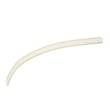
| Leaks at the door | Door seal shape and length | Dishwasher door seal, lower 809006501 |
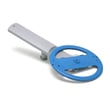
| Not draining | Pump style and wiring | Drain pump a A00126401 |
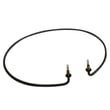
| Not drying | Heater style and terminals | Frigidaire dishwasher heating element 154825001 |
- Confirm the model number matches your appliance (example: FGID2466QF2A)
- Use the parts list for that exact model to choose replacements
- For broader model searches and ordering, use Sears PartsDirect
Last updated: February 2026
How do I fix a Frigidaire Gallery dishwasher that won't drain?
If your Frigidaire FGID2466QF2A dishwasher will not drain, we fix it by clearing the drain path first (filter/glass trap, disposer connection, and drain hose), then checking the drain pump for a jam. If the dishwasher still will not drain after these checks, the drain pump often needs replacement.
- Make sure the cycle is actually complete and not paused.
- If you have a food waste disposer, run it and make sure it is empty.
- Confirm the disposer inlet knockout plug was removed (new disposer installs commonly block draining).
- Inspect the drain hose for kinks, pinches, or a clog.
- Clean and reinstall the filter and glass trap area so water can reach the pump.
- Cancel the cycle and let the dishwasher run its drain routine.
- Remove the lower rack; clean the filter and the sump area (watch for broken glass).
- Check the drain hose routing under the sink; straighten any sharp bends.
- If connected to a disposer, verify the inlet is open and not blocked.
- If you hear the pump hum but no water moves, check for debris in the pump impeller area.
If cleaning and hose checks do not restore draining, these parts are the most common fixes for FGID2466QF2A:
| Symptom | Most likely cause | Part to consider |
|---|---|---|
| Hums but will not move water | Pump impeller jam or failed pump | Drain pump a A00126401 |
| Drains slowly or intermittently | Partial clog, weak pump, restriction | Drain pump a A00126401 |
| Stops draining and may overfill | Overfill protector not switching | Dishwasher float switch 154773201 |
A dishwasher that cannot drain leaves dirty water in the sump, which reduces cleaning performance and can create odors. Restoring proper draining protects the pump and helps prevent leaks at seals and hose connections.
For control settings that can affect starting, canceling, and draining behavior, follow the steps in the FGID2466QF2A owner's manual. If you want a visual walkthrough of common drain checks, use our dishwasher not draining video. You can order model-correct replacement parts from the parts list for FGID2466QF2A or search by model on Sears PartsDirect.
Last updated: February 2026
What does PF mean on a Frigidaire?
On the Frigidaire dishwasher model FGID2466QF2A, PF in the status window means power failure (the dishwasher was just connected to power or power was restored after an interruption). Clear it by pressing START/CANCEL or by closing the door; see the FGID2466QF2A owner's manual.
- Press START/CANCEL once to clear the PF display.
- If the door is open, close the door; the display clears on many units when the door is shut.
- Restart your wash cycle and confirm the dishwasher fills and begins washing normally.
- If PF returns frequently, check for a loose plug, a tripped breaker, or a wall switch controlling the dishwasher circuit.
- If the dishwasher powers up but will not run after PF clears, inspect the door latch for a solid “click” and proper door closure.
PF is a normal status message after a brief outage or when power is first applied. It matters because a power interruption can pause a cycle mid-wash; clearing PF and restarting ensures the control is back in a known state and the cycle can run correctly.
| Display | Meaning on FGID2466QF2A | How to clear it |
|---|---|---|
| PF | Power was interrupted or just restored | Press START/CANCEL or close the door |
If the dishwasher repeatedly loses power or will not start even though the kitchen has power, these parts are common suspects:
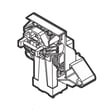
- Door not latching consistently: dishwasher door latch 5304525218
- Control not responding after resets: dishwasher board 5304514670
- Unit acts “dead” or behaves erratically due to a loose connection: dishwasher wire harness 154870101
You can order replacement parts for your FGID2466QF2A from the parts list for this model, or search by model number on Sears PartsDirect.
Last updated: February 2026
What is the most common problem with Frigidaire dishwashers?
The most common Frigidaire dishwasher problems are leaking, not starting, not draining, and poor cleaning. On the Frigidaire FGID2466QF2A, these symptoms usually trace back to door sealing, door-latch sensing, fill and drain flow, or wash-condition basics like loading and hot water. Use the FGID2466QF2A owner's manual for model-specific checks.
- Leaking onto the floor: Door seal not sealing, door not closing fully, or oversudsing.
- Won’t start or seems “dead”: Door not fully latched, power interruption, or control issue.
- Water left in the tub: Drain path restriction or a drain pump problem.
- Not cleaning well: Low water temperature, blocked spray arm, or poor loading.
- Re-close the door firmly so the latch fully engages, then press Start.
- If the display shows PF after an outage, clear it by pressing Start/Cancel or closing the door.
- Run hot water at the sink until it is hot, then start the cycle; incoming water should be about 120°F (49°C).
- Avoid rinse aid spills; foam can lead to overflowing.
| Symptom | Common suspect part | What it affects |
|---|---|---|
| Leaks at bottom of door | Dishwasher door seal, lower 809006501 | Seals the door-to-tub area |
| Won’t start, door won’t “click” shut | Dishwasher door latch 5304525218 | Confirms door is closed so the unit can run |
| Not draining, water remains in tub | Drain pump a A00126401 | Pumps water out to the drain line |
For ordering, use the parts list for FGID2466QF2A, or search by model on Sears PartsDirect.
These issues are common because they involve the basics every dishwasher needs: a tight door seal, a confirmed closed door, proper draining, and hot water for effective washing.
Last updated: February 2026





