Owner’s manual
 Error Codes




Do you remove cardboard from the bottom of a Whirlpool refrigerator?
For the Whirlpool WRF560SEHZ00 bottom-mount refrigerator, we do not remove any cardboard-like panel that is fastened to the bottom or rear of the cabinet. The model-specific information we have does not identify a “remove this cardboard” step; on refrigerators, that piece is typically a permanent airflow and safety cover.
How to tell packaging from a permanent cover
Use these quick checks before you pull anything off:
- Loose and temporary: tape, foam blocks, plastic film, or zip ties that are not screwed in
- Permanent: a fiberboard or thin panel that is screwed/clipped on near the compressor area
- Labeled: warnings such as “do not remove” usually indicate a cover, not packaging
- Location: rear lower area is commonly where airflow and electrical components are protected
For general handling and safety guidance for this model, follow the WRF560SEHZ00 owner’s manual.
What that “cardboard” usually does
Even when it looks like cardboard, a rear lower cover is commonly designed to stay installed because it can:
- Direct airflow across the condenser area for efficient cooling
- Shield wiring and moving parts near the compressor
- Help keep dust and debris out of the condenser fan area
- Reduce noise and vibration
Quick comparison
| What you see under/behind the fridge | Remove it? | Typical clue |
|---|---|---|
| Foam blocks, tape, protective film | Yes | Pulls off by hand; not fastened |
| Fastened fiberboard/cardboard-like panel | No | Screws/clips; covers compressor area |
| Front toe grille | Sometimes | Snaps off for cleaning on many models |
Why it matters
Removing a fastened bottom or rear cover can change airflow and leave components exposed, which can lead to poor cooling performance or faster dust buildup around the condenser.
Last updated: January 2026
How do I find the model number on my WRF560SEHZ00?
On Whirlpool bottom-mount refrigerators, the model number is printed on a rating label inside the fresh-food compartment. For WRF560SEHZ00, check the side wall near the crisper drawers or along the door opening; match the full model number exactly.
Where to look on the refrigerator
Check these common label locations first:
- Inside the refrigerator compartment on the left or right side wall
- On the frame around the door opening (near the hinge side)
- Near the crisper drawer housing or lower liner area
- Occasionally behind a produce drawer you can pull out fully
What the label looks like
The rating label usually includes:
- Model number (example: WRF560SEHZ00)
- Serial number
- Electrical ratings (volts/amps)
- Sometimes a bar code
Tips to avoid ordering the wrong part
| What to match | Why it matters | Example |
|---|---|---|
| Full model number | Ensures correct fit and wiring | WRF560SEHZ00 (not just WRF560) |
| Revision digits | Can change parts lists | “00” at the end |
| Serial number | Helps with production variations | Used for date/series lookups |
- Write the model and serial number down before you start a repair
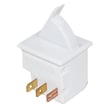
- Use the exact model number when selecting parts like a door switch, inlet valve, or gasket
- If the label is smudged, take a clear photo and zoom in to confirm characters
Why it matters
Whirlpool often uses similar-looking refrigerators with different hinges, controls, and door parts. Using the exact model number prevents mismatched components and repeat repairs.
For label location illustrations and identification notes, check the owner's manual. You can also use our guide: how to find your appliance model number (and what it means for parts).
Last updated: March 2026
What is the average lifespan of WRF560SEHZ00?
A Whirlpool bottom-mount refrigerator like model WRF560SEHZ00 typically lasts 13 years with normal household use. Keeping the condenser area clean, maintaining good door seals, and fixing cooling or ice-maker issues early helps you reach that expected service life.
Typical lifespan and what affects it
Most refrigerators land in a fairly tight range; the biggest differences come from maintenance and operating conditions.
- Dirty condenser area makes the compressor run hotter and longer
- Worn door gaskets let warm air in and increase run time
- Poor airflow (overpacked shelves, blocked vents) causes temperature swings
- Water leaks can damage wiring, fans, and controls
- Power surges can shorten the life of electronic boards and start components
Quick maintenance checklist (high impact)
- Keep refrigerator set near 37°F and freezer near 0°F
- Make sure doors close fully; avoid slamming or leaning on doors
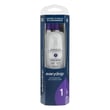
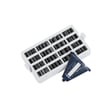
- Replace odor and airflow consumables on schedule, such as the refrigerator air filter W10311524
- Inspect door seals for gaps, tears, or hardened sections
- Listen for changes in fan noise; address new buzzing or rattling promptly
What “end of life” usually looks like
| Symptom | Common system involved | Typical next step |
|---|---|---|
| Warm fridge/freezer | Sealed system, compressor, airflow | Diagnose cooling system and fans |
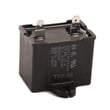
| Clicking, no start | Start device/capacitor | Test start components |
| Frost buildup, weak airflow | Evaporator fan/defrost | Check fan and defrost pattern |
| Water under unit | Inlet valve, fittings, drain | Find leak source and repair |
Why it matters
Knowing the expected lifespan helps you decide whether to repair or replace. On a 13-year timeline, a simple fix (door gasket, inlet valve, door switch) is usually worth it; a major sealed-system repair is a bigger decision.
For model-specific care and operating guidance, use the owner's manual.
Last updated: March 2026