 Installation guide
 Owner’s manual
 Error Codes





Can a clogged drain cause an FTD error?
Yes. On the GE GDF520PGD2WW dishwasher, an FTD (fail to drain) condition commonly happens when water cannot leave the tub because the drain path is restricted, such as a clogged air gap, disposer connection, or a blocked drain hose. See the drain checks in the GDF520PGD2WW owner’s manual.
What to check first (fast, no parts)
- Turn the dishwasher off, then check for standing water in the bottom of the tub.
- If you have an air gap, remove the cover and cap, then clean it (a toothpick works well).
- If the dishwasher drains into a garbage disposer, run the disposer clear and recheck draining.
- Confirm the kitchen sink drains normally; a slow sink often points to a plumbing restriction.
- Inspect the drain hose routing for kinks, crushing, or a low loop issue.
Common drain-restriction points
| Where it clogs | What you’ll notice | What to do |
|---|---|---|
| Air gap | Poor or no draining, water backing up | Clean the air gap and cap |
| Disposer inlet | New disposer or partial clog | Clear the disposer inlet and run disposer |
| Drain hose | Kinked or blocked hose | Straighten hose; clear blockage |
| Filter area | Debris buildup, slow drain | Clean filters and reinstall correctly |
When a part is likely involved
If the drain path is clear but the dishwasher still will not pump out, the drain pump or a control issue can be next on the list.
- If you hear the pump hum but water does not move, check the pump area for debris.
- If the unit is silent during drain, verify power and door closure, then look for error indications.
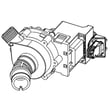
- For a pump replacement match, use the model-specific dishwasher drain pump WD19X25187.
- For code interpretation and next steps, use GE electronic dishwasher error codes.
Why it matters
FTD is usually a flow problem, not a wash problem. Clearing the restriction protects the pump, prevents dirty water from sitting in the tub, and gets your cycle back to normal drain and dry performance.
Last updated: January 2026
How do I get my GE dishwasher to start?
To start your GE dishwasher model GDF520PGD2WW, select a cycle, press Start, then close the door within about 10 seconds so the latch engages; the wash begins shortly after the door closes. If it still will not run, check Delay Start and confirm the door is fully latched per the GDF520PGD2WW owner's manual.
Quick start steps (most common)
- Turn on the kitchen sink hot water and let it run until hot (best wash performance is with 120°F to 140°F incoming water).
- Load dishes so nothing blocks the spray arms or detergent dispenser.
- Add automatic dishwasher detergent and close the dispenser.
- Choose your wash cycle and any options.
- Press Start, then firmly close the door so it latches.
If it has power but will not start
These checks solve most “won’t start” complaints on this GE platform.
- Door not latched: Re-close the door firmly; the dishwasher will not run unless the latch catches.
- Delay Start active: Cancel Delay Hours or wait for the countdown to finish.
- Paused cycle: Open the door slowly, then press Start again and close the door to resume.
- Control asleep: Close and open the door, or press any pad to wake the controls.
- Stuck Start/Reset behavior: Press and hold Start/Reset to cancel; the unit should drain.
| Symptom | What it usually means | What we do next |
|---|---|---|
| Start light flashing | Door opened or cycle interrupted | Press Start and close the door |
| Beeps every minute | Door left open during operation | Press Start and close the door |
| Nothing happens after Start | Door latch or control issue | Check latch alignment; consider latch parts |
Parts that commonly affect starting
If the door will not latch consistently, these model-matched parts are common fixes:
Why it matters
A GE dishwasher like GDF520PGD2WW uses the door latch as a safety interlock; if the control does not sense a fully latched door, it will power up but refuse to start the wash motor and fill.
Last updated: January 2026
What is the most common problem with GE dishwashers?
The most common problems we see on GE dishwashers like model GDF520PGD2WW are drainage-related issues (food debris in filters or the drain path) and “won’t start” symptoms caused by the door not latching fully or a start interruption. Regular filter cleaning and confirming a solid door latch solve many complaints.
Most common issues and what to check first
- Not draining: clean the filters and check the drain hose routing and sink connection.
- Not starting or beeping: make sure the door is fully closed and latched; an open door during operation can trigger reminder beeps.
- Poor cleaning or gritty dishes: filters need cleaning; also check spray arms for blocked holes.
- Not drying well: confirm rinse aid is filled and use the right detergent amount.
- Leaks: inspect door sealing surfaces and gaskets for debris or damage.
Quick checks you can do in 10 minutes
- Pull out the bottom rack and inspect the filter area; clean as needed (warm soapy water, no scouring pads).
- Spin the spray arms by hand and clear any clogged spray holes.
- Confirm the door closes firmly; if it feels loose or won’t catch, inspect the latch and strike.
- If you have an air gap, clean it (cap off, clear debris with a toothpick).
Parts that commonly relate to these symptoms (for GDF520PGD2WW)
| Symptom | Common area | Example part for this model |
|---|---|---|
| Not starting, beeping, won’t run | Door latch system | GE dishwasher door latch lock WD21X10490 |
| Poor cleaning, debris left behind | Wash system | Dishwasher spray arm, lower WD22X33499 |
| Not draining | Drain path/pump/hose | Dishwasher drain hose WD24X10062 |
Why it matters
Drain and wash-performance problems often start with simple buildup in filters and spray arms. Keeping those clean helps the circulation pump, heater, and control system run a full cycle without interruptions and reduces repeat clogs.
Helpful references
- Use the cleaning and troubleshooting steps in the GDF520PGD2WW owner's manual.
- If you’re seeing flashing lights or code-like behavior, match it to GE electronic dishwasher error codes to narrow the failure to a specific system.
Last updated: January 2026





