 Owner’s manual
 Error Codes




Does Samsung make wall ovens?
Yes. Samsung makes built-in electric wall ovens, including the Samsung NV51K7770SG series; your model’s owner's manual is specifically for a built-in electric wall oven (NV51K7770S* family).
Samsung wall ovens are designed to be installed in cabinetry (built-in), not used as a freestanding range. That affects how the oven vents, how it’s powered, and how service access works.
- Wall ovens install into a cabinet cutout and must be properly supported.
- They use household electrical supply; correct voltage and wiring matter.
- Vent openings must stay clear to prevent overheating.
- Door and glass safety is important; avoid operating the oven if you see cracks.
Use these quick checks for the NV51K7770SG wall oven:
| Check | What you should see | Why it helps |
|---|---|---|
| Model label | NV51K7770SG (or NV51K7770S* family) | Confirms the exact wall oven platform |
| Installation style | Built into a cabinet | Distinguishes wall oven vs. range |
| Documentation | Built-in electric wall oven user manual | Confirms intended use and safety rules |
Wall ovens have different safety and installation requirements than ranges. Following the built-in guidance in the manual helps prevent electrical issues, overheating, and door or glass hazards.
If you’re shopping for replacement parts for this wall oven, we list model-matched parts on this page, and you can also search by model number on Sears PartsDirect.
Last updated: February 2026
How do I reset my Samsung oven control board?
To reset the control board on your Samsung NV51K7770SG wall oven, cycle power to the oven at the home breaker: turn the breaker OFF, wait at least 30 seconds, then turn it back ON. This restores power to the control and clears many temporary control glitches (including a blank display after a trip).
- Turn the oven OFF at the control panel.
- Locate the correct double-pole breaker for the wall oven in your electrical panel.
- Switch the breaker OFF.
- Wait 30 to 60 seconds.
- Switch the breaker back ON.
- Set the clock and test Bake and Broil.
For model-specific control and operating details, follow the reset and operating guidance in the NV51K7770SG owner's manual.
A blank display is commonly caused by a tripped breaker or blown fuse. After restoring power, confirm the oven is actually receiving power.
- Check that the breaker is fully seated in the ON position (not halfway tripped).
- Verify other 240V appliances are working normally.
- If the breaker trips again, stop resetting and have the house wiring and oven supply checked.
| Symptom | What it usually points to | What to do next |
|---|---|---|
| Display goes blank | Power interruption | Reset breaker, then retest |
| Buttons don’t respond | Moisture, debris, or lock feature | Clean/dry panel, check lock |
| Error code returns quickly | Sensor, door lock, or communication issue | Power reset, then troubleshoot by code |
If an information code keeps coming back, the manual’s troubleshooting steps often start with pressing OFF, then restarting; if it persists, disconnecting power for at least 30 seconds is the next step.
If you suspect the electronic control is failing (random beeping, unresponsive keys, repeated error codes), a common repair is replacing the control board. For this model, we list control boards such as the wall oven control board DE92-04045A and the wall oven control board DE94-03894A.
A proper power-cycle reset clears temporary software lockups and restores normal keypad operation without replacing parts. If the problem returns immediately, troubleshooting the underlying cause prevents repeat shutdowns and protects the oven’s electronics.
Last updated: February 2026
What are the parts of an electric oven?
An electric wall oven like the Samsung NV51K7770SG is built around heating elements, temperature sensing, airflow (fans), and electronic controls. Those core systems work together to heat evenly, regulate temperature, and keep the oven safe to operate; see the NV51K7770SG owner's manual for your model’s feature set and safety details.
- Bake heating system (often a lower bake element; some models use a hidden bake design)
- Broil element (top heat for browning and high-heat cooking)
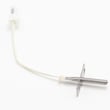
- Oven temperature sensor (tells the control how hot the cavity is)
- Control board and user interface (sets modes, cycles, and temperature)
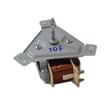
- Convection fan and motor (moves hot air for more even baking)
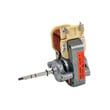
- Cooling fan assembly (protects electronics and cabinetry by exhausting heat)
- Door and door components (glass, hinges, gaskets, latches)
- Racks and rack supports (position cookware and allow airflow)
Here are examples of common “core system” parts listed for this Samsung wall oven model:
| Oven system | Example part on this page | What it does |
|---|---|---|
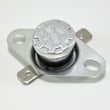
| Temperature sensing | Range oven temperature sensor DG32-00004C | Helps the control regulate oven temperature |
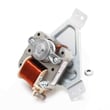
| Convection airflow | Range convection fan motor DG31-00005C | Spins the convection fan for even heat |
| Cooling/venting | Wall oven cooling fan assembly DG31-00027A | Cools the oven and control area |
| Electronic control | Wall oven control board DE92-04045A | Runs heating functions and timing |
| Broil heating | Wall oven broil element DG47-00070A | Provides top heat for broiling |
When an oven will not heat, heats unevenly, or shows temperature-related symptoms, the most common causes are in the heating circuit (elements), temperature feedback (sensor), air movement (convection or cooling fan), or controls (control board). The manual also emphasizes basic safety around hot surfaces, heating elements, and proper electrical installation and grounding.
- Confirm the oven is not in a delayed start or special mode that changes heat behavior.
- If preheat is slow, check for blocked airflow around racks and cookware placement.
- If convection baking is uneven, listen for the convection fan running during the cycle.
- If temperatures seem off, compare with an oven thermometer and consider the sensor.
- If the oven shuts down or behaves erratically, inspect for overheating and cooling fan operation.
Last updated: February 2026





