Installation guide
 Owner’s manual
 Error Codes




How to fix Fisher and Paykel dishwasher not draining?
If your Fisher & Paykel DD603-88269 DishDrawer is not draining, we fix it by clearing the drain path (filter plate, drain filter, sump area), then checking the drain hose routing and drain height. If it still will not drain, the drain pump or a control fault is likely.
Quick checks that solve most no-drain problems
- Cancel the cycle and let the unit attempt to drain again (then restart a Rinse cycle).
- Remove standing water (cup or wet/dry vac) so you can inspect the sump area.
- Clean the drain filter and filter plate; food debris here is the most common cause.
- Inspect the spray arm for blockage that can reduce wash pressure and leave heavy debris behind.
- Check the drain hose for kinks, crushing, or a clog at the sink/disposer connection.
Drain hose setup rules (installation items that cause no-drain)
Your DD603-88269 has specific drainage limits that matter for reliable draining.
| Item to verify | What “correct” looks like | What happens if it’s wrong |
|---|---|---|
| Maximum drain height | 37 1/2 in (950 mm) max | Slow drain or no drain |
| Excess hose length | Kept on the DishDrawer side of the support (or trimmed to suit) | Hose can sag and trap water |
| Extension length | Use an extension kit, do not extend beyond the specified limit | Pump can’t overcome restriction |
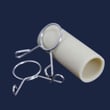
If you need more reach, use the drain hose extension kit 525798 rather than improvising with extra hose.
Parts that commonly help when it still won’t drain
If the hose routing is correct and the filters are clean, these parts are common next steps:
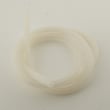
- Drain hose 527137 if the hose is split, internally restricted, or permanently kinked.
- Drain hose extension kit 525798 if the original hose is stretched or routed incorrectly.
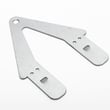
- Spray arm 527475 if wash performance is poor and debris keeps re-blocking the drain area.
Why it matters
A DishDrawer that cannot drain will often stop mid-cycle, leave dirty water in the tub, and can trigger fault beeps. Fixing the drain path first prevents unnecessary part replacement and restores normal wash and rinse performance.
For model-specific maintenance steps and fault-code behavior, follow the owner's manual. You can also find DD603-88269 parts by model on Sears PartsDirect.
Last updated: February 2026
What is the F2 error on DD603-88269?
On the Fisher & Paykel DD603-88269 DishDrawer, an F2 error points to a wash motor (rotor) problem, most often a rotor that is jammed or not turning freely. Restoring normal wash action typically involves checking for obstructions and, if needed, replacing the motor and rotor assembly.
What to check first (quick, safe steps)
- Turn off power at the breaker before touching internal components.
- Remove dishes and check that nothing is blocking the spray arm from rotating.
- Clean the filter plate and drain filter; heavy debris can contribute to poor circulation.
- Confirm the drawer closes firmly and the lid can seal (overloading can interfere with sealing).
- If the unit has been unused for a long period, cycle power and try a fresh start after verifying the drawer is clear.
For model-specific operating and care checks, follow the troubleshooting guidance in the DD603-88269 owner's manual.
When replacement is the practical fix
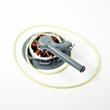
If the drawer is clear and the spray arm can rotate freely but the F2 returns, the wash motor rotor is typically the component to address. On this model, the most relevant replacement is the dishwasher motor and rotor assembly 524185P.
Common symptoms that match a rotor issue
| Symptom | What you may notice | What it affects |
|---|---|---|
| F2 appears early in the cycle | Stops shortly after starting | Wash circulation |
| Poor cleaning | Food left on dishes | Spray pressure |
| Unusual humming or stalled sound | Motor tries but does not spin | Motor rotation |
Why it matters
The rotor drives water circulation through the spray arm. When it sticks or stalls, the dishwasher cannot maintain proper wash pressure, so cleaning performance drops and the cycle may stop with an error.
Getting the right part and support
We list DD603-88269 parts by exact fit on the model parts list; you can also search by model number on Sears PartsDirect to confirm you are ordering the correct motor and rotor assembly for your specific configuration.
Last updated: February 2026
How to reset Fisher and Paykel dishwasher flood switch?
On the Fisher & Paykel DD603-88269 DishDrawer, you clear a flood-switch fault by pressing POWER to stop the beeping; if it does not clear, turn power off at the outlet/breaker, remove the water source (leak or overflow), then restore power and test with a Rinse cycle.
Reset steps for a flood-switch fault
- Press POWER once to silence the beeping and clear the code.
- If the code or beeping stays on, turn power off at the outlet/breaker.
- Turn water supply off at the shutoff valve.
- Open the drawer and remove standing water you can reach; dry the tub lip and gasket area.
- Restore water and power; run Rinse to confirm it fills and drains normally.
What usually triggers the flood switch
- Drain restriction (debris in the drain filter or filter plate)
- Oversudsing (wrong detergent or too much detergent)
- Spray arm obstruction or damage causing misdirected spray
- Leaking drain hose or loose connection
- Drawer sealing issue letting water escape into the base
Parts that commonly help stop repeat flood faults
| Symptom | What to check | Part to consider |
|---|---|---|
| Unusual spray, poor cleaning | Spray arm spins freely, no cracks | Fisher & paykel dishwasher spray arm 527475 |
| Water under unit, repeat fault | Drain hose for splits or seepage | Fisher & paykel dishwasher drain hose 527137 |
| Hose routing too tight | Kinks, stretched hose, poor drain | Fisher & paykel dishwasher drain hose extension kit 525798 |
Why it matters
The flood switch is a safety device; it keeps the dishwasher from running when water is detected where it should not be. Clearing the code works only after the leak, overflow, or drain problem is corrected.
You can order DD603-88269 replacement parts from the parts list for this model, or search by model number on Sears PartsDirect.
Last updated: February 2026