Installation guide
 Owner’s manual
 Error Codes


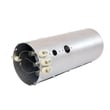
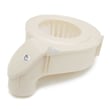
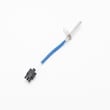
What is the code E53 on Electrolux dryer?
On the Electrolux EWMED70JSS0 dryer, error code E53 points to a drive motor circuit problem, most commonly a drive motor centrifugal switch failure. This usually shows up as a no-start condition, intermittent tumbling, or the drum stopping shortly after starting.
What to check first (safe, quick steps)
- Unplug the dryer or switch off the breaker before touching any internal wiring.
- Run the dryer empty on a timed cycle and listen for the motor trying to start (hum/click) versus running smoothly.
- Check that the drum turns by hand; heavy resistance can indicate a belt or roller drag.
- Inspect the lint screen and airflow path; overheating can trigger other faults that complicate diagnosis.
- Review the troubleshooting and safety steps in the EWMED70JSS0 owner's manual.
Likely causes and what they mean
E53 is tied to the motor system; these are the most common root causes we see:
| Likely cause | What you may notice | Typical fix |
|---|---|---|
| Drive motor centrifugal switch issue | Motor won’t stay running, starts then stops | Motor service or replacement |
| Loose/burnt wire connection at motor | Intermittent operation, smell of hot wiring | Repair harness/terminal connection |
| Control not driving motor correctly | No motor action, other odd behavior | Control diagnosis (board/relay circuit) |
| Mechanical drag (belt/rollers) | Squeal, thump, slow start | Replace wear parts |
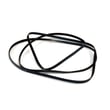
If the drum is hard to turn or you hear squealing, check common wear items like the white-westinghouse dryer drum belt 134719300 and drum support rollers.
Why it matters
A motor circuit fault can worsen quickly; continued attempts to run the dryer can overheat wiring, damage the motor, or lead to repeated shutdowns. Fixing drag (belt/rollers) early also protects the drive motor.
Helpful reference
For Electrolux IQ-Touch style diagnostics and code meanings, use our Electrolux iq-touch dryer error codes guide alongside the model’s manual.
Last updated: February 2026
What is the lifespan of an Electrolux dryer?
An Electrolux dryer typically lasts 10 to 15 years with normal household use. For your Electrolux EWMED70JSS0, consistent airflow (clean lint screen and venting) and avoiding overheating are the biggest factors that help it reach the high end of that range.
What affects dryer lifespan the most
- Vent restriction (long duct runs, crushed flex vent, clogged exterior hood)
- Lint buildup in the lint screen housing and blower area
- Overheating events that stress thermostats and thermal limiters
- Overloading (extra strain on the drum belt, rollers, and motor)
- Power supply issues (especially for electric dryers)
Quick maintenance plan (keeps the dryer running longer)
- Clean the lint screen every load; wash it with mild soap and water monthly to remove residue.
- Check airflow at the outside vent hood; strong, steady airflow matters.
- Inspect and clean the vent duct at least once per year (more often with pets or heavy use).
- Keep loads balanced; avoid packing the drum tight.
- Follow the care and installation requirements in the EWMED70JSS0 owner's manual and EWMED70JSS0 installation guide.
Common wear items and what they usually cause
| Wear item | What you notice | Typical fix |
|---|---|---|
| Drum belt | Drum will not turn, motor runs or hums | Replace belt |
| Drum support rollers | Thumping, rumbling, squealing | Replace rollers |
| Heating system safety parts | No heat or heat shuts off | Diagnose airflow and replace failed part |
If your EWMED70JSS0 starts squealing or the drum stops turning, the white-westinghouse dryer drum belt 134719300 is a common wear part to check.
Why it matters
A dryer that runs hot or has poor airflow dries slower, uses more energy, and wears out key parts (belt, motor, heating components) faster. Keeping airflow strong is the simplest way to extend service life.
Last updated: February 2026
What is the error code E60 on Electrolux dryer?
On the Electrolux EWMED70JSS0 dryer, error code E60 points to a heating problem (the dryer is not heating as expected). In most cases, the fix is restoring proper airflow and then checking the heating circuit components if airflow is good; use the EWMED70JSS0 owner's manual for model-specific checks and safety guidance.
Quick checks we recommend first (fastest fixes)
- Clean the lint screen completely; wash it with warm water if you see fabric softener residue.
- Inspect and clear the exhaust duct; remove lint buildup and any crushed or kinked venting.
- Confirm strong airflow at the outside vent hood while the dryer runs.
- Make sure the load size is not overpacked (overloading can mimic a heat issue).
- Run the dryer again on a timed dry, high heat cycle to confirm the symptom.
Parts that commonly cause “not heating” symptoms
If airflow is strong and the dryer still will not heat, these parts are common suspects on electric dryers:
| Symptom you notice | Most likely area | Example part to check on this model |
|---|---|---|
| Runs but no heat | Heater circuit open | Frigidaire dryer heating element 134792700 |
| Stops heating, then cools down | Overheat protection tripping | Dryer inlet thermal limiter 137032600 |
| Overheats or cycles heat oddly | Temperature sensing/control | Kenmore dryer thermistor 134711300 |
Why it matters
When a dryer cannot heat, cycles run long and moisture stays in the drum. Poor ventilation is the most common root cause and can also trigger overheat protection devices (thermal limiter/high-limit thermostat) to shut heat down to protect the dryer.
Helpful reference
For code meanings and related Electrolux dryer fault patterns, use our Electrolux iq-touch dryer error codes guide.
Last updated: February 2026
How do you clean the sensor on Electrolux dryer?
On our Electrolux dryer model EWMED70JSS0, we clean the moisture sensor by unplugging the dryer, then washing the moisture sensing bars with warm, soapy water to remove any waxy residue from dryer sheets; dry everything thoroughly before running a cycle. See the EWMED70JSS0 owner's manual.
Steps to clean the moisture sensor bars
- Unplug the dryer (power off at the outlet) before cleaning.
- Open the door and locate the moisture sensing bars inside the drum area (near the lint filter housing).
- Use a soft cloth or sponge with warm, soapy water to wipe the bars.
- Rinse the cloth and wipe again to remove soap residue.
- Dry the bars completely with a clean towel.
- Reinstall the lint screen and run a short timed dry cycle to confirm normal operation.
What to avoid
The manual guidance for EWMED70JSS0 is clear on a few safety and cleaning limits:
| Do | Avoid |
|---|---|
| Unplug before cleaning | Spray cleaners inside the dryer |
| Use warm, soapy water | Abrasive pads that can scratch surfaces |
| Dry parts thoroughly | Running the dryer with the lint screen removed |
Why it matters
When waxy buildup coats the moisture sensing bars, the dryer can misread moisture levels. That often leads to longer drying times, damp loads at the end of an auto cycle, or inconsistent cycle completion.
Related maintenance that helps drying performance
- Clean the lint screen after every load.
- If drying times are still long, follow the airflow and vent checks in the EWMED70JSS0 installation guide.
- For cycle or display issues, use Electrolux iq-touch dryer error codes to match symptoms to likely causes.
Last updated: February 2026
How do I tell which Electrolux dryer I have?
To tell which Electrolux dryer you have, match the model number on the appliance ID label to your paperwork; for this parts page, the model is EWMED70JSS0. On most Electrolux dryers, the model and serial label is easiest to find when you open the dryer door.
Where to find the model and serial number
Check these common Electrolux dryer label locations first:
- Open the dryer door and look on the door opening (door jamb) or just inside the front panel
- Look on the inside edge of the door itself
- If you cannot find it there, check the back panel of the dryer
- Compare what you find to the model number shown in your paperwork and in the EWMED70JSS0 installation guide
How to confirm you have the right model
Once you locate the label, use this quick checklist:
- Copy the model number exactly as printed (letters and numbers)
- Copy the serial number exactly as printed
- Use the model number to match the correct parts list and diagrams
- Keep the numbers recorded for service, installation, and ordering replacement parts
What you should see
| Item | What it’s used for | Example for this page |
|---|---|---|
| Model number | Identifies the exact dryer design and compatible parts | EWMED70JSS0 |
| Serial number | Identifies your specific unit for service history and support | Unique to your dryer |
Why it matters
Electrolux often has multiple dryers that look similar but use different parts (control board, heating element, belt, thermistor). Using the exact model number helps us point you to the correct diagrams and the correct replacement part the first time.
Last updated: February 2026
How to diagnose an Electrolux dryer?
To diagnose your Electrolux EWMED70JSS0 dryer, we start with the basics (power, door closed, cycle selection), then narrow it down by symptom: no start, no heat, long dry times, or unusual noise. Use the built-in checks and the troubleshooting tables in the EWMED70JSS0 owner's manual.
Safety first
- Disconnect power before removing panels or testing parts.
- Never bypass safety devices (door switch, thermal limiter, high-limit thermostat).
- Wait for the drum to stop completely before reaching inside.
Step-by-step diagnosis by symptom
- Dryer will not start: confirm power at the outlet and check the door is fully latched; then suspect the door switch or control.
- Dryer runs but does not heat: check airflow first (lint filter and venting); then suspect a heat-limiting safety device or the heating circuit.
- Drying takes too long or dryer feels too hot: a clogged lint filter or restricted exhaust duct is the most common cause; the manual notes the vent should be 4-inch rigid or semi-rigid metal with limited bends.
- Thumping/rolling noise at startup: the drum support rollers can develop temporary flat spots after sitting; the sound typically fades as the dryer runs.
Quick checks we recommend (in order)
- Clean the lint filter before every load; confirm strong airflow at the outside vent hood.
- Verify the cycle and options; some cycles and settings change heat level and run time.
- If your home has 208V service (common in some apartments/condos), expect about 20% longer dry times than on 240V.
- If overheating or no-heat persists after vent cleaning, test heat safety parts such as the dryer inlet thermal limiter 137032600 and the kelvinator dryer high-limit thermostat 3204267.
What to check vs. what it usually means
| What you observe | Most common cause | What to do first |
|---|---|---|
| Long dry times | Restricted venting or clogged lint filter | Clean lint filter; clear duct and outside hood |
| Dryer feels too hot | Venting not meeting requirements | Inspect duct diameter, length, and number of bends |
| Thump/roll at start | Roller flat spot | Run a cycle; replace rollers if noise persists |
| No heat (electric) | Heating circuit or safety device opened | Check airflow; then test limiter/thermostat |
Why it matters
Accurate diagnosis prevents repeat failures. For example, replacing a heating part without fixing a blocked exhaust duct often leads to overheating and another shutdown.
Last updated: February 2026
What are common Electrolux dryer problems?
Common problems on the Electrolux EWMED70JSS0 dryer include long drying times, no heat, not starting, stopping mid-cycle, and loud noises. Most issues trace back to airflow restrictions (lint screen or venting), overheating protection trips, or worn drive components; our EWMED70JSS0 owner’s manual covers a prevention checklist and troubleshooting.
Most common symptoms and what usually causes them
- Dryer takes too long to dry: clogged lint filter, restricted exhaust duct, or high humidity
- Dryer feels too hot or smells hot: venting not meeting duct requirements, blocked outside hood
- Dryer won’t start: loose plug, tripped breaker/blown fuse, or thermal limiter tripped
- No heat (electric models): heating circuit problem, airflow restriction causing overheating protection
- Loud thumping/squealing: worn belt or drum support rollers
Quick checks we recommend first (fast, high-impact)
- Clean the lint screen before every load; replace it if damaged or not fitting correctly (see dryer lint screen 134793600).
- Confirm the exhaust duct is 4-inch rigid or semi-rigid metal, with limited bends and within the allowed length (details in the EWMED70JSS0 installation guide).
- Check the outside vent hood for blockage and clear lint buildup.
- If the dryer does not start, verify the outlet power and reset the breaker; the manual notes the dryer should be on a separate circuit.
- If the dryer stopped due to overheating protection, correct the airflow problem before replacing any safety device.
Common parts involved (when symptoms point to a failure)
| Symptom | Likely area | Example model-matched part |
|---|---|---|
| Long dry times, hot cabinet | Airflow/venting | Lint screen, blower housing path |
| No heat (electric) | Heating system | Frigidaire dryer heating element 134792700 |
| Stops, won’t restart after overheating | Overheat protection | Dryer inlet thermal limiter 137032600 or kelvinator dryer high-limit thermostat 3204267 |
| Squeal/thump, drum not turning well | Drum drive/support | White-westinghouse dryer drum belt 134719300 or dryer drum support roller 5304523152 |
Why it matters
Airflow problems do more than slow drying; they can overheat the dryer and trigger the thermal limiter, which the manual notes must be replaced after the underlying fault is corrected. Keeping venting and lint areas clean protects the heating system, motor, and controls.
Related help for display codes
If your control panel shows an error, use our Electrolux iq-touch dryer error codes reference to match the code to the most likely cause and next steps.
Last updated: February 2026