Installation guide
 Owner’s manual
 Error Codes



Are KitchenAid refrigerators high end?
Yes. KitchenAid refrigerators, including the KitchenAid KSBP25INSS00 counter depth refrigerator, are positioned as a premium (high-end) brand with higher-end styling, features, and build compared with many mainstream lines; they are commonly chosen for upscale kitchens.
What “high end” means in practical terms
KitchenAid’s high-end positioning typically shows up in day-to-day ownership through:
- More premium exterior finishes and design details
- Feature-focused models (ice and water dispensing, filtration, electronic controls)
- Higher replacement-part costs for some assemblies (common with premium brands)
- Longer sealed-system warranty coverage compared with basic models (see your owner's manual)
Warranty coverage on this model (quick snapshot)
Based on the warranty text for this KitchenAid refrigerator model family:
| Coverage area | Typical coverage described | What it usually includes |
|---|---|---|
| Full refrigerator (excluding water filter) | 1 year | Parts and repair labor for defects |
| Water filter | 30 days | Replacement parts for defects |
| Sealed refrigeration system | Years 2 to 5 full; years 6 to 10 limited | Compressor, evaporator, condenser, dryer, connecting tubing |
Parts and features that support the “premium” category
Premium refrigerators often include filtration and dispenser systems that require periodic maintenance. For KSBP25INSS00, common examples include:
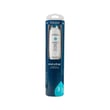
- Water filtration (replace the refrigerator filter EDR3RXD1 on schedule)
- Ice maker system components (ice production depends on water supply and temperature)
- Airflow and cooling components (evaporator fan, diffuser, defrost system)
Why it matters
Knowing KitchenAid is a high-end line helps set expectations: you usually get more features and design refinement, but maintenance items (like water filters) and some replacement parts can cost more. Following the care and operating guidance in the owner's manual helps protect performance and food storage temperatures.
Last updated: February 2026
What is the most common problem with KitchenAid refrigerators?
The most common KitchenAid refrigerator problems are ice maker and dispenser issues, cooling problems (fresh food too warm or freezer too warm), and water leaks. On the KitchenAid KSBP25INSS00, these symptoms usually trace back to airflow, defrost, or water-supply components; your owner's manual helps pinpoint the right checks.
Most common symptoms and what usually causes them
- Ice maker not making ice or dispensing poorly: frozen fill tube, low water pressure, clogged filter, or a failing ice maker
- Temperature fluctuations: dirty condenser area, restricted airflow, or an evaporator fan issue
- Water leaking or puddles: clogged defrost drain, loose water line connections, or filter housing/cap problems
- Frost buildup: defrost system trouble (heater, thermostat/bi-metal, control)
- Noisy operation: fan blade interference, worn fan motor, or ice buildup around the evaporator
Quick checks we recommend first (fast, no tools)
- Confirm controls are set to normal temps (typical targets: 37°F fresh food, 0°F freezer).
- Make sure vents inside both compartments are not blocked by food packages.
- If water flow is slow, replace the filter and flush the dispenser.
- Inspect for ice clumps in the bin and clear them; clumps often cause dispenser jams.
- Check for visible water under the unit or inside the freezer floor area (common with drain issues).
Common parts tied to these problems (for KSBP25INSS00)
| Problem area | What fails most often | Example part for this model |
|---|---|---|
| Water and ice | Clogged filter | Refrigerator filter EDR3RXD1 |
| Ice production | Ice maker assembly | Whirlpool refrigerator ice maker assembly 2198597 |
| Frost/defrost | Defrost thermostat (bi-metal) | Refrigerator defrost bi-metal WPW10225581 |
| Airflow/noise | Evaporator fan blade damage/ice contact | Refrigerator evaporator fan blade WP2169142 |
Why it matters
Ice maker, cooling, and leak symptoms often share the same root causes: restricted airflow, a weak water supply, or frost buildup that blocks the evaporator. Catching the cause early helps protect food temperatures and prevents repeat clogs, leaks, and dispenser jams.
Last updated: February 2026
What causes a KitchenAid refrigerator to stop cooling?
If your KitchenAid KSBP25INSS00 stops cooling, the most common causes are loss of power, cooling being turned off at the control, airflow problems from dirty condenser coils, or a failed cooling component such as a fan motor or defrost part. Start with the control settings and basic airflow checks in the owner's manual.
Quick checks we recommend first
- Confirm the refrigerator has power (outlet works, breaker not tripped).
- Make sure cooling is turned on; press COOLING ON/OFF if needed.
- Verify temperature set points are reasonable (factory recommendations are 0°F freezer and 37°F refrigerator).
- Allow enough time after changes; cooling performance stabilizes over about 24 hours.
- Check that doors close fully and are not being held open by bins or food.
Common causes of “not cooling” on this model
| Symptom | Likely cause | What to check next |
|---|---|---|
| No lights, no display, no sound | Power issue | Outlet, cord, breaker/fuse |
| Lights work but compartments warm | Cooling turned off or controls set wrong | COOLING ON/OFF, set points |
| Fridge warm, freezer also warming | Airflow or sealed system issue | Condenser coils, condenser fan, compressor |
| Freezer cold but fridge warm | Air not moving to fresh food section | Damper/air diffuser, evaporator fan |
| Frost buildup, temps rise over time | Defrost problem | Defrost thermostat/bi-metal, heater, control |
Parts that often relate to cooling problems
These are common “cooling chain” parts customers replace when diagnostics point to a failure:
- Condenser motor W10124096 (moves air across the condenser to dump heat)
- Refrigerator evaporator fan blade WP2169142 (helps circulate cold air)
- Refrigerator defrost bi-metal WPW10225581 (helps control defrost cycling)
- Refrigerator microcomputer W11629974 (can affect cooling and defrost operation)
Why it matters
A refrigerator cools by moving heat out of the cabinet. If airflow is blocked (dirty coils, failed fan) or the defrost system can’t keep the evaporator clear, temperatures rise even though the unit may still run.
Last updated: February 2026
How do I reset my KitchenAid refrigerator after a power outage?
After a power outage, we reset the KitchenAid KSBP25INSS00 by restoring power, then turning cooling back on at the control panel (press COOLING ON/OFF if cooling is off). Set the refrigerator and freezer temperatures back to your preferred settings and allow up to 24 hours to fully stabilize (see the owner's manual).
Quick reset steps (recommended)
- Confirm the outlet has power and the cord is firmly plugged in.
- If the display is on but cooling is off, press COOLING ON/OFF to turn cooling on.
- Set temperatures to the factory recommendations if you are unsure:
- Freezer: 0°F (-18°C)
- Refrigerator: 37°F (3°C)
- Keep doors closed as much as possible while temperatures recover.
- Wait 24 hours before judging cooling performance after the outage.
What to check if it still will not run
If the refrigerator does not operate after power is restored, we check these common items first:
- House circuit breaker is not tripped (or fuse is not blown).
- Outlet is not controlled by a wall switch.
- Cooling is not set to Off at the control panel.
- Interior lights turning off after a door is left open (close and reopen the door to restore lights).
Temperature set points at a glance
| Compartment | Factory recommended | Normal adjustable range |
|---|---|---|
| Freezer | 0°F (-18°C) | -6°F to 6°F (-21°C to -14°C) |
| Refrigerator | 37°F (3°C) | 32°F to 46°F (0°C to 8°C) |
Why it matters
After an outage, the controls can be left in an Off state or temperatures can drift. Turning cooling back on and returning to known-good set points helps the compressor run normally and prevents food from warming while the cabinet pulls back down to temperature.
Last updated: February 2026