 Installation guide
 Owner’s manual
 Error Codes










Where is the model number on my Kenmore electric stove?
On Kenmore electric range model 79093012312, the model and serial number are printed on the identification plate (serial plate). You can find it by opening the storage drawer; the plate is attached to the lower right oven frame (inside the range).
How to find it (quick steps)
- Turn the range off and let it cool completely.
- Pull the storage drawer straight out and open it fully.
- Look at the lower right side of the oven frame for the identification plate.
- Write down both the model number and serial number.
- Use that exact model number when ordering parts like a bake element, control board, or temperature sensor.
What the label looks like
The identification plate typically includes:
- Model number (for this range: 79093012312)
- Serial number
- Electrical ratings (voltage/amps)
- Manufacturer information
| What you need | Why you need it | Example for this range |
|---|---|---|
| Model number | Ensures parts diagrams and parts match your exact build | 79093012312 |
| Serial number | Helps confirm production series and correct revisions | (varies by unit) |
Why it matters
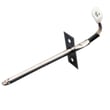
Kenmore ranges often have multiple versions that look similar. Using the exact model number from the serial plate helps us match the correct parts and instructions, especially for electrical items like the oven temperature sensor, surface element control switch, and terminal block.
Helpful reference
For the documented serial plate location and other identification details, use the 79093012312 owner's manual.
Last updated: January 2026
What was the size of the Kenmore 79093012312 oven?
The Kenmore 79093012312 is a standard 30-inch class electric range; most units in this class fit a 30-inch-wide opening and stand roughly 36 inches tall to the cooktop (without the backguard). For the exact cutout and overall dimensions, use the 79093012312 installation guide.
What “size” can mean for this model
When customers ask for oven size, it usually refers to one of these:
- Overall range dimensions (width, height, depth)
- Cabinet cutout/opening needed for installation
- Oven capacity (cubic feet)
- Cooktop size (typically 30-inch wide on this model class)
How to get the exact dimensions for 79093012312
We recommend using the installation specifications for the most accurate numbers because they list both the appliance footprint and the required clearances.
- Check the overall width/height/depth and compare to your space
- Confirm depth with door closed and depth with door open if clearance is tight
- Verify rear and side clearances to cabinets and walls
- Confirm electrical requirements before moving the range
Quick reference: typical fit for a 30-inch electric range
| Measurement | Typical range | What to measure at home |
|---|---|---|
| Width | ~29 7/8 in to 30 in | Cabinet opening width |
| Height (to cooktop) | ~36 in (adjustable legs) | Countertop height |
| Depth (varies) | ~25 in to 28+ in | From wall to front edge |
Why it matters
Using the correct installation dimensions helps prevent common problems like a range that will not slide fully into the opening, a door that hits an island, or a terminal block and cord that get pinched during install.
Last updated: January 2026
How do I reset my Kenmore electric range?
To reset your Kenmore electric range model 79093012312, turn the range off and restore power with a full power-cycle: switch the range circuit breaker OFF for 1 minute, then turn it ON. This clears many control glitches and restores normal oven and cooktop operation.
Quick reset steps (recommended)
- Turn all surface element knobs to OFF.
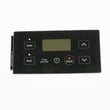
- If the oven is running, press Cancel/Off on the control panel.
- At your home electrical panel, switch the range breaker OFF.
- Wait 60 seconds.
- Switch the breaker ON.
- Reset the clock and test Bake and a surface element.
If the display comes back but the problem returns
A reset helps when the electronic oven control locks up, but it will not fix a failed part. Use these checks to narrow it down:
- If the oven heats erratically or shows temperature-related symptoms, check the oven temperature sensor.
- If a surface element will not regulate heat (stays high, stays low, or will not turn on), suspect the infinite switch.
- If the range is completely dead after reset, inspect the power cord connection and terminal block area.
Common causes and what to check
| Symptom after reset | Most likely area | What we recommend |
|---|---|---|
| Oven temperature is way off | Sensor circuit | Inspect/replace range oven temperature sensor 316233903 |
| One burner will not control heat | Surface control switch | Inspect wiring; replace the correct switch such as frigidaire range surface element control switch 316436001 |
| Range loses power or trips breaker | Power connection | Verify cord/terminal block connections per installation guide |
Why it matters
A proper power-cycle reset is the fastest way to clear a stuck control and confirm whether you have a one-time electronic glitch or an ongoing issue that points to parts like the control switch, temperature sensor, or wiring connections.
For model-specific operating steps and control panel functions, use the 79093012312 owner's manual.
Last updated: January 2026






