 Installation guide
 Owner’s manual
 Error Codes



Where is the filter on a Kenmore quiet guard dishwasher?
On the Kenmore 66514572N612 Quiet Guard dishwasher, the filter is located inside the tub at the bottom, under the lower dishrack area. You access it from inside the dishwasher by removing the lower rack and lifting or twisting the filter assembly out for cleaning (then reinstalling it in the same orientation). Refer to the 66514572N612 owner's manual for the exact filter style and removal steps for your version.
How to access and clean the filter
- Turn the dishwasher off and let it cool if it just ran.
- Pull out the lower rack to expose the sump area.
- Locate the filter assembly at the bottom of the tub (center or slightly toward the back).
- Remove the filter (most styles lift out or unlock with a short twist).
- Rinse under warm water; use a soft brush to remove grease and debris.
- Reinstall the filter so it sits fully down and aligned; it typically does not “snap” in.
Quick checklist (what we see most often)
- Food debris collecting in the filter basket or screen
- Filter not seated flat after cleaning (can affect draining and wash performance)
- Lower spray arm blocked by debris or a loose item
- Overloading the lower rack, preventing proper water flow
- Skipping routine cleaning, leading to odor and poor cleaning
What to check if cleaning results are still poor
If dishes are still gritty or not drying well after cleaning the filter, check these common causes:
| Symptom | Most likely cause | What to do next |
|---|---|---|
| Grit on glasses | Filter or sump debris | Clean filter and sump area again; verify filter is seated flat |
| Poor spray coverage | Spray arm holes clogged | Remove and rinse the lower spray arm; clear holes |
| Standing water | Drain restriction or weak drain pump | Check drain hose routing and sink connection; inspect for clogs |
| Not drying | Heater or cycle settings | Use heated dry option; confirm water is hot at the sink |
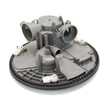
If you suspect a drain problem on this model, the dishwasher drain pump W10876537 is the component that pushes water out during the drain portion of the cycle.
Why it matters
A clean, properly seated filter helps the Kenmore 66514572N612 maintain strong wash pressure, prevents food particles from redepositing on dishes, and reduces odors. It also helps protect the drain path and pump from repeated clogs.
Last updated: January 2026
What are the common problems with Kenmore dishwashers?
Common problems we see on Kenmore dishwashers like model 66514572N612 are draining failures, not starting, poor cleaning, leaks, and weak drying. These issues usually trace back to clogs (filter, sump, drain path), a door that is not latching, or a failed component such as a pump, valve, or heating circuit; use the 66514572N612 installation guide for safety and access basics.
Most common symptoms and what they usually mean
- Won’t drain: food debris in the sump area, a kinked drain hose, or a failing drain pump
- Won’t start: door not fully closed, a failing latch, or control-related lockout
- Dishes still dirty: blocked spray arm holes, overloaded racks, or low water fill
- Leaks: door seal wear, loose hose connections, or a cracked hose
- Not drying: heating circuit problem, rinse aid issue, or cycle selection
Quick checks you can do first (no parts required)
- Confirm the door closes firmly and the latch engages.
- Check the drain hose routing for kinks and make sure it is not pinched behind the unit.
- Clean visible debris from the bottom of the tub and around the sump intake.
- Inspect spray arm holes for blockage and rinse them clear.
- Run hot water at the sink before starting a cycle to improve wash performance.
Parts that commonly fix these problems on 66514572N612
| Symptom | Likely part to check | What it affects |
|---|---|---|
| Won’t drain / standing water | Dishwasher drain pump W10876537 | Pumps water out through the drain hose |
| Not filling / weak wash | Dishwasher water inlet valve W11175771 | Controls water entering the dishwasher |
| Poor drying | Element assembly W10703867 | Heats water and supports drying performance |
| Door won’t latch / won’t start | Dishwasher door latch WPW10653840 | Confirms door is closed so the cycle can run |
| Leaking at the bottom of the door | Dishwasher door seal, lower W10909089 | Helps prevent water from escaping at the door |
Why it matters
Catching the root cause early prevents repeat clogs, protects the motor and wiring from moisture, and keeps cycles running at the right water level and temperature for proper cleaning and drying.
Last updated: January 2026
Why is the start button not working on my Kenmore Ultra Wash quiet guard?
If the Start/Resume button on your Kenmore dishwasher model 66514572N612 does not start a cycle, the most common causes are the door not latching fully, a missed “close the door” timing window, or a power issue. Confirm the door latches tightly, then try starting the cycle again using the correct sequence in the 66514572N612 installation guide.
Quick checks (most common fixes)
- Make sure the door is closed tightly and latched; the dishwasher will not start if the latch is not engaged.
- Press Start/Resume, then close the door within 3 seconds; if you wait longer, the Start/Resume light can flash and the cycle will not begin.
- Check the home circuit breaker or fuse; restore power if it tripped.
- Confirm the cycle is selected correctly before pressing Start/Resume.
- Verify the water supply is turned on.
What the flashing Start/Resume light usually means
On many Kenmore 665 dishwashers, a flashing Start/Resume indicator points to a door-close timing issue: you pressed Start/Resume, but the door was not closed within the required window.
Try this reset-style start sequence
- Open the door and select a cycle.
- Press Start/Resume.
- Close the door firmly within 3 seconds.
When to suspect a failed part
If the door is latching and power is good but the dishwasher still will not start, these parts are common culprits:
| Symptom | Likely area | What to check |
|---|---|---|
| Door feels loose or pops open | Door latch | Latch alignment, worn latch mechanism |
| Lights work but no response to Start/Resume | Console or control | Stuck key, moisture intrusion, loose connections |
| Starts then stops or drains unexpectedly | Control or door switch circuit | Intermittent latch switch, wiring issues |
If the latch is not holding consistently, replacing the latch assembly is a practical next step; use the exact match for this model such as the dishwasher door latch WPW10653840.
Why it matters
A dishwasher that will not start is often protecting you from running with an unlatched door (leaks) or from operating without stable power. Fixing the latch or start sequence restores normal operation and prevents mid-cycle interruptions.
Last updated: January 2026
How to hard reset a Kenmore dishwasher?
To hard reset your Kenmore dishwasher model 66514572N612, we recommend canceling the current cycle and rebooting the control by using the keypad reset sequence listed in the 66514572N612 owner's manual. This clears most stuck cycles and restores normal operation.
Quick reset steps (most common)
- Press Cancel/Drain once, then wait for the drain to finish.
- Turn power off to the dishwasher at the breaker for 1 minute.
- Turn power back on.
- Select a Normal cycle and press Start/Resume.
- Let it run for 2 to 3 minutes, then cancel again if you are confirming the reset.
Keypad reset sequence (when the controls are unresponsive)
Many Kenmore 665-series dishwashers use a button sequence to reboot the control. Use the exact sequence for your model from the 66514572N612 owner's manual. If your console has Heated Dry and High Temp, the common pattern is pressing those keys in an alternating sequence until the unit enters a reset or diagnostic mode.
What a “hard reset” does (and does not do)
| Action | What it affects | What to expect |
|---|---|---|
| Cancel/Drain | Stops the current cycle | Drains water, then ends |
| Breaker power cycle | Reboots the control board | Clears many glitches |
| Keypad sequence | Forces a control reset/diagnostics | Lights may cycle, unit may drain |
Why it matters
A proper reset is the fastest way to clear a frozen cycle, a non-responsive keypad, or a dishwasher that will not start after a power flicker. If the dishwasher repeatedly needs resets, the issue is usually a door-latch signal, draining problem, or a control fault.
If the reset does not work
- Confirm the door is fully closed and latching; a weak latch can prevent starting.
- Check for standing water; a drain issue can keep the control from advancing.
- Review any flashing lights or error patterns using Kenmore 665 model dishwasher error codes.
- If the door will not stay closed or feels “springy,” check door balance components such as the dishwasher door balance link 8194001.
Last updated: January 2026










