Owner’s manual
 Error Codes





How do I fix an F7 error on GE oven?
An F7 error on a GE PS978ST1SS electric range usually points to a stuck key or a keypad to control-board communication problem. We fix it by resetting power, reseating and cleaning the keypad ribbon connection, then testing; if the code returns, a control component is typically failing.
Quick reset and keypad connection check
- Shut off power to the range at the breaker (leave it off for 1 minute).
- Pull the range forward as needed and access the control area using the steps in the PS978ST1SS owner’s manual.
- Disconnect the keypad ribbon cable from the electronic control.
- Clean the ribbon contacts gently (a clean pencil eraser works well), then wipe away debris.
- Reconnect the ribbon fully and evenly (make sure it is straight and fully seated).
- Restore power and test Bake and Broil.
What to look for
- F7 appears immediately after power-up (often a stuck key or shorted keypad)
- F7 appears after pressing certain buttons (often a failing keypad or ribbon connection)
- Buttons feel sticky or do not “click” consistently
- Moisture, cleaner residue, or grease around the user interface
If F7 comes back: likely parts to suspect
On ranges like the PS978ST1SS, repeated F7 after cleaning and reseating connections commonly points to an issue in the user interface or the oven control.
| Symptom | Most likely area | Typical next step |
|---|---|---|
| F7 returns right away | User interface keypad/control | Inspect UI for stuck keys; consider control replacement |
| F7 returns during cooking | Control sensing/logic | Check wiring, then evaluate control board |
| Random beeping with F7 | Moisture or failing UI | Dry area, clean, then retest |
If you also see other fault codes, use the GE freestanding range error codes guide to match the code to the most likely circuit.
Why it matters
When the control thinks a key is stuck, it can disable oven functions to prevent unsafe operation. Fixing the ribbon connection and eliminating residue often restores normal keypad communication and stops nuisance beeping.
Last updated: February 2026
How do I reset the error code on my GE oven?
On your GE PS978ST1SS electric range, the most reliable way to reset an oven error code is a power reset: turn the range off at the household breaker for about 3 to 5 minutes, then restore power. If the code returns, the control is detecting an ongoing problem that needs troubleshooting.
Reset steps (safe, quick checks)
- Turn the oven off and cancel any active cooking cycle.
- Switch the range circuit breaker OFF (or unplug the range if accessible).
- Wait 3 to 5 minutes to let the control fully discharge.
- Restore power and set the clock if needed.
- Try a simple bake test (for example, 350°F) and watch for the code to reappear.
If the code comes back: what it usually points to
Many repeat error codes are caused by a sensor, keypad, wiring connection, or an electronic control issue. Start with the most common, easiest-to-confirm items.
| Symptom after reset | Most common cause | What we recommend next |
|---|---|---|
| Oven won’t heat or heats erratically | Temperature sensing problem | Check/replace the wall oven temperature sensor WB23T10015 |
| Code appears during preheat or long preheat | Temperature feedback or airflow issue | Verify convection fan operation and sensor connection; review PS978ST1SS owner’s manual |
| Code appears with beeping or unresponsive keys | Keypad or user interface issue | Power reset again once; if it repeats, inspect UI and harness connections |
Why it matters
An error code is the range control’s way of protecting cooking performance and safety. Clearing a one-time glitch is common, but a repeating code helps pinpoint the exact system (sensor, control board, or wiring) that needs attention.
Tips to avoid repeat codes
- Avoid slamming the oven door; it can stress wiring and connectors.
- Keep the control area cool and vents unobstructed.
- If you recently cleaned the oven, let it cool completely before restarting a bake cycle.
- Use the model-specific code list in our GE manual cleaning range error codes guide.
Last updated: February 2026
What is the average lifespan of PS978ST1SS?
A GE electric range like model PS978ST1SS typically lasts 13 to 15 years with normal household use and basic maintenance. Keeping the oven temperature accurate and surface elements heating evenly helps you get the full service life.
Typical lifespan and what affects it
Most electric ranges fall into a fairly consistent lifespan range; the biggest differences come from heat stress, cleaning habits, and how often the oven runs at high temperatures.
- Heavy baking and frequent self-clean cycles shorten component life
- Power surges can damage the control board or user interface
- Spills that bake onto radiant elements can cause hot spots and early failure
- A noisy or stalled cooling fan can overheat controls
- Worn door seals and hinges make the oven work harder to hold temperature
Parts that most often limit service life
If your PS978ST1SS is heating unevenly, taking longer to preheat, or showing temperature swings, these are common wear items to check.
| Symptom | Common suspect | Example part for this model |
|---|---|---|
| Oven bakes too hot or too cool | Temperature sensor | Wall oven temperature sensor WB23T10015 |
| One burner not heating or cycling oddly | Radiant surface element | Range radiant surface element, 8-in WB30T10132 |
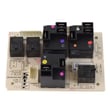
| Oven dead or intermittent, relays clicking | Relay/control board | Range oven relay control board WB27T11357 |
Maintenance that extends lifespan
Use these habits to keep the GE PS978ST1SS running longer.
- Avoid running self-clean back-to-back; let the range cool fully between cycles
- Keep the cooling fan area clear and vents unobstructed
- Clean spills promptly to protect radiant elements and wiring
- Verify oven temperature if baking results change; recalibrate if your model supports it
- Use correct cookware size to reduce element cycling and heat stress
Why it matters
Knowing the expected lifespan helps you decide whether to repair (sensor, element, control) or plan for replacement, especially when multiple heating or control symptoms show up at once.
For model-specific operating and care guidance, use the PS978ST1SS owner’s manual.
Last updated: March 2026