






How old is my Maytag dryer by serial number?
You can date a Maytag DG412 dryer by decoding the serial number’s date code: the first letter indicates the year and the second letter indicates the month. Once you translate those two letters, you have the unit’s manufacture month and year.
Where to find the serial number on a DG412
On most Maytag dryers like the DG412, the model and serial tag is typically located in one of these spots:
- Inside the door opening on the front panel
- On the door itself (edge or inner surface)
- On the cabinet frame just behind the door
- On the rear panel (less common)
If the tag is missing or unreadable, we recommend confirming the model number first using how to find your appliance model number (and what it means for parts).
How to decode the date code (letters)
Maytag serial numbers commonly end with a two-letter date code.
- 1st letter = year code
- 2nd letter = month code
- The remaining digits/letters identify the production sequence
Quick example (format only)
| Serial ending | What it means |
|---|---|
… A M |
Year = A, Month = M |
… C F |
Year = C, Month = F |
Use the two letters at the end of your serial number and match them to a Maytag year/month code chart.
Why it matters
Knowing the manufacture date helps us match the correct DG412 dryer parts (especially gas-heat components and drum support parts) because designs can change over a model’s production run.
Parts that often depend on the correct production run
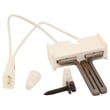
- Gas igniter 4391996 (no-heat or intermittent ignition)
- Gas sensor WP338906 (flame sensing issues)
- Holding coil 279834 (gas valve coil problems)
- Dryer timer WP305448 (cycle timing and shutoff issues)
Last updated: February 2026
What's the life expectancy of a Maytag dryer?
A Maytag dryer like model DG412 typically lasts 15 years with normal household use. Consistent airflow maintenance (lint removal and vent cleaning) and fixing wear items early are the biggest factors in reaching that full service life.
Typical lifespan and what affects it
Most dryers reach their full life when heat, airflow, and drum support parts stay in good shape.
- 15 years is the typical life expectancy for a Maytag dryer
- Heavy loads and frequent cycles shorten life by increasing heat and drum wear
- Restricted venting overheats components and stresses the burner and thermostats
- Worn drum support parts can cause noise and metal-on-metal damage
- Gas ignition issues can lead to repeated failed heating cycles and extra wear
Quick maintenance checklist (high impact)
These steps prevent the most common early failures.
- Clean the lint screen every load (replace a damaged screen such as lint screen WP33001003)
- Vacuum lint from the blower housing area periodically (lint buildup reduces airflow)
- Keep the exhaust vent run short and clear; clean the full duct at least yearly
- Avoid overloading; it strains drum rollers, bearings, and the belt path
- Address new noises early (thumping, squealing, scraping)
Common wear items that can extend service life
Replacing wear parts when symptoms start often prevents secondary damage.
| Symptom | Common cause | Example part for DG412 |
|---|---|---|
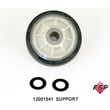
| Thumping or rumbling | Drum support roller worn | Roller W/bea 12001541 |
| Scraping or burning smell | Drum felt seal worn | Dryer Drum Felt Seal WP314820 |
| No heat (gas model) | Ignition component failure | Gas Igniter 4391996 |
| Heat cuts in and out | Cycling thermostat drifting | Cycling Thermostat WPY304475 |
Why it matters
A dryer that runs hot or with poor airflow dries slower, uses more energy, and wears out key components faster. Keeping airflow strong and replacing drum support parts early is the simplest way to get the full 15-year life from a Maytag DG412.
Last updated: February 2026
Where to find part number on Maytag dryer?
On a Maytag DG412 dryer, we use the model and serial tag to identify the correct replacement part number; the tag is typically on the door opening, the door itself, or the cabinet frame. Once you have the model number, we match it to the exact part you need (for example, a lint screen WP33001003).
Where to look on a Maytag DG412 dryer
Check these common locations first:
- Inside the dryer door opening on the front frame
- On the back panel of the cabinet
- On the door itself (edge or inner surface)
- Near the lint screen housing area (depending on configuration)
- On the lower front panel area (some older designs)
What numbers you should write down
For parts ordering and troubleshooting, we recommend capturing:
- Model number (DG412)
- Serial number (helps confirm production run)
- Any option code or additional letters/numbers on the tag
- The part name you are replacing (example: lint screen, gas igniter, drum roller)
Quick guide: model/serial vs. part number
| Number type | Where it’s found | What it’s used for |
|---|---|---|
| Model number | Model/serial tag | Ensures parts fit your exact dryer |
| Serial number | Model/serial tag | Helps confirm correct part variations |
| Part number | Printed on the part or parts list | Identifies the exact replacement component |
Why it matters
Maytag dryers often use similar-looking parts across multiple models, but mounting points, electrical connectors, and gas burner components can differ. Using the DG412 model/serial information helps us avoid ordering the wrong lint screen, gas igniter, timer, or drum support parts.
If you can’t read the tag
- Wipe the tag gently with a damp cloth and mild soap
- Use a flashlight at an angle to make faint printing easier to see
- Take a close-up photo and zoom in
- If the tag is missing, use the part you are replacing to look for a stamped or printed part number
Last updated: February 2026





