 Installation guide
 Owner’s manual




How to reset a Frigidaire dishwasher error code?
To reset an error code on your Frigidaire dishwasher model FFID2426TD0A, press and hold START/CANCEL for about 3 seconds to cancel the cycle and clear many temporary faults. If the code returns, restore operation by turning power off at the breaker, then restarting a fresh cycle per the FFID2426TD0A owner's manual.
Quick reset steps (most common)
- Press and hold START/CANCEL for 3 seconds.
- Wait for the dishwasher to stop and drain (if it was mid-cycle).
- Close the door fully and make sure it is latched.
- Select a cycle and press START/CANCEL to begin.
- If the door was opened during a cycle, press START/CANCEL and close the door right away (within about 10 minutes) to resume.
If the error comes back after a reset
These checks address the most common causes behind recurring drain, fill, and run-related codes.
- Dishwasher won’t run: confirm the breaker is on, water supply is on, Delay Start is off, and the door is latched.
- Won’t fill: verify the water supply is on and the overfill protector (float) moves freely.
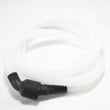
- Does not drain: check for a kinked drain hose, disposer knockout plug issues (if connected), and that the cycle is not paused.
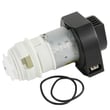
- Still not draining: inspect for a failing drain component such as the drain pump a A00126401.
What each reset does
| Reset method | What it clears | When to use it |
|---|---|---|
| Hold START/CANCEL (3 sec) | Cancels the current cycle; clears many temporary control glitches | First step for most error codes |
| Power reset at breaker (off, then on) | Reboots the electronic control | If the keypad is unresponsive or the code returns immediately |
Why it matters
Resetting clears the control so you can confirm whether the issue was a one-time interruption (door opened, power blip, paused cycle) or an ongoing problem like a drain restriction, water supply issue, or a failing pump, valve, or control.
Last updated: February 2026
What causes power failure on a dishwasher?
Power failure on a Frigidaire FFID2426TD0A dishwasher is usually caused by a tripped breaker or loose power connection, a door that is not fully latched, or an electrical/control issue that stops the unit from running. Start with the simplest checks before replacing parts.
Quick checks we recommend first
- Reset the kitchen circuit breaker (dishwashers typically use a dedicated 15 to 20 amp, 120V circuit).
- Confirm the dishwasher door closes firmly and the latch engages.
- If the unit is hardwired, verify the junction box cover is secure and connections are tight (power off first).
- Look for signs of water in the base area; some units stop operation when an overfill condition is detected.
- If the dishwasher powers on but will not start a cycle, review the cycle start steps in the installation guide.
Common causes and the most likely fix
| Symptom | Most common cause | What to do next |
|---|---|---|
| Completely dead (no lights) | Breaker tripped, loose power connection | Reset breaker; check wiring connections with power disconnected |
| Lights on, won’t run | Door not latched | Inspect/replace the dishwasher door latch 5304525218 |
| Stops mid-cycle or acts erratic | Control or wiring issue | Check harness connections; consider control components if symptoms persist |
| Intermittent power | Loose connection, failing latch | Re-seat connectors; test latch operation and alignment |
Why the door latch matters
If the latch does not fully engage, the dishwasher can appear to “lose power” because the control will not allow the motor and heater to run with the door switch open. A worn latch, misaligned strike, or a door that is not closing squarely can all trigger this.
Safety notes before troubleshooting
- Disconnect electrical power at the fuse box or circuit breaker box before opening panels or touching wiring.
- Use a qualified technician for internal electrical diagnosis if you are not comfortable working around wiring.
For a step-by-step no-start workflow, use our dishwasher wont start video.
Last updated: February 2026
What is the most common problem with a Frigidaire dishwasher?
The most common Frigidaire dishwasher issues are poor cleaning (often from blocked spray, loading problems, or water quality), not draining, and leaks. On the Frigidaire FFID2426TD0A, we start by checking spray arm rotation, detergent use, and that the unit is filling and draining normally per the owner's manual.
Most common symptoms and what usually causes them
- Food soils left on dishes: items blocking spray arms, overloading, low water temperature, or low water pressure
- Not draining: clogged filter/glass trap area, blocked drain path, or a failing drain pump
- Not drying: cycle selection, rinse aid level, or heating circuit issues
- Leaks: door not latching fully, door seal issues, or overfilling
- Won’t start or stops mid-cycle: door not fully latched, control not resuming after a pause
Quick checks we recommend first (FFID2426TD0A)
- Confirm the door closes firmly and latches before pressing Start.
- Make sure dishes are not blocking the spray arms from rotating.
- Use fresh, household automatic dishwasher detergent (not industrial grade).
- Verify hot water supply is about 120°F at the sink before starting a cycle.
- Check home water pressure; typical operating range is 20 to 120 psi.
Common parts involved (when symptoms persist)
| Symptom | Parts that commonly relate | What the part does |
|---|---|---|
| Not draining | Drain pump a A00126401 | Pumps dirty water out during drain |
| Poor cleaning | Dishwasher spray arm 5304507158 | Distributes wash water for cleaning |
| Not drying | Frigidaire dishwasher heating element 154825001 | Heats water and supports drying |
| Won’t start | Dishwasher door latch 5304525218 | Confirms door is closed so the cycle can run |
Why it matters
Most “dishwasher problems” are really wash coverage, water temperature, or drain flow issues. Fixing those basics first prevents repeat cycles, odor, and premature wear on the pump, motor, and heating system.
Last updated: February 2026
How can I force my Frigidaire dishwasher to drain?
To force your Frigidaire FFID2426TD0A dishwasher to drain, cancel the current cycle: press and hold START/CANCEL for 3 seconds. The dishwasher will run a 90-second drain, then you can select a new cycle (details are in the FFID2426TD0A owner's manual).
Quick steps to start a drain
- Open the door and press and hold START/CANCEL for 3 seconds.
- Close the door to let the drain run.
- Wait about 90 seconds for the drain to finish.
- Select your next wash cycle and press START/CANCEL to begin.
If it still will not drain
These are the most common drain blockers and setup issues to check on FFID2426TD0A:
- Drain hose kinked or pinched behind the dishwasher or under the sink.
- Sink/disposer connection issue (for disposer installs, the knockout plug must be removed).
- Food waste disposer is full and backing up the drain path.
- Glass trap needs cleaning/installed incorrectly (clogs stop water flow).
- Drain path routing problem (drain entry needs to be above the sink trap; some installs require an air gap).
Drain setup checklist (installation basics)
Your drain connection method affects how well the dishwasher drains. Use this as a quick reference and confirm your setup in the FFID2426TD0A installation guide.
| Install detail | What “good” looks like | What happens if it is wrong |
|---|---|---|
| Sink drain connection | Drain entry is above the trap | Slow drain, backflow, odors |
| Disposer connection | Knockout plug removed | Dishwasher will not drain |
| Hose routing | No kinks; smooth downhill run where possible | Intermittent draining |
| Air gap (where required) | Installed per local code or floor routing | Backflow risk, poor draining |
When a part is likely involved
If the drain hose and plumbing connection are correct and the unit still will not drain, the drain pump is a common failure point. For this model, the replacement is the drain pump a A00126401.
Why it matters
Cancel-drain is the fastest way to clear standing water after a paused cycle, a wrong cycle selection, or a minor clog. It also helps you confirm whether the issue is a control action (cancel/drain) or a true drain system problem (hose, disposer, pump).
Last updated: February 2026





