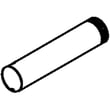
Installation guide
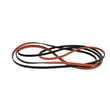
 Owner’s manual











How do I fix error code f3 e3 on Whirlpool dryer?
On the Whirlpool WED8500DW3 electric dryer, an F3 E3 code points to a moisture-sensing problem (often a sensor circuit issue or a control reading that is out of range). We start by resetting power, then checking airflow and the moisture sensor area before moving to wiring or control diagnostics in the WED8500DW3 owner's manual.
Quick reset (first step)
- Turn both dryer circuit breakers OFF for 1 minute (electric dryers use two breakers).
- Turn breakers ON.
- Start a Timed Dry heated cycle.
- Watch the display for about 1 minute to confirm the code does not return.
What to check next (most common causes)
- Lint screen and venting: Clean the lint screen; confirm the vent is not crushed, kinked, or clogged.
- Moisture sensor bars: Wipe the sensor bars inside the drum (fabric softener residue can interfere).
- Load and cycle choice: Avoid very small loads on Auto cycles; use Timed Dry to test.
- Power supply: If you also see L2 (low/no line voltage), correct the supply issue first.
- Harness connections: Inspect connectors at the sensor and main harness for loose pins or corrosion.
Parts that are commonly involved
If the dryer is overheating, cycling oddly, or the code returns after airflow checks, these parts are often tested during diagnosis:
| Symptom you notice | Common check | Related part (if failed) |
|---|---|---|
| Heat seems erratic, dries poorly | Temperature sensing | Dryer thermistor WP8577274 |
| Dryer shuts off, no heat, or repeats faults | Overheat protection | Thermal fuse W10909685 |
| Long dry times plus airflow warnings | Vent restriction | (clean venting first) |
Why it matters
The dryer uses moisture and temperature feedback to end cycles correctly. When airflow is restricted or the sensor circuit reads incorrectly, the control can trigger F3 E3, and drying performance usually gets worse (long dry times, overheating, or damp loads).
Last updated: February 2026
How to reset a whirlpool duet dryer?
To reset your Whirlpool electric dryer model WED8500DW3, we recommend a simple power reset: turn the dryer off, unplug it (or switch the breaker off) for about 5 minutes, then restore power and start a new cycle. This clears many control glitches.
Quick reset options (most common)
- Power reset: Unplug the dryer for 5 minutes, then plug it back in.
- Breaker reset: Turn both dryer breakers off (electric dryers often use two), wait 1 minute, then turn them back on.
- Cycle cancel: Touch Power to end the current cycle; then select a new cycle and touch START/PAUSE.
- After a door-open pause: If the door was opened during options like Wrinkle Shield, touch Power to turn off, or touch START/PAUSE to continue.
For control and cycle behavior details specific to this model, follow the steps in the WED8500DW3 owner’s manual.
If “resetting” does not fix the problem
A reset helps when the control is confused; it will not fix a no-start or no-heat condition caused by power, airflow, or a failed safety device.
Check these first
- Confirm the door is fully closed.
- Touch START/PAUSE with the pad of your finger (not a fingernail).
- Verify a 240-volt supply is present; electric dryers can run the motor on partial power but not heat.
- Check that both household fuses/breakers are good (many electric dryers use two).
- Clear restricted airflow; a clogged vent can trigger AF (restricted air flow) and cause long dry times.
Common symptoms and what a reset can and cannot do
| Symptom | Reset likely helps? | What to check next |
|---|---|---|
| Display frozen or buttons unresponsive | Yes | Power reset, then retry cycle selection |
| Dryer runs but no heat | Sometimes | 240V supply, both breakers, venting, heating circuit |
| Dryer will not start | Sometimes | Door closure, START/PAUSE touch, power supply |
| AF code or long dry times | No | Lint screen and vent restriction |
Why it matters
Resetting restores normal control operation after a power glitch, but repeated issues usually point to an underlying cause such as restricted venting, incorrect power supply, or a failed heating safety component like the thermal fuse W10909685.
Last updated: February 2026
Is a 7.4 cu ft dryer big?
Yes. A 7.4 cu ft dryer is considered large capacity, and it is big enough for most families plus bulky items like comforters and bedding. For a Whirlpool electric dryer like model WED8500DW3, that capacity typically means fewer loads and shorter laundry days.
What 7.4 cu ft handles well
- King or queen comforters (check the care label and avoid overstuffing)
- Large towel loads
- Mixed family loads (jeans, shirts, socks)
- Bulky items like jackets and blankets
- Larger loads without tight packing, which helps airflow and drying performance
Capacity guide (quick comparison)
| Dryer capacity | Common label | Best for |
|---|---|---|
| 6.0 to 6.9 cu ft | Standard | Couples, smaller loads |
| 7.0 to 7.4 cu ft | Large | Most families, bedding |
| 7.5 cu ft and up | Extra-large | Frequent bulky loads, big households |
Why it matters for drying time and performance
Even with a large drum, drying depends on airflow and load size. Whirlpool’s guidance emphasizes keeping airflow strong (clean lint screen, clear venting) because restricted airflow makes cycles run longer and clothes dry poorly. For clear operating and care details specific to this dryer, use the WED8500DW3 owner’s manual.
Tips to get the best results with a large-capacity drum
- Do not pack the drum tight; leave room for items to tumble
- Clean the lint screen before every load
- Avoid blocking the lint screen grille with fabric softener sheets
- Keep the exhaust vent and outside hood clear to prevent long dry times
- If drying seems inconsistent, level the dryer and confirm proper installation using the WED8500DW3 installation guide
Last updated: February 2026
What is the average lifespan of a whirlpool dryer?
Most Whirlpool dryers, including the Whirlpool WED8500DW3 electric dryer, typically last 10 to 13 years with normal household use. Consistent airflow maintenance (lint screen and venting) and avoiding overloads are the biggest factors that help a dryer reach the upper end of that range.
Typical lifespan and what affects it
A dryer’s life is mostly determined by heat stress, airflow restriction, and wear on moving parts.
- Vent restriction (long runs, crushed duct, clogged hood) drives up heat and shortens life
- Overloading strains the drum support system and belt drive
- Frequent high-heat cycles increase wear on thermostats and fuses
- Poor lint control can reduce airflow and cause overheating
- Power issues (low voltage) can affect performance and increase run time (your manual notes results can vary if service voltage is under 240V)
Maintenance that extends dryer life
Use these habits to reduce overheating and mechanical wear; we see these make the biggest difference over time.
- Clean the lint screen every load
- Inspect and clean the full vent path periodically (dryer outlet to exterior hood)
- Keep loads to a reasonable size so items tumble freely
- Use Automatic cycles when possible; they shut off when the selected dryness is reached (less over-drying)
- If you want energy savings, use EcoBoost when appropriate; expect longer dry times per the WED8500DW3 owner's manual
Common wear items and when they matter
If your WED8500DW3 starts squealing, thumping, or taking longer to dry, these parts are common culprits.
| Symptom | Common cause | Example part for this model |
|---|---|---|
| Squealing or rumbling | Worn drum support rollers | Dryer drum support roller WPW10314173 |
| Thumping, poor tumbling | Worn belt or pulley | Dryer idler pulley W10837240 |
| No heat or shuts off | Overheat protection opened | Thermal fuse W10909685 |
Why it matters
A dryer that runs hot or runs too long does more than waste energy; it accelerates wear on safety thermostats, fuses, and the drive system. Keeping airflow strong is the simplest way to protect the heater circuit and extend overall lifespan.
Last updated: February 2026
What model is the Whirlpool quiet partner 3?
“Quiet Partner III” is a Whirlpool dishwasher series name, not a model number for your Whirlpool WED8500DW3 electric dryer. If you’re trying to identify your appliance for parts or service, use the model and serial number from the rating label and confirm it in the WED8500DW3 owner’s manual.
How to identify the correct model number (dishwasher vs. dryer)
Use the appliance’s rating label, not the marketing name.
- Dishwashers: open the door and check the tub frame or door edge for the model and serial tag
- Dryers (including WED8500DW3): check the door opening, door frame, or inside the cabinet opening for the rating label
- Write the model number exactly as shown (letters and numbers)
- Record the serial number too; it helps match production changes
- Use the model number to choose the correct parts diagrams and troubleshooting steps
Quick comparison: where the label is located
| Appliance type | “Quiet Partner III” applies? | Typical label location |
|---|---|---|
| Dishwasher | Yes (series name) | Inside door area, tub frame, or door edge |
| Electric dryer (WED8500DW3) | No | Door opening or door frame area |
Why it matters
Parts and troubleshooting are model-specific. A series name like “Quiet Partner III” can’t reliably match components such as a control board, door latch, or pump on a dishwasher, and it does not apply to dryer parts like a belt, thermal fuse, or drum support roller.
Last updated: February 2026