Owner’s manual
 Error Codes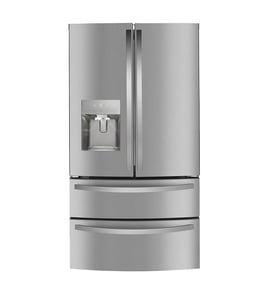


How long does a Frigidaire Professional refrigerator last?
A Frigidaire Professional refrigerator like model FPRU19F8RFF typically lasts 10 to 15 years with normal household use. Consistent maintenance (cleaning, good airflow, and tight door sealing) is what most often determines whether you land closer to 10 years or closer to 15.
What affects lifespan the most
We see these items make the biggest difference on refrigerators like the FPRU19F8RFF:
- Condenser cleanliness and airflow: dust buildup makes the compressor work harder.
- Door seal condition: air leaks cause longer run times and moisture issues.
- Stable temperatures: frequent warm-ups from long door openings add wear.
- Power quality: repeated outages or low voltage can stress electronics and the compressor.
- Routine filter changes: helps keep odors down and reduces strain from restricted airflow.
For model-specific care and cleaning guidance, follow the schedule in the FPRU19F8RFF use & care manual.
Maintenance checklist to help reach 15 years
Use this simple routine:
- Vacuum dust from the condenser area regularly (more often with pets).
- Keep the refrigerator level so the door closes and seals easily.
- Clean door gaskets with mild soap and water; dry thoroughly.
- Avoid overpacking shelves so cold air can circulate.
- Replace the air filter on schedule; this model uses the refrigerator door air filter EAFCBF.
Quick expectations by age
| Refrigerator age | What we typically recommend | What to watch for |
|---|---|---|
| 0 to 5 years | Basic cleaning and correct temperature settings | Door alignment, early gasket wear |
| 6 to 10 years | Step up preventive maintenance | Noisy fan, longer run times |
| 11 to 15 years | Plan for higher repair frequency | Cooling inconsistency, control issues |
Why it matters
Knowing the typical 10 to 15 year lifespan helps you decide when maintenance is worth it versus when it is smarter to budget for a replacement, especially if major components like the compressor or electronic controls start acting up.
Last updated: January 2026
What is the most common problem with a Frigidaire refrigerator?
Cooling performance problems are the most common issue we see across Frigidaire refrigerators, including the Frigidaire FPRU19F8RFF. Typical symptoms are warm temperatures, long run times, or frost and airflow problems; many start with maintenance items like dirty condenser coils or a door that is not sealing well (see the FPRU19F8RFF use & care manual).
Most common symptoms to watch for
- Refrigerator not cold enough or temperature swings
- Unit runs too much or too long
- Frost buildup that restricts airflow
- Door not closing tightly or moisture around the door opening
- Odors that return quickly after cleaning
Quick checks we recommend first (no parts required)
- Confirm the temperature setting and allow several hours to stabilize after changes
- Make sure the door closes fully and the gasket sealing surface is clean
- Avoid blocking interior air passages and do not overpack shelves
- Clean dust from the condenser area so the compressor can shed heat
- After a power outage, allow a full cool-down period before judging performance
When it points to a part on FPRU19F8RFF
If the basic checks do not help, these model-compatible parts are commonly involved in cooling or airflow complaints:
| Symptom | Likely area | Example model-compatible part |
|---|---|---|
| Warm cabinet, weak airflow | Evaporator airflow | Freezer evaporator fan motor 297309000 |
| Frost-related cooling loss | Defrost system | Freezer defrost heater 216730700 |
| Temperature errors or erratic temps | Sensing/control | Refrigerator temperature sensor 297110400 |
| Door not sealing, moisture at opening | Door seal | Frigidaire freezer door gasket 5304505782 |
Why it matters
Cooling issues can lead to food spoilage, higher energy use, and extra wear on the compressor. Starting with airflow, cleaning, and door sealing helps you avoid replacing parts that are still good.
Last updated: January 2026
What does FF mean on a Frigidaire freezer?
On Frigidaire model FPRU19F8RFF, “FF” is generally treated as a cooling or airflow fault indicator (most often tied to the evaporator fan area or frost restricting airflow). This model’s Use & Care Guide lists other alerts (E7/E8/E9, Sb, LO, OF), so we use the “FF” display plus symptoms to guide troubleshooting.
What to check first (fast, no tools)
- Make sure the door closes and seals fully; air leaks can trigger frost and warm temps.
- Confirm the unit is not in Control Lock (“LO”) and not turned off (“OF”).
- Set temperature normally and give it several hours to stabilize after changes.
- Listen for the evaporator fan; you should typically hear airflow when the unit is running.
- Look for heavy frost on the rear interior panel, which can indicate a defrost problem.
Reset and airflow recovery steps
- Press Alert Reset (if the tone is sounding) and close the door.
- Power reset: unplug (or switch breaker off) for 5 minutes, then restore power.
- If frost is heavy, do a manual defrost: move food to a cooler, leave the door open, and let ice melt completely (do not use sharp tools).
Control behavior and listed alerts for this model are covered in the FPRU19F8RFF use & care manual.
Parts to suspect if “FF” returns
If “FF” comes back after a full defrost and reset, these model-compatible parts are common checks:
| What you observe | What it points to | Model-compatible part |
|---|---|---|
| No airflow sound, warm cabinet | Evaporator fan not running or intermittently failing | Freezer evaporator fan motor 297309000 |
| Frost quickly returns on rear panel | Defrost heat not clearing ice | Freezer defrost heater 216730700 |
| Temps seem inaccurate or swing | Sensor/thermistor issue | Refrigerator temperature sensor 297110400 |
Why it matters
When airflow is blocked (often by ice) or the evaporator fan is not moving air, the refrigerator can run longer but still warm up, putting food at risk.
Last updated: January 2026
How to reset a Frigidaire fridge freezer?
For the Frigidaire FPRU19F8RFF refrigerator, the most reliable reset is a power reset: unplug the unit (or switch the breaker off) for about 5 minutes, then restore power and let the control reboot. For model-specific button steps, use the FPRU19F8RFF use & care manual.
Reset options that apply to FPRU19F8RFF
1) Power reset (clears many control glitches)
- Unplug the refrigerator or turn the circuit breaker off.
- Wait about 5 minutes.
- Restore power.
- Allow several hours for temperatures to stabilize after any interruption.
2) Turn cooling OFF then back ON at the control (Pro-Select)
This model uses a Pro-Select electronic control inside the refrigerator.
- Press the UP key until the warmest setting (46°F / 8°C) shows.
- Press the UP key 3 times within 3 seconds to turn the unit OFF (display shows OF).
- To turn it back ON, press the DOWN key 3 times within 3 seconds; the display returns to 46°F (8°C), then adjust to your preferred setting.
3) Clear alarms (without resetting everything)
- Press Alert RESET to silence supported alerts (including clearing the Power Fail duration display).
- Close the door to stop a Door Ajar alert.
- If Replace Air Filter is on after changing the filter, press and hold AIR FILTER for 3 seconds to reset the timer.
What you see on the display (quick guide)
| Display/Light | What it means on FPRU19F8RFF | What to do first |
|---|---|---|
| LO | Control lock is on | Press CONTROL LOCK for 3 seconds |
| Sb | Sabbath mode is on | Hold CONTROL LOCK + TEMP MODE for 3 seconds |
| E7 | Stuck key alert | Release the key; try power reset if needed |
| E8 / E9 | Temperature sensor alert | Try power reset; if it returns, troubleshoot sensor/wiring |
When a reset points to a part issue
If E8/E9 returns after a reset, the problem is usually a sensor or connection issue rather than a setting.
- Consider testing/replacing the refrigerator temperature sensor 297110400
Why it matters
A reset can clear a temporary control lockup after a power interruption, but repeated alarms or error codes usually indicate an underlying issue (door sealing, airflow, sensor input, or control operation). Using the correct reset method helps avoid unnecessary downtime.
Last updated: January 2026