Get free shipping on your order, with any water filter subscription. Find my filter

Open Hamburger Menu
Sears Parts Direct
Tips to find your model number
GE WCSR2090D5WW washer

GE WCSR2090D5WW washer Parts

Here are the diagrams and repair parts for GE WCSR2090D5WW washer, as well as links to manuals and error code tables, if available.

By Schematic
By Part
SELECT DIAGRAM
?

This is the number corresponding to the part on the diagram / schematic

Browse Parts for WCSR2090D5WW Washer

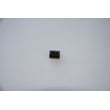
  • Switch Support for GE WCSR2090D5WW - Part WH46X10081

    Controls & backsplash diagram

    Switch Support

    Part #WH46X10081

    The manufacturer no longer makes this part, and there's no substitute part

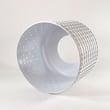
  • Light Protector for GE WCSR2090D5WW - Part WH44X10144

    Cabinet, cover & front panel diagram

    Light Protector

    Part #WH44X10144

    The manufacturer no longer makes this part, and there's no substitute part

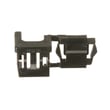
  • Panel for GE WCSR2090D5WW - Part WH46X10118

    Controls & backsplash diagram

    Panel

    Part #WH46X10118

    The manufacturer no longer makes this part, and there's no substitute part

  • Terminal Housing for GE WCSR2090D5WW - Part WH12X0497

    Controls & backsplash diagram

    Terminal Housing

    Part #WH12X0497

    The manufacturer no longer makes this part, and there's no substitute part

  • Ground Clip for GE WCSR2090D5WW - Part WH02X1207

    Cabinet, cover & front panel diagram

    Ground Clip

    Part #WH02X1207

    The manufacturer no longer makes this part, and there's no substitute part

  • Pin for GE WCSR2090D5WW - Part WH02X1188

    Cabinet, cover & front panel diagram

    Pin

    Part #WH02X1188

    The manufacturer no longer makes this part, and there's no substitute part

  • Transmission Pulley for GE WCSR2090D5WW - Part WH07X0126

    Suspension, pump & drive components diagram

    Transmission Pulley

    Part #WH07X0126

    The manufacturer no longer makes this part, and there's no substitute part

  • Terminal Housing for GE WCSR2090D5WW - Part WH12X0538

    Cabinet, cover & front panel diagram

    Terminal Housing

    Part #WH12X0538

    The manufacturer no longer makes this part, and there's no substitute part

  • Shipping Bar for GE WCSR2090D5WW - Part WH46X0344

    Cabinet, cover & front panel diagram

    Shipping Bar

    Part #WH46X0344

    The manufacturer no longer makes this part, and there's no substitute part

  • Control Panel for GE WCSR2090D5WW - Part WH42X10471

    Controls & backsplash diagram

    Control Panel

    Part #WH42X10471

    The manufacturer no longer makes this part, and there's no substitute part

GE Washer WCSR2090D5WW FAQs

To reset your GE WCSR2090D5WW washer, unplug it for 2 minutes, plug it back in, then press START. This power reset clears many control glitches and is the first step we recommend before deeper troubleshooting.

  • Turn the washer OFF using the cycle selector knob.
  • Unplug the washer from the wall outlet.
  • Wait 2 minutes (this lets the electronics fully discharge).
  • Plug the washer back in.
  • Select a cycle and press START.

For model-specific control and cycle behavior, follow the steps in the WCSR2090D5WW owner's manual.

If it still will not run after resetting

These checks solve the most common “won’t start” complaints after a reset:

  • Confirm the power cord is fully seated in a working outlet.
  • Turn both hot and cold water faucets fully on.
  • Close the lid completely (the washer will not agitate or spin with the lid open).
  • Re-select the cycle from the beginning, then press START.
  • Check the home breaker or fuse; the washer should be on a dedicated outlet.

What “reset” does (and does not) do

Action What it helps What it won’t fix
Unplug 2 minutes, then press START Control glitches, stuck logic, odd pauses Mechanical failures, leaks, worn bearings
Turning the cycle knob to a new cycle Stops and resets the cycle selection Power supply problems

Why it matters

A proper reset is the fastest way to rule out a temporary electronics issue before replacing parts like a timer, water-level pressure switch, or inlet valve. It also prevents unnecessary disassembly when the fix is simply restoring normal control operation.

Last updated: February 2026

A GE washing machine typically lasts 10 to 14 years. For your GE WCSR2090D5WW top-load washer, consistent care (correct loading, routine cleaning, and replacing wear items like hoses on schedule) is what most directly determines whether you land closer to 10 years or closer to 14.

What affects washer lifespan the most

  • Load size and balance: Overloading and repeated out-of-balance spinning accelerates wear on the tub, bearings, and suspension.
  • Water quality: Hard water and sediment can shorten valve and seal life.
  • Hose condition: GE recommends replacing fill hoses every 5 years.
  • Moisture and storage: Freezing temps and damp laundry areas increase damage risk.
  • Maintenance habits: Regular cleaning and prompt leak fixes prevent bigger failures.

Quick maintenance checklist (best ROI)

Use these habits to extend the life of a GE top-load washer like the WCSR2090D5WW:

  • Keep loads evenly distributed and avoid packing the basket tight.
  • Turn off water faucets when the washer is not in use to reduce hose and valve stress.
  • Inspect fill hoses for bulges, cracking, or leaks; replace on a 5-year schedule.
  • Clean residue and keep the area under and around the washer free of lint and clutter.
  • Follow cycle and temperature guidance in the WCSR2090D5WW owner's manual.

Typical lifespan by component (what usually fails first)

Component Typical wear-out window Common symptom
Fill hoses 5 years (replace) Leaks, bulges, seepage
Drive belt 7 to 12 years Won’t spin, burning rubber smell
Tub seal/bearing 8 to 15 years Roaring noise, water leak under washer
Timer/knobs 10+ years Stalls mid-cycle, won’t advance

Why it matters

Knowing the expected 10 to 14-year lifespan helps us decide whether a repair is a smart investment. For example, a simple wear-item repair (like a belt WH1X2026) often makes sense, while major tub or bearing work may be a bigger decision depending on age and condition.

Last updated: February 2026

For the GE washer model WCSR2090D5WW, the model number and serial number are printed on a label under the lid; look at the left corner of the washer opening. This label is the fastest way to confirm the exact model for parts and troubleshooting.

Where to look (quick steps)

  • Lift the washer lid fully.
  • Look under the lid at the left corner of the washer opening.
  • Find the label that lists Model # and Serial #.
  • Write both numbers down exactly as shown.
  • Use the model number when selecting diagrams and replacement parts.

What the label typically shows

Label item What it’s used for Why you need it
Model # Identifies the exact washer version Ensures correct part fit for WCSR2090D5WW
Serial # Identifies production run details Helps match the right revisions when servicing

Why it matters

GE often uses similar-looking washer designs across multiple model numbers. Using the exact model and serial from the under-lid label prevents ordering the wrong items (like a timer, belt, or lid assembly) and speeds up accurate troubleshooting.

Helpful tip

If the label is hard to read, wipe it gently with a damp cloth and take a clear photo. For operating and identification details, use the WCSR2090D5WW owner's manual.

Last updated: March 2026

Most common symptoms to help you fix your washers

Choose a symptom to see related washer repairs.

Main causes: clogged drain hose, house drain clogged, bad drain pump, water-level pressure switch failure, bad control b…

Main causes: broken lid switch or lid lock, bad pressure switch, broken shifter assembly, faulty control system…

Main causes: worn agitator dogs, bad clutch, broken motor coupler, shifter assembly failure, broken door lock, suspensio…

Main causes: water heater failure, bad water temperature switch, faulty control board, bad water valve, faulty water tem…

Main causes: lack of electrical power, wiring failure, bad power cord, electronic control board failure, bad user interf…

Main causes: no water supply, bad water valves, water-level pressure switch failure, control system failure, bad door lo…

Main causes: unbalanced load, loose spanner nut, worn drive block, broken shock absorber or suspension spring, debris in…

Main causes: leaky water inlet valve, faulty water-level pressure switch, bad electronic control board…

Main causes: bad lid switch or door lock, bad timer or electronic control board, wiring failure, bad water inlet valve a…

Repair guides for side-by-side refrigerators

How to replace an electronic control board on the back of a refrigerator

How to replace an electronic control board on the back of a refrigerator

If your refrigerator isn't running, an electronic control board failure could be the problem. A service technician can d…

Repair time and Difficulty

 15 minutes or less
How to replace a press-in door gasket in a side-by-side refrigerator

How to replace a press-in door gasket in a side-by-side refrigerator

The door gasket seals the gap around the door to keep the cold air in and the warm air out. Replace a worn or damaged do…

Repair time and Difficulty

 15 minutes or less
How to replace an ice maker in a side-by-side refrigerator

How to replace an ice maker in a side-by-side refrigerator

Learn how to replace the ice maker in a side-by-side refrigerator with these step-by-step instructions.…

Repair time and Difficulty

 30 minutes or less

Effective articles & videos to help repair your washers

Use the advice and tips in these articles and videos to get the most out of your washer.

How auto-load sensing washers work (and when they don't)

How auto-load sensing washers work (and when they don't)

Your washer barely fills or seems stuck in sensing mode? Find out how auto-load sensing and Precise Fill features work, …

How to remove the main control board and user interface from a Maytag Epic Z front-load washer

How to remove the main control board and user interface from a Maytag Epic Z front-load washer

Get step-by-step instructions for removing the main electronic control board and the control panel from a Maytage Epic Z…

Using a wiring schematic to trace a current video

Using a wiring schematic to trace a current video

Find out what’s wrong with your appliance by following a circuit.…

Parts & More

Bottom-Mount Refrigerator
Dishwasher
Dryer
Dvd Player
Dvd/Vcr Combo
Front-Engine Lawn Tractor
Gas Chainsaw
Gas Walk-Behind Mower
Lawn & Garden Engine
Lawn Sweeper
Miter Saw
Parts
Range
Refrigerator