
What does PF stand for on a Kenmore dryer?
PF on a Kenmore dryer (including model 11086870100) stands for power failure. It means the dryer’s control detected an interruption in incoming power during or right after a cycle, so the cycle may pause or stop until you restart it.
What to do when you see PF
- Press Start to resume (if the dryer allows) or Cancel/Stop to clear the display.
- Re-run the cycle and watch for repeat PF codes.
- Check the dryer’s power cord and wall outlet for a loose connection.
- Reset the dryer by unplugging it for 1 minute, then plugging it back in.
- If PF happens repeatedly, check the home circuit (breaker, wiring, or outlet) for intermittent power.
Common causes (and what they look like)
| Cause | What you may notice | What to check first |
|---|---|---|
| Brief outage or flicker | PF appears once | Restart cycle |
| Loose plug or worn outlet | PF happens when the dryer vibrates | Outlet grip, cord fit |
| Tripped/weak breaker | Dryer stops mid-cycle | Breaker panel |
| Internal vibration issue | PF appears with thumping/squealing | Drum drive parts |
When PF is tied to dryer vibration or stopping
If the dryer shuts off as it tumbles (then shows PF), a slipping belt or drag in the drum can contribute by stressing the motor and causing a stop. On model 11086870100, inspect common wear items like the belt 341241 and the dryer idler pulley WP691366.
Quick checks (power off)
- Spin the drum by hand; it should turn smoothly.
- Listen for scraping or squealing that points to a pulley or bearing issue.
- Look for belt glazing, cracks, or slack.
Why it matters
A one-time PF is usually harmless, but repeated PF codes can signal an outlet, breaker, or wiring problem that can interrupt drying performance and increase wear on the motor and heating system.
Last updated: February 2026
Can you get parts for a Kenmore dryer?
Yes. We carry replacement parts for Kenmore dryers, including model 11086870100, so you can match the exact components your dryer uses (drive parts, door parts, and airflow parts) and get it back to drying safely and efficiently.
How to find the right part for Kenmore 11086870100
Use your model number 11086870100 to confirm fit, then shop by the symptom you are fixing.
- Start with the most common wear items: belt, idler pulley, and blower wheel
- If the dryer will not start, check the door switch and door latch parts
- If the dryer runs but shuts off or overheats, inspect thermal safety parts
- If drying is slow, focus on lint path and airflow components
- If the drum will not turn, inspect the belt and motor drive system
Common parts customers replace on this model
Here are examples of parts we stock for Kenmore 11086870100:
| What it affects | Example part for this model | When you typically replace it |
|---|---|---|
| Drum turning | Belt 341241 | Drum will not spin, squealing, belt snapped |
| Door sensing | Dryer door switch W10820036 | Dryer will not start unless door is held |
| Air movement | Dryer blower wheel WP694089 | Loud rumble, weak airflow, burning smell |
| Belt tension | Dryer idler pulley WP691366 | Squeal, thump, belt slipping |
Why it matters
Using parts that match Kenmore 11086870100 helps prevent repeat failures (for example, a misfit belt or blower wheel can cause noise, poor drying, or extra wear on the motor). It also speeds up troubleshooting because you are working with the correct configuration.
Helpful DIY reference
If your dryer is showing a code or you are troubleshooting an electronic-control Kenmore 110-series dryer, use Kenmore 110 series electronic control model dryer error codes to narrow the problem to a specific circuit or component.
Last updated: February 2026
What size dryer belt for Kenmore series 100?
For Kenmore dryer model 11086870100 (a Kenmore 110 Series), the correct replacement drum belt is the belt 341241. This is the standard style used on many Kenmore 110-built dryers; it fits the drum and routes around the idler pulley and motor pulley to turn the drum.
The part we recommend for this model
Use the exact belt listed for your model:
If your dryer squeals or the drum will not turn, it is also smart to inspect the idler pulley and blower wheel while you have the cabinet open.
Quick fit check (before you order)
We use these checks to confirm you are buying the right belt for a Kenmore 110 Series dryer:
- Model number on the tag matches 11086870100
- Drum turns hard by hand or will not turn at all
- You hear the motor running but the drum does not move
- You find belt dust, cracking, glazing, or a snapped belt
- The belt rides in the drum groove (not off to one side)
Related parts that commonly wear with the belt
Replacing worn drive parts together helps prevent repeat failures.
| Symptom | Common related part to inspect | Sears PartsDirect part ID |
|---|---|---|
| Squealing, belt slipping | Dryer idler pulley | WP691366 |
| Humming, no drum movement | Motor | 279827 |
| Thumping, vibration | Dryer blower wheel | WP694089 |
Why it matters
A stretched or broken belt stops the drum from tumbling, which causes long dry times and can overheat the dryer. Installing the correct belt for 11086870100 restores proper drum speed and airflow so the heater and cycling controls can work normally.
Last updated: February 2026
What would cause a Kenmore dryer not to heat?
A Kenmore dryer like model 11086870100 usually won’t heat because airflow is restricted or a safety device has opened the heating circuit. The most common culprits are a blown thermal cut-off/fuse, a failed heating element circuit, or a venting problem that caused overheating.
Quick checks we recommend first
- Clean the lint screen and confirm strong airflow at the outside vent hood.
- Make sure the exhaust duct is not crushed, kinked, or packed with lint.
- Verify the cycle and settings (heated cycle, not Air Fluff or No Heat).
- Confirm the dryer is getting full power (many electric dryers can run but not heat on partial power).
- If the drum turns and there is airflow but no heat, move to component testing.
Parts that commonly stop heat (and what they do)
If airflow is good, these parts are the most likely causes on a Kenmore dryer:
| Symptom | Most likely cause | What to do next |
|---|---|---|
| Runs but never warms | Thermal cut-off opened | Test and replace the cut-off kit if open |
| Heats briefly then stops | Overheating from vent restriction | Fix venting, then test safety devices |
| No heat, normal airflow | Heating circuit failure | Test heater circuit components with a meter |
| Long dry times, weak heat | Blower or lint path restriction | Inspect blower wheel and lint chute for blockage |
Model-matched parts to consider
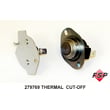
- Cut-off 279769: A failed thermal cut-off can open the heater circuit and stop all heat.
- Dryer blower wheel WP694089: A loose or broken blower wheel reduces airflow and can trigger overheating.
- Dryer lint chute assembly W11117429: A clogged lint chute restricts airflow and contributes to overheating.
Why it matters
A dryer that cannot move air will often shut heat down to protect the appliance. Restoring proper airflow first prevents repeat failures after replacing parts like a thermal cut-off.
Safety notes before testing
- Unplug the dryer (and shut off gas if you have a gas model) before opening panels.
- Use a multimeter for continuity checks; replace any open safety device rather than bypassing it.
Last updated: February 2026
How to remove front panel of Kenmore dryer?
To remove the front panel on your Kenmore dryer model 11086870100, we start by disconnecting power, then release the top, remove the mounting screws, and lift the front panel off while supporting the drum. This gives access to common wear parts like the belt 341241.
Before you start (safety and setup)
- Unplug the dryer from the wall outlet.
- If it is a gas dryer, shut off the gas supply valve as well.
- Pull the dryer forward so you can work from the front and sides.
- Have a container ready for screws and a phone to take reference photos.
- Wear work gloves; cabinet edges can be sharp.
Front panel removal steps (typical for Kenmore 110-series)
- Release the top panel: Insert a putty knife a few inches in from each front corner to release the spring clips, then lift the top.
- Remove front panel screws: Open the door and remove screws around the door opening (and any screws along the top edge of the front panel).
- Disconnect wiring: If your model has a door switch harness, unplug it (do not pull on wires).
- Lift the front panel off: Tilt the panel forward slightly, then lift it up and off the lower retaining tabs.
- Support the drum if needed: On many designs, the front panel helps support the drum; be ready to hold the drum as the panel comes off.
What you can service once the front is off
| Symptom | Common area to inspect | Example part for this model |
|---|---|---|
| Drum will not turn | Belt and idler system | Belt 341241, dryer idler pulley WP691366 |
| Loud rumbling/scraping | Front drum support | Bearing ring 279441 |
| Weak airflow | Blower housing/wheel, lint path | Dryer blower wheel WP694089, dryer lint chute assembly W11117429 |
Why it matters
Removing the front panel the right way prevents bent cabinet panels, broken door-switch wiring, and drum misalignment. It also makes belt, idler pulley, blower wheel, and front bearing repairs faster and more reliable.
Last updated: February 2026
How to reset Kenmore series 100 dryer?
To reset a Kenmore 11086870100 (110 Series-style) dryer, we do a simple power reset: unplug the dryer (or switch the breaker off) for 1 minute, restore power, then close the door firmly and try a cycle again. If it still will not run, a failed safety switch or thermal cut-off is more likely than a “reset” issue.
Quick reset steps (safe and effective)
- Turn the dryer OFF.
- Unplug the power cord (or turn the breaker OFF).
- Wait 60 seconds.
- Restore power.
- Open and close the door once to confirm the door is latching.
- Select a timed cycle and press Start.
If the reset does not work, check these common causes
- Door not fully closed or a bad door switch (the dryer thinks the door is open); consider testing the dryer door switch W10820036.
- Overheating event opened the thermal cut-off; inspect airflow and consider the cut-off 279769 if the dryer is dead or stops quickly.
- Broken belt (motor runs but drum does not turn, or the dryer stops shortly after starting); inspect the belt 341241.
- Restricted venting (long dry times, overheating, repeated thermal failures).
- Start switch or timer/control issue (less common than airflow, door, belt, or thermal problems).
What the symptoms usually mean
| Symptom | Most common cause | What we check first |
|---|---|---|
| No lights, no response | No power, thermal cut-off | Outlet/breaker, then thermal cut-off |
| Runs but no heat | Heating circuit or airflow | Venting and heater circuit checks |
| Hums, drum will not turn | Belt/idler issue | Belt and idler pulley |
| Starts then stops | Belt switch, overheating | Belt condition and vent restriction |
Why it matters
A “reset” only clears a temporary power glitch. If the dryer overheats, loses door-switch input, or the belt breaks, it will keep acting up until the underlying part or airflow problem is fixed.
For model-specific fault displays on Kenmore electronic-control dryers, we also use the Kenmore 110 series electronic control model dryer error codes guide to match symptoms to likely failed parts.
Last updated: February 2026
Where is the part number on a Kenmore dryer?
On Kenmore dryer model 11086870100, the model and serial information (often called the “model tag”) is typically found on the cabinet opening around the door area. Once you find that tag, you can use the model number to look up the correct replacement part numbers for your exact dryer.
Where to look first (most common spots)
Check these locations in order:
- Open the dryer door and look along the door opening (front panel or cabinet lip)
- Check the inside face of the door itself
- Look on the door frame near the latch area
- If you do not see it, check the back panel of the dryer cabinet
- For some installations, the tag can be near the lower front kick area (less common)
What you should see on the tag
The tag usually includes several identifiers. Here is what each one is used for:
| Label item | What it’s used for | Example for this dryer |
|---|---|---|
| Model number | Matches parts to your exact build | 11086870100 |
| Serial number | Production run details (helps with revisions) | Varies |
| Type/voltage | Electrical reference for service | Varies |
Why it matters
Kenmore dryers often have multiple versions that look similar, and small design changes can affect which belt, motor, door switch, or thermal cut-off fits. Using the model tag info helps us match parts correctly the first time.
If you are trying to identify a specific replacement part
Once you confirm the model number, common wear items for this dryer include the belt 341241 and the dryer door switch W10820036. Matching by model number helps avoid ordering a similar-looking part that does not fit.
- If the drum will not turn but the motor runs, start with the belt and idler system
- If the dryer will not start, the door switch and thermal cut-off are common checks
- If drying is slow, also inspect airflow and the lint path (lint screen housing and vent)
For troubleshooting steps and symptom-based help, we also recommend Kenmore 110 series electronic control model dryer error codes when your dryer displays an error or behaves like a control issue.
Last updated: February 2026
What year is my Kenmore dryer model?
For Kenmore dryer model 11086870100, the model number by itself does not identify a single exact build year; Kenmore used the same model number across multiple production runs. The reliable way to date your dryer is to decode the serial number from the rating plate and match it to the manufacturer’s date code.
Where to find the date information
On Kenmore 110-style dryers, the rating plate is typically located:
- On the door opening (around the door frame)
- On the inside of the door
- On the back panel of the cabinet
- Occasionally behind the lower access panel (if equipped)
Write down both the model number (11086870100) and the serial number exactly as shown.
How to decode a 110-prefix Kenmore serial number
Model numbers starting with 110 are commonly built by Whirlpool for Kenmore. Whirlpool-built units typically use a serial format where letters and numbers indicate the plant and the manufacture date.
- Look for letters at the start of the serial number (often plant code)
- Identify the date code characters (often early in the serial)
- Convert the date code to a month and year
If your dryer is also showing an electronic fault, use our Kenmore 110 series electronic control model dryer error codes guide to narrow down whether a control issue is involved.
Quick checks that help confirm you are reading the correct tag
Use these checks so you do not accidentally decode a washer tag or a replacement panel label:
- The tag should say DRYER or list dryer electrical ratings (typically 240V for electric)
- The model should match 11086870100 exactly
- The serial should be a single continuous string (no spaces added)
- The tag should be attached to the cabinet, not a loose paper label
Common symptoms that point to age-related wear (not the build year)
Even without the exact year, we can often tell when wear parts are due:
| Symptom | Common wear part to inspect | Example part for this model |
|---|---|---|
| Drum not turning, motor runs | Drum belt, idler pulley | Belt 341241, dryer idler pulley WP691366 |
| Loud rumble or scraping | Front bearing, seals | Bearing ring 279441 |
| Weak airflow, longer dry times | Blower wheel, lint chute | Dryer blower wheel WP694089 |
Why it matters
Knowing the manufacture year helps you choose the right repair approach: older dryers often need routine mechanical parts (belt, pulley, bearings), while newer electronic-control versions may need different troubleshooting steps and parts selection.
Last updated: February 2026
How to identify Kenmore dryer model?
To identify your Kenmore dryer model, we look for the model/serial label on the dryer cabinet, then match that full model number to the parts list. For Kenmore model 11086870100, the model tag is typically on the door opening or on the back near the top.
Where to find the model number label
Check these common locations on Kenmore dryers:
- Inside the dryer door opening on the cabinet frame
- On the back of the dryer cabinet near the top
- Along the door opening edge (near the latch area)
- Occasionally behind the lower access panel (if your design has one)
What the model number looks like (and what to write down)
For this dryer, the model number format is usually a long number like 11086870100.
Write down:
- Model number (example: 11086870100)
- Serial number (helps confirm production run)
- Type of dryer (gas or electric, if shown)
| What you see on the label | What it means | Why we need it |
|---|---|---|
| Model number | Exact dryer design | Ensures correct parts fit |
| Serial number | Production code/date | Helps avoid version mismatches |
| Gas or electric | Heat system type | Changes heating and safety parts |
Why the exact model number matters for parts
Kenmore dryers can look identical but use different belts, motors, door switches, and thermal safety parts. Using the full model number helps us point you to the right replacement part the first time.
If your dryer is 11086870100 and you are diagnosing a “won’t start” issue, two commonly checked items are the dryer door switch W10820036 and the belt 341241 (a broken belt can stop drum movement and sometimes affects operation depending on design).
Quick tips if the label is missing or unreadable
- Look for a faint imprint on the label area using a flashlight at an angle
- Check for a second sticker on the back panel
- If you have the original receipt or warranty paperwork, the model number is often printed there
Related DIY reference
If your Kenmore dryer has an electronic control and is showing a code, use the Kenmore 110 series electronic control model dryer error codes guide to interpret the display before ordering parts.
Last updated: February 2026
What size is a Kenmore Model 11086870100 dryer?
The Kenmore dryer model 11086870100 is a standard full-size, 27-inch class dryer. For planning space, most Kenmore 110-series dryers in this style fit a 27-inch wide opening; height and depth vary by configuration and vent hookup, so measure your unit for exact clearance.
Typical size range to plan for
Use these common exterior ranges to confirm your laundry opening and vent space.
- Width: 27 in. (standard full-size footprint)
- Height: typically 38 to 44 in. (top of cabinet)
- Depth: typically 27 to 31 in. (cabinet); add room for the vent elbow
- Rear clearance: plan extra space so the exhaust duct does not kink
- Front clearance: allow room for door swing and loading
Quick planning table
| What you are measuring | What to expect for this dryer type | What to do next |
|---|---|---|
| Width (side-to-side) | 27 in. class | Measure the opening; allow a little side clearance |
| Height (floor to top) | 38 to 44 in. typical | Measure to shelves or cabinets above |
| Depth (front to back) | 27 to 31 in. typical | Add 3 to 6 in. for vent connection behind |
How to measure your 11086870100 accurately
- Measure width across the widest cabinet points.
- Measure height from floor to the top rear of the cabinet.
- Measure depth from the front edge to the back panel; then add the vent elbow space.
Why it matters
A tight depth fit can crush or kink the vent, which causes long dry times and overheating. Planning for the vent connection space behind the dryer prevents airflow problems.
Parts that can affect “fit” after moving the dryer
If the dryer is moved and the drum starts slipping or squealing, these common wear parts are often involved:
Last updated: February 2026