 Installation guide
 Owner’s manual





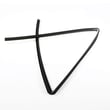
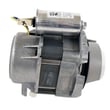
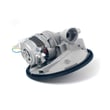
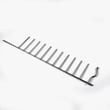
How to find Kenmore Elite dishwasher model number?
On the Kenmore Elite dishwasher model 66516269402, the model number is printed on the model and serial number label located just inside the dishwasher door opening, typically along the left-hand side of the tub frame. Confirm the full number exactly as shown before ordering parts.
Where to look (fast checklist)
- Open the dishwasher door fully.
- Look along the inner edge of the tub opening (the frame around the door).
- Check the left-hand side first.
- Find the label that lists Model and Serial.
- Write the model number exactly (all digits, no spaces).
What the label helps you do
Having the correct model number ensures you get the right Kenmore dishwasher parts and diagrams for your exact build.
| You need | Where it’s used | Why it matters |
|---|---|---|
| Model number (example: 66516269402) | Parts lookup, diagrams, manuals | Prevents ordering the wrong part |
| Serial number | Service history, production details | Helps match revisions and updates |
If the label is hard to read
- Wipe the label gently with a damp cloth and dry it.
- Use a flashlight at an angle to reduce glare.
- Take a close-up photo and zoom in.
- If the label is damaged, check for a second label location listed in the 66516269402 owner’s manual.
Why it matters
Kenmore Elite dishwashers can have similar-looking models with different racks, seals, heaters, and controls. Using the exact model number helps us match the correct parts the first time.
Last updated: January 2026
How to hard reset a Kenmore Elite dishwasher?
To hard reset a Kenmore Elite dishwasher model 66516269402, we typically clear the control by canceling the current cycle and restoring normal button response. If the controls are locked, turn off Lock On first, then restart the cycle using Start/Resume (see the 66516269402 owner's manual).
Quick reset steps (most common)
- Press CANCEL/DRAIN to stop the cycle and start draining.
- Wait about 1 to 2 minutes for the drain to run.
- If the dishwasher is unresponsive, turn off power at the breaker for 1 minute, then restore power.
- Close the door firmly until it latches.
- Press START/RESUME to begin a new cycle.
If the buttons do nothing: check Control Lock
Your 66516269402 uses a Lock On feature that disables the buttons when enabled.
- Press and hold HEATED DRY for 4 seconds to toggle Lock On.
- When LOCK ON is lit, all buttons are disabled.
- You can open the door while locked, but you must unlock and press START/RESUME to continue.
What a “hard reset” does (and does not) do
A reset clears a stuck cycle or control logic, but it will not fix a mechanical problem like a drain restriction or failed motor.
| Symptom | Best reset action | Next thing to check |
|---|---|---|
| Stuck mid-cycle | CANCEL/DRAIN, then restart | Drain hose routing, sink/disposer connection |
| No response to any button | Unlock controls, then power cycle | House breaker, door latch closure |
| Won’t drain | CANCEL/DRAIN | Kinked or clogged dishwasher drain hose 8269144A |
Why it matters
Resetting correctly prevents repeated starts, incomplete draining, and false “no start” symptoms caused by Control Lock or an interrupted cycle.
Last updated: January 2026
What does red lock mean on a dishwasher?
On the Kenmore Elite dishwasher model 66516269402, a red lock (often shown as a padlock icon or “LOCK ON” light) means the control lock is turned on, so the buttons will not respond. Turn the lock off to use the control panel normally; see the steps in the 66516269402 owner's manual.
How to turn the control lock on or off
On this model, the lock feature is controlled from the keypad:
- Press and hold HEATED DRY for 4 seconds to turn Lock On.
- Press and hold HEATED DRY for 4 seconds again to turn the lock off.
- If you press a button while locked, the lock light typically flashes 3 times.
- You can open the door while the controls are locked.
- To continue a cycle after unlocking, press START/RESUME.
What you can and cannot do while it is locked
| Dishwasher function | What happens with Lock On | What to do |
|---|---|---|
| Change cycle or options | Buttons are disabled | Turn Lock Off, then reselect settings |
| Start the dishwasher | Start/Resume will not run the cycle | Turn Lock Off, press Start/Resume |
| Open the door mid-cycle | Door can open | Unlock and press Start/Resume to continue |
| Accidental button presses | Prevented | Use Lock On between cycles |
Why it matters
The control lock prevents unintended use and stops accidental cycle or option changes during a wash. If the dishwasher “won’t start” but the red lock is on, unlocking the controls is the fastest fix.
If the lock won’t turn off
- Make sure you are pressing HEATED DRY (not another option key).
- Press and hold the key for the full 4 seconds.
- Close the door fully, then try again.
- If the keypad still does not respond, check the home breaker and restore power, then retry.
Last updated: January 2026
What are common problems with Kenmore dishwashers?
Common problems we see on the Kenmore Elite dishwasher model 66516269402 include the dishwasher not starting or stopping mid-cycle, poor draining, door latch or hinge issues, racks that do not slide smoothly, and drying or spotting complaints. Many of these trace back to power, water supply, loading, or a worn seal or wash-system part; the 66516269402 owner's manual troubleshooting section walks through the first checks.
Quick checks we recommend first
- Confirm the door is fully closed and latched; a loose latch can stop a cycle.
- Verify power to the dishwasher (breaker, fuse, and that the unit is getting voltage).
- Make sure the water shutoff valve is fully open.
- If the Start/Resume light is flashing, close the door and press Start/Resume to continue.
- If the unit stopped after heavy use, the motor may have tripped on overload and can reset after a few minutes.
Common symptoms and likely causes
| Symptom | What usually causes it | What to check first |
|---|---|---|
| Won’t start or stops | Door not latched, power interruption, overload reset | Door latch, breaker/fuse, Start/Resume behavior |
| Won’t drain | Drain path restriction, hose routing issue | Air gap/garbage disposal inlet, drain hose loop |
| Burning smell | Debris on heater, wiring issue, motor strain | Stop use, inspect for melted plastic or scorching |
| Racks won’t slide | Worn rollers, bent track, rack damage | Track alignment, roller wear, rack straightness |
| Spots/film on dishes | Water chemistry, detergent amount, rinse aid | Rinse aid level, detergent dose, loading |
Parts that commonly relate to these issues
If troubleshooting points to a worn component, these model-matched parts are commonly involved:
- Dishwasher drain hose 8269144A for drain routing, leaks, or restrictions
- Heater element WPW10082892 for poor drying or heating-related wash performance
- Gasket W11196317 for door-edge leaking
Why it matters
Catching simple issues early (door latch, power, water valve, drain routing, loading) prevents repeat cycle failures, standing water, and leaks that can damage cabinets and flooring.
Last updated: January 2026







