 Installation guide
 Owner’s manual
 Error Codes











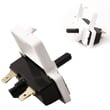
How to tell if a dryer thermal fuse is blown?
On the Inglis IEX3000RQ0 dryer, a blown thermal fuse typically shows no electrical continuity when tested with a multimeter. After safely disconnecting power and accessing the fuse, a good fuse reads close to 0 ohms; a blown fuse reads OL/infinite resistance.
- Unplug the dryer (or switch off the breaker) before opening any panels.
- Locate the thermal fuse on the blower housing or exhaust duct area (common on this style of dryer).
- Remove at least one wire from the fuse terminal so you are not reading the rest of the circuit.
- Set your meter to continuity or the lowest ohms setting.
- Touch one probe to each terminal.
- Interpret the reading:
- 0 to 1 ohm (or meter beeps): fuse is good
- OL / no beep / very high resistance: fuse is blown
For access points, panel removal, and wiring reference, follow the IEX3000RQ0 owner's manual.
A thermal fuse is a safety device that opens if the dryer overheats. Common symptoms include:
- Dryer will not start (most common)
- Motor hums but drum will not turn (varies by setup)
- Dryer stops mid-cycle and will not restart
- You previously noticed overheating or a burning smell from restricted airflow
A thermal fuse usually blows for a reason. We recommend checking airflow items first:
- Clean lint screen and confirm it is not coated with residue
- Inspect the lint chute and blower area for lint buildup
- Check the vent hose for crushing, kinks, or long runs
- Verify the exterior vent hood opens freely
- Confirm the dryer is level and the vent is not pinched behind the cabinet
Helpful airflow guidance: dryer takes a long time to dry.
| Meter result | Fuse condition | Next step |
|---|---|---|
| 0 to 1 ohm / beep | Good | Diagnose other causes (door switch, start switch, motor, power) |
| OL / no beep | Blown | Replace fuse kit and correct venting restriction |
Running the IEX3000RQ0 with poor airflow can overheat the heater housing and repeatedly open safety devices. Fixing vent restrictions helps prevent repeat failures and improves dry times.
Last updated: February 2026
Is it worth fixing a 7 year old dryer?
Yes, it’s usually worth fixing a 7-year-old Inglis dryer like model IEX3000RQ0 when the problem is a common wear item (belt, rollers, idler pulley, thermostat, fuse) and the repair restores safe airflow and normal heat. Replace the dryer when the repair cost is more than about half the cost of a comparable new dryer.
- The drum won’t turn but the motor runs: a belt or idler issue is typically a good repair.
- The dryer runs but won’t heat: heating circuit parts are often cost-effective to replace.
- Dry times are long: venting and lint buildup are usually the real problem, not the dryer.
- You hear squealing or thumping: roller and idler wear is a normal, fixable issue.
- The cabinet is badly rusted, wiring is damaged, or multiple major failures stack up: replacement makes more sense.
| Symptom | Likely fix | Example part for this model |
|---|---|---|
| Drum not turning | Replace belt, check idler | Dryer drum belt 341241 |
| No heat (electric) | Replace heating element | Dryer element 279838 |
| Overheats or shuts off | Fix venting; replace safety parts | Dryer thermal cut-off fuse kit 279816 |
| Loud squeal | Replace idler/rollers | Dryer idler pulley WP691366 |
We recommend doing these steps first because airflow problems can mimic “bad heat” and shorten part life:
- Clean the lint screen before or after each load.
- Make sure the exhaust path is clear and the area around the exhaust opening is free of lint and dust.
- Plan to remove lint from inside the dryer cabinet and inside the exhaust vent about every 2 years (more often with heavy use).
- Confirm the dryer has full power; many electric dryers need two breakers or fuses working.
For model-specific safety, maintenance, and troubleshooting steps, follow the IEX3000RQ0 owner’s manual.
A dryer that is restricted by lint or poor venting can overheat, trip safety devices, and take much longer to dry. Fixing airflow first protects parts like the heating element and thermal cut-off.
Last updated: February 2026
Where to find model number on inglis dryer?
On the Inglis dryer model IEX3000RQ0, the model number and serial number are printed on a label located at the top inside the dryer door well. Open the door and look along the upper inside edge of the cabinet opening for the sticker.
- Open the dryer door fully and use a flashlight.
- Look above the drum opening, not on the door itself.
- Wipe dust off the cabinet lip; labels can blend in.
- Copy the full model number and serial number exactly as shown.
- Take a photo for parts ordering and service records.
Having the correct model number (and serial number) ensures we match the right Inglis dryer parts and diagrams for your exact configuration.
| You need | Why it matters |
|---|---|
| Model number (IEX3000RQ0) | Identifies the correct parts list and fit |
| Serial number | Helps confirm production details for service |
| Purchase/installation date | Useful for maintenance and service history |
Many dryer parts look similar across Whirlpool-built platforms, but small design changes can affect fit. Using the model label information prevents ordering the wrong items and speeds up troubleshooting.
For more model-specific details and label location guidance, use the IEX3000RQ0 owner’s manual.
Last updated: February 2026








