Owner’s manual
 Error Codes



What is the life expectancy of a Bosch dryer?
Most Bosch dryers, including the Bosch WTG86402UC, typically last 10 to 15 years with normal household use. Consistent cleaning, correct loading, and promptly addressing heating or airflow issues are the biggest factors that help your dryer reach the high end of that range; see the WTG86402UC owner's manual for model-specific care and safety guidance.
Typical lifespan and what affects it
A dryer’s service life is driven more by operating conditions than by the calendar.
- Loads and cycle frequency: More loads per week shortens overall life.
- Airflow and heat management: Restricted airflow and overheating wear parts faster.
- Routine maintenance: Cleaning lint and heat-pump components prevents strain.
- Installation and leveling: Vibration accelerates wear on moving parts.
- Repair timing: Fixing small issues early prevents bigger failures.
Maintenance checklist that helps you get 10 to 15 years
Use these habits to reduce overheating, long dry times, and unnecessary motor and drum wear.
- Clean the lint screen after every load.
- Keep the heat exchanger area clean; a clogged exchanger can cause long dry times.
- Avoid overloading; leave room for tumbling.
- Use sensor/auto cycles when possible to prevent over-drying.
- If drying times increase, inspect for lint buildup and address it before continued use.
Common wear items (and what they impact)
| Symptom | Often related to | Example part for WTG86402UC |
|---|---|---|
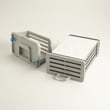
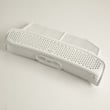
| Long dry times, poor drying | Heat exchanger restriction or heat system issue | Dryer heat exchanger 00795875 |
| Thumping, scraping, drum not turning smoothly | Drum or support components | Dryer drum 00249014 |
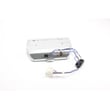
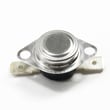
| Overheating or shuts off mid-cycle | Temperature safety control | Dryer high-limit thermostat 00617454 |
Why it matters
A Bosch dryer is designed for efficient, sensor-controlled drying, but airflow restrictions and overheating can shorten component life. Keeping the drying system clean and responding quickly to heat-related symptoms helps protect major components like the motor and drum.
Last updated: February 2026
How to hard reset a Bosch dryer?
To hard reset a Bosch dryer like model WTG86402UC, turn the program selector to Off, wait about 1 minute, then restore power and start a new cycle. If the controls seem “locked,” deactivate the childproof lock first (it can prevent any reset from working). See the WTG86402UC owner's manual for the exact control sequence for your panel.
Quick hard reset steps (WTG86402UC)
- Rotate the program selector to Off.
- Unplug the dryer (or turn off the circuit breaker).
- Wait 60 seconds.
- Restore power.
- Select a cycle (for example, Cotton) and press Start/Pause.
If the dryer still will not respond
A “reset” often fails because the dryer is protecting itself from an overheating or airflow issue, or because a lock or indicator condition is active.
- Childproof lock on: Touch Time Dry and Finish in together for 3 seconds to toggle the lock.
- Flashing indicator lights: Switch the dryer off, let it cool down, then switch it back on and restart the program.
- Lint or heat exchanger needs cleaning: If the indicator shows cleaning is needed, clean the lint filter and the heat exchanger.
- Drain indicator on: Check the drain hose and its connection.
What to check first (most common causes)
- Lint filter is clean and seated correctly
- Heat exchanger is clean (heat pump models are sensitive to restriction)
- Door closes fully and latches
- Drum is empty when testing heat
- Power is stable (no recent outage or tripped breaker)
Helpful “is it heating?” test (from the manual)
Use this quick check after a reset to confirm the heating system is operating:
| Step | What to do | What you should notice |
|---|---|---|
| 1 | Close the door; set Cotton Extra Dry | Cycle starts normally |
| 2 | After 2 to 3 minutes, press Start/Pause and open door | Interior feels warm |
| 3 | Turn selector to Off | Test complete |
Why it matters
Resetting clears a temporary control glitch after a power failure, but it does not fix the underlying condition that caused the shutdown. On the Bosch WTG86402UC, restricted airflow (lint filter or heat exchanger) and an active child lock are two of the fastest things to rule out.
For error displays or repeating faults, use Bosch dryer error codes to match the code to the right troubleshooting path.
Last updated: February 2026
What is the capacity of the Bosch WTG86402UC?
The Bosch WTG86402UC dryer has a large drum capacity rated for 17.7 lb (8 kg) of regular cotton loads. For the most accurate load guidance by cycle (cottons, delicates, timed dry), follow the load-size recommendations in the WTG86402UC owner's manual.
What “capacity” means on this model
Bosch lists capacity for the WTG86402UC as a weight rating (not cubic feet). That rating is most useful for choosing the right cycle and preventing long dry times.
- Rated capacity: 17.7 lb (8 kg) for regular cotton loads
- Best results: sort by fabric weight (towels vs. tees)
- Avoid overloading: it restricts airflow and increases wrinkles
- Avoid underloading: sensor cycles may end too soon on very small loads
Quick load-size guide (practical examples)
Use this as a real-world starting point; adjust based on fabric thickness and how wet the load is.
| Load type | Typical examples | Recommended approach |
|---|---|---|
| Small | a few shirts, light items | Use a sensor cycle; add time only if needed |
| Medium | mixed everyday laundry | Best balance of drying speed and efficiency |
| Large (near max) | mostly cotton items, full drum without packing | Choose the correct cotton/normal cycle; do not compress items |
Why it matters
Staying within the 17.7 lb (8 kg) rating helps the heat pump system dry evenly, keeps cycle times reasonable, and reduces strain on wear parts such as the drum and drive components.
Related help for this Bosch dryer
If you are seeing a warning or the dryer is not drying as expected, use the troubleshooting and code list in the Bosch dryer error codes guide.
Last updated: February 2026
What are common Bosch dryer problems?
Common problems on a Bosch dryer like model WTG86402UC are no heat or long dry times, the drum not turning, overheating or beeping, unusual noises, and drain or moisture-sensing related error codes. Most issues come from restricted airflow, condensate drainage problems, or worn drive components.
Most common symptoms and likely causes
- No heat or long dry times: lint buildup, restricted airflow through the heat exchanger, heating circuit issue
- Drum not turning: belt/roller wear or a motor problem
- Overheating, shutting off, or beeping: blocked airflow or a safety thermostat opening
- Drain problems or “DR” indicator: kinked drain hose, loose connection, condensate pump issue
- Error codes or damp loads: moisture sensor contamination, airflow restriction, load or cycle mismatch
Quick checks we recommend first
- Clean the lint screen and any accessible lint channels
- Clean and reseat the heat exchanger area (airflow restriction is a top cause of poor drying)
- If the DR indicator lights, inspect drain hose routing and connections
- Match cycle and options to the load; sensor cycles adjust time automatically
- Power reset: unplug for 2 minutes, then retry
Parts that commonly relate to these symptoms
| Symptom | Part | What it does |
|---|---|---|
| Long dry times, poor drying | Dryer heat exchanger 00795875 | Supports heat transfer and airflow; restriction reduces drying performance |
| Overheating or shuts off | Dryer high-limit thermostat 00617454 | Safety device that opens if temperatures get too high |
| Drum not turning, squeal/drag | Dryer belt tension roller 00600436 | Maintains belt tension for drum rotation |
| Drain-related errors or water issues | Dryer water pump 00145623 | Moves condensate water through the drain path |
Error codes
Use Bosch dryer error codes to match the displayed code to the most likely airflow, drain, sensor, or temperature checks.
Why it matters
Airflow and drainage problems slow drying and can trigger overheating shutdowns, nuisance error codes, and extra wear on the motor and drum system. For model-specific troubleshooting tables and maintenance steps, use the owner's manual.
Last updated: February 2026