 Installation guide
 Owner’s manual
 Error Codes





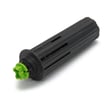
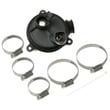

Can a clogged drain cause an FTD error?
Yes. On the GE GDF620HMJ4ES dishwasher, an FTD (fail to drain) condition is commonly caused by a clogged drain path that prevents water from pumping out, such as a blocked air gap, disposer connection, filter area, or a kinked drain hose. See the GDF620HMJ4ES owner's manual for drain and filter cleaning steps.
What to check first (fast, no parts)
- Cancel the cycle and confirm water is standing in the bottom of the tub.
- Check whether your kitchen sink drains normally; a slow sink often points to a shared drain restriction.
- If you have an air gap, remove the cover and clean the cap and passage.
- Run the garbage disposer (if the dishwasher drains into it) to clear the inlet.
- Inspect the drain hose routing for kinks, crushing, or excess hose pushed back behind the dishwasher.
Drain hose installation details that can trigger drain errors
A drain that is not installed correctly can act like a clog. The installation guidance for this model calls out limits that matter for proper draining.
| Item to verify | What “good” looks like | What can cause FTD/no-drain |
|---|---|---|
| Drain connection height | Not more than 72 inches above the bottom of the dishwasher | Water cannot be pumped up and out |
| Total drain hose length | Not more than 12 feet total | Weak drain flow, standing water |
| Hose condition | Smooth routing, not kinked or crushed | Restricted flow, intermittent draining |
For the correct routing and limits, use the GDF620HMJ4ES installation guide.
When a clog points to a part problem
If the drain path is clear and the hose is installed correctly, the dishwasher may still fail to drain if the drain pump is jammed or weak.
- Listen for the drain pump running during a drain portion of the cycle.
- If you hear humming but little or no water movement, check for debris in the sump area.
- If the pump is silent during drain, electrical or control issues are possible.
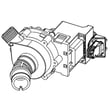
A common replacement part related to no-drain symptoms is the dishwasher drain pump WD19X25187.
Why it matters
An FTD/no-drain condition leaves dirty water in the tub, can cause odors, and can reduce wash performance on the next cycle. Clearing the drain path and confirming correct drain hose routing usually fixes the problem without replacing parts.
Last updated: January 2026
How to fix low water pressure in dishwasher?
Low water pressure on a GE GDF620HMJ4ES dishwasher is usually caused by a restricted water supply, clogged filters, or poor spray-arm flow. We recommend confirming your home’s hot-water supply pressure is within the dishwasher’s required 20 to 120 PSI, then cleaning the filters and spray arms to restore normal wash performance.
Quick checks that fix most “low pressure” complaints
- Fully open the shut-off valve under the sink; make sure the supply line is not kinked.
- Run the hot water at the nearest faucet until it is hot, then start the cycle (helps fill performance).
- Inspect and clean the dishwasher filters (grit and debris reduce circulation).
- Check spray arms for clogged holes and free rotation.
- If water from a faucet is slow too, wait until household pressure returns to normal.
Model-specific specs to verify
Your installation requirements for the GE GDF620HMJ4ES call for:
| Item to verify | Target for normal operation | What to do if it’s off |
|---|---|---|
| Hot water supply pressure | 20 to 120 PSI | Correct plumbing restriction, valve issue, or supply problem |
| Inlet water temperature | 120°F to 140°F | Adjust water heater; purge hot line before starting |
| Water line condition | Clear, flushed, not restricted | Flush the line to remove debris |
For the exact installation requirements and routing guidance, use the GDF620HMJ4ES installation guide.
Parts that commonly affect “pressure” inside the tub
Even with good house pressure, wash pressure can feel weak if circulation is restricted.
- Filters and sump area: debris reduces flow through the pump.
- Lower spray arm: clogged jets reduce spray force; inspect the dishwasher spray arm, lower WD22X33499.
- Circulation system: if you hear abnormal pump noise or have poor wash action, the circulation pump can be a factor.
Why it matters
Low inlet pressure or restricted circulation leads to gritty dishes, detergent not dissolving, and poor cleaning. Keeping the water line flushed, filters clean, and spray arms clear restores the wash action the GE GDF620HMJ4ES is designed to deliver.
Last updated: January 2026
How to reset GE dishwasher beeping?
On the GE GDF620HMJ4ES, the most common “beeping” is a door reminder: if the door is opened during a cycle, the dishwasher beeps about once per minute until you press Start and close the door. To reset and stop the beeping, press Start and close the door within 4 seconds, or cancel the cycle by holding Start for 3 seconds.
Quick fixes that stop the beeping
- Door left open during operation: Press Start, then close the door within 4 seconds.
- Cycle was interrupted (door opened mid-cycle): Press Start once, then close the door within 4 seconds to resume.
- You want to cancel the cycle: Press and hold Start for 3 seconds, then close the door so it can drain.
- End-of-cycle double beep (some models): Toggle the option by pressing Heated Dry 5 times within 3 seconds (a triple beep confirms the setting changed).
What the beeps usually mean (and what to do)
| Beep pattern | What it typically indicates | What we recommend |
|---|---|---|
| Beeps once every minute | Door is open during operation | Press Start and close the door |
| Beeps after you open the door mid-cycle | Cycle paused/interrupted | Press Start and close within 4 seconds |
| Beeps during cancel | Normal drain/cancel sequence | Let it drain fully |
| Two beeps at end of cycle | Normal end-of-cycle signal (some models) | Turn the option on/off if desired |
If it still beeps after the door is closed
These checks help when the dishwasher will not resume and keeps alerting:
- Make sure the door is fully latched and not blocked by a rack or tall item.
- Follow the correct start sequence: press Start, then close the door within 4 seconds.
- If the display shows “LEAK DETECTED”, the cycle can cancel; check for water under the unit and address any leak source.
- If the unit will not start at all, check for a tripped breaker or a wall switch that controls dishwasher power.
Why it matters
The beeping is a safety and cycle-control reminder. On the GDF620HMJ4ES, closing the door and completing the Start sequence prevents incomplete washing, standing water, and repeated drain or pause conditions.
For button locations and model-specific operating steps, use the GDF620HMJ4ES owner’s manual.
Last updated: January 2026





