 Installation guide
 Owner’s manual
 Error Codes










How do I tell what model Kenmore stove I have?
For a Kenmore range, the model number is printed on the appliance identification plate. On model 79091312013, we find it by opening the storage drawer and looking on the lower right oven frame for the serial plate with the model and serial number; confirm the exact format in the 79091312013 owner's manual.
Where to look on Kenmore model 79091312013
Check these spots in this order:
- Open the storage drawer; look on the lower right oven frame (model and serial plate)
- Look for a metal or foil label that lists Model No. and Serial No.
- Write the full model number exactly as shown (include all digits)
- Take a clear photo of the label for parts matching and service records
- Keep the purchase date with the model and serial number for reference
What the model number helps you do
Having the correct model number lets us match the right parts and instructions for your exact Kenmore electric range.
| What you need | Where it’s used | Example for this range |
|---|---|---|
| Model number | Finding diagrams, manuals, and compatible parts | 79091312013 |
| Serial number | Identifying production details for service | Printed on the same plate |
Why it matters
Kenmore ranges can look similar across multiple series, but parts like a bake element, oven temperature sensor, or control board can vary by model. Using the exact model number prevents ordering the wrong part and speeds up troubleshooting.
Last updated: January 2026
What is the width of a Kenmore range?
Most Kenmore freestanding electric ranges, including model 79091312013, are built for a 30-inch wide opening. Your installation instructions for this model reference 30-inch dimensional requirements and clearances, which aligns with the standard 30-inch range width used in most kitchens; confirm the exact cutout and clearance details in the 79091312013 installation guide.
What “30-inch range” means for fit
A “30-inch range” is designed to slide into a 30-inch cabinet opening with the required clearances around it. The installation guide also calls out key safety clearances above the cooktop.
- Plan for a 30-inch cabinet opening for the range body
- Follow the minimum clearance above the cooktop (commonly 30 inches to an unprotected cabinet bottom)
- Keep the rear clearance at 0 inches minimum only when all other dimensional requirements are met
- Make sure the floor is solid and level so the range sits correctly
- Avoid storage directly above surface units, or use a hood that extends outward to reduce burn risk
Quick reference: common Kenmore range widths
| Range type | Most common width | Notes |
|---|---|---|
| Freestanding electric range (like 79091312013) | 30 in | Most common U.S. standard opening |
| Slide-in electric range | 30 in | Often needs tighter countertop fit details |
| Compact apartment range | 20 to 24 in | Less common; different cutout requirements |
How to confirm the exact width and opening requirements
Use the model-specific dimensions and diagrams so your countertop and cabinet cuts are correct.
- Check the dimension drawings in the 79091312013 installation guide
- Compare your cabinet opening width to the required opening
- Verify overhead cabinet protection requirements if clearance is less than 30 inches
- If replacing an older range, measure the opening at the front and back (openings can be out of square)
Why it matters
Range width is the first “go/no-go” fit check. A mismatch can cause installation delays, unsafe clearances above the cooktop, or the need for cabinet modifications.
Last updated: January 2026
What is the F2 code on a Kenmore stove?
On the Kenmore electric range model 79091312013, an F2 error is an oven control fault that typically points to the oven sensing an unsafe temperature condition or a temperature-sensing problem. Start by clearing the code and doing the power reset steps in the 79091312013 owner's manual.
What to do first (safe reset and quick checks)
- Press STOP/CLEAR to clear the F code.
- Try Bake or Broil again.
- If the code returns, turn power off at the breaker for 5 minutes, then restore power and set the clock.
- Run Bake again to see if the fault repeats.
- If the fault keeps coming back, stop using the oven until the cause is corrected.
Common causes we see for an F2 condition
- A failing oven temperature sensor (sensor reading out of range).
- A wiring/connector issue between the sensor and the control.
- A problem on the electronic oven control (control board relay issue).
- Less commonly, a heating circuit issue that causes overheating symptoms.
Parts that are often involved
| Symptom | Most likely part to check | Example part for this model |
|---|---|---|
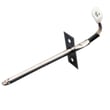
| Oven overheats or throws F2 during heating | Oven temperature sensor | Range oven temperature sensor 316233903 |
| Repeated F code after reset, erratic control behavior | Oven control board | Frigidaire range oven control board 316455420 |
Why it matters
An F2 condition is the range telling you the oven temperature feedback loop is not behaving normally. Addressing it quickly helps prevent poor baking results, repeated shutdowns, and potential damage to the control or wiring.
Helpful reference
- Use the Kenmore troubleshooting and error-code guidance in Kenmore 790 manual-clean range error codes to interpret F-code behavior and next steps.
Last updated: January 2026
How to reset Kenmore oven model 79091312013?
To reset a Kenmore electric range model 79091312013, we recommend doing a full power reset: turn the range off, shut off power at the breaker (or unplug it), wait a few minutes, then restore power and reset the clock. This clears many control glitches.
Quick reset steps (power reset)
- Turn the oven off and press STOP/CLEAR to cancel any active cycle.
- Switch the range circuit breaker OFF (or unplug the power cord).
- Wait 3 to 5 minutes.
- Restore power (breaker ON or plug back in).
- Set the time of day using the steps in the 79091312013 owner's manual.
If the display is on but the oven still acts “off”
A reset restores power, but it does not fix a heating or sensor failure. After resetting, check these common symptoms:
- Oven will not heat in Bake or Broil.
- Temperature is inaccurate (food undercooks or overcooks).
- Error code returns shortly after power is restored.
- Surface elements work but the oven does not.
If the oven heats but runs hot or cool, use the built-in calibration feature described in the manual (Bake key press-and-hold, then adjust in 5°F steps). For fault codes, use the Kenmore 790 self-cleaning range error codes reference.
Parts that commonly relate to “won’t heat” or temperature problems
| Symptom | Common cause | Example part for this model |
|---|---|---|
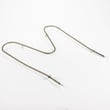
| Oven won’t heat in Bake | Failed bake element | Frigidaire range bake element 316225001 |
| Oven temperature swings or error codes | Bad temperature sensor | Range oven temperature sensor 316233903 |
| Random beeping, dead keys, erratic control | Control board issue | Frigidaire range oven control board 316455420 |
Why it matters
A proper reset is the fastest way to clear a stuck keypad state or minor electronic glitch after a power surge. If symptoms return quickly, the range is usually signaling a component problem (element, sensor, or control) rather than needing repeated resets.
Last updated: January 2026






