 Installation guide
 Owner’s manual
 Error Codes


How do I figure out what dryer I have?
To identify what dryer you have, find the model number on the appliance ID label; for this Kenmore Elite dryer, the model is 41791102003. You can also confirm the dryer type by checking the electrical hookup: electric dryers use a 240V cord and a NEMA 10-30R or 14-30R outlet.
Fast ways to identify your dryer
- Check the model/serial label: commonly inside the door opening, on the door frame, or on the back panel.
- Match the model number exactly: use all digits and letters (for example, 41791102003).
- Confirm the power connection: electric dryers typically use a 240V, 30-amp connection.
- Look at the outlet type: many electric installations use NEMA 10-30R (3-wire) or NEMA 14-30R (4-wire).
- Use the documentation: the model-specific wiring and installation details are in the installation guide.
Electric vs. gas: what to look for
For Kenmore dryers, the hookups are the quickest clue.
| What you see behind the dryer | What it usually means | What to do next |
|---|---|---|
| Large 240V cord and 3-slot or 4-slot dryer outlet | Electric dryer | Verify outlet type (10-30R vs 14-30R) in the installation guide |
| Flexible gas connector plus a standard 120V plug | Gas dryer | Confirm gas supply and venting requirements in your manual |
Why it matters
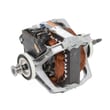
Your exact model number determines the correct parts and procedures. For example, the right drive components (like a belt or idler) and the correct electrical cord setup depend on matching the model and configuration.
Parts that commonly depend on the exact model
If you are ordering repair parts for Kenmore Elite 41791102003, these are common model-specific items people replace:
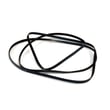
- White-westinghouse dryer drum belt 134719300 (drum won’t tumble, squealing, belt broken)
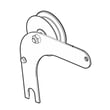
- Dryer idler assembly 134793511 (belt tension issues, chirping noise)
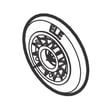
- Dryer drum support roller 5304523152 (thumping or rumbling)
- Kenmore dryer thermistor 134711300 (temperature sensing and drying performance)
Last updated: February 2026
How do you reset the PF code on a Kenmore 41791102003 dryer?
PF on a Kenmore Elite dryer model 41791102003 indicates a power interruption (power failure). To clear it, press Pause/Cancel/Stop twice; the display should return to normal so you can restart your drying cycle.
What PF means and what to check first
PF is usually caused by a brief outage, a tripped breaker, a loose plug, or a power cord/terminal connection issue.
- Make sure the dryer plug is fully seated in the outlet
- Check the house breaker; reset it fully OFF then back ON
- Avoid using an extension cord; plug directly into a proper outlet
- If PF returns often, inspect the power cord and terminal block connections
- If the dryer was just installed or moved, confirm the electrical setup steps in the installation guide
Quick reset steps (most common fix)
- Press Pause/Cancel/Stop.
- Press Pause/Cancel/Stop again.
- Select a cycle and press Start.
If PF keeps coming back
Frequent PF codes usually point to an unstable power supply or a connection that is heating up and dropping voltage.
| What you notice | Most likely cause | What to do next |
|---|---|---|
| PF happens when you start the dryer | Weak outlet connection or breaker issue | Try a different dedicated outlet (if available) and reset breaker |
| PF happens mid-cycle | Intermittent power drop | Check cord/terminal connections; verify venting is not overheating the area |
| PF appears after install/move | Setup or connection issue | Re-check installation steps and run the installation cycle |
Why it matters
Clearing PF gets you running again, but repeated PF events can interrupt drying, cause longer cycle times, and signal an electrical connection problem that should be corrected to protect the dryer’s controls.
Last updated: February 2026
Is a dryer plug 110 or 220?
For the Kenmore Elite dryer model 41791102003, the plug depends on whether you have an electric or gas version: electric dryers use a 240-volt (often called 220/240V) 30-amp connection, while gas dryers use a standard 120-volt (110/120V) grounded outlet. Confirm your exact hookup in the installation guide.
What you should see at the outlet
Most homes use one of these common dryer receptacles:
- Electric dryer: NEMA 10-30R (3-prong) or NEMA 14-30R (4-prong) receptacle
- Gas dryer: Standard 3-prong grounded 120V outlet
- If your home has 4 slots: it is typically a 4-wire (NEMA 14-30) setup
- If your home has 3 slots: it is typically a 3-wire (NEMA 10-30) setup
Electric vs. gas: quick comparison
| Dryer type | Typical plug/outlet | Voltage | Amps |
|---|---|---|---|
| Electric | NEMA 10-30R or 14-30R | 240V | 30A |
| Gas | 3-prong grounded | 120V | 15A |
Why it matters
Using the wrong voltage or cord type can prevent the dryer from running correctly and can create a shock hazard. Electric dryers also may run on 208V in some buildings, which commonly increases drying time compared with 240V.
Tips before you buy a cord
- Match the cord to the receptacle type (3-wire vs. 4-wire)
- Use a cord rated for clothes dryers (240V minimum, 30A for electric)
- Do not remove or bypass the grounding connection
- If the outlet does not match the dryer connection, have a qualified electrician correct the receptacle
Last updated: February 2026
What does CL mean on a Kenmore 41791102003 dryer?
On the Kenmore Elite dryer model 41791102003, CL means Control Lock is turned on. The dryer can power on, but most buttons and cycle changes are disabled until you turn Control Lock off using the exact key sequence shown in the 41791102003 owner's manual.
What CL changes on your dryer
- Prevents changing cycles, options, and settings
- Makes the control panel seem unresponsive
- Often alternates CL with the estimated time remaining
- Still allows the door to open; the lock is for the controls, not the door
How to turn Control Lock off (model-specific)
Use the Control Lock steps listed for model 41791102003 in the 41791102003 owner's manual. Follow the manual exactly because the lock can be assigned to a specific button or a specific button combination on this console.
Quick reset that helps after unlocking
- Press Power to turn the dryer off
- Wait 10 seconds
- Press Power again
- Re-select your cycle and press Start
CL vs. other display messages
| Display | Meaning | Best next step |
|---|---|---|
| CL | Control Lock is enabled | Use the manual’s unlock sequence |
| Error code (letters/numbers) | A fault was detected | Use Kenmore 417 model dryer error codes |
| Time remaining only | Normal operation | Start or adjust cycle as needed |
Why it matters
Control Lock prevents accidental cycle changes (for example, from bumping the panel or kids pressing buttons). If the dryer “won’t start” or “buttons don’t work,” clearing CL is the fastest first check.
Last updated: February 2026






