 Installation guide
 Owner’s manual
 Error Codes







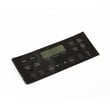
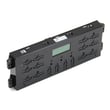
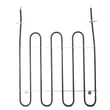



How do I reset my Kenmore oven control board?
For your Kenmore 79094193310 electric range, the correct “reset” for the oven control board is a power reset: turn the range power off at the breaker (or unplug it) for 5 minutes, restore power, then set the clock and test Bake or Broil. See the 79094193310 owner's manual.
- Press STOP to clear any active function or error.
- Turn OFF the range circuit breaker (or unplug the cord).
- Wait 5 minutes.
- Restore power.
- Set the time of day on the control.
- Try Bake or Broil again.
The manual’s troubleshooting guidance is:
- Press STOP to clear the code.
- Do the 5-minute power reset.
- Set the clock, then retry Bake or Broil.
If the code returns after the reset, the problem is typically in the control system (wiring, sensor circuit, keypad, or the electronic control).
- Oven lock active: If you see “Loc” or the OVEN LOCK light, press and hold Oven Lock for 3 seconds and wait about 15 seconds for the latch to finish moving.
- Temperature sensing issue: A failing sensor can trigger control faults or bad temperature regulation; check the frigidaire range oven temperature sensor 316490000.
- Control board failure: If the oven won’t run functions or repeatedly faults after a reset, the electronic control may be the issue; compare symptoms to the frigidaire range oven control board 316630003.
- Loose connections: Inspect harness plugs at the control and sensor for heat damage or looseness (power off first).
| What you see | What to do first | Likely part area |
|---|---|---|
| Random beeping, odd display | 5-minute power reset, set clock | Control board/keypad |
| “F” error returns quickly | Reset, then check sensor circuit | Sensor or control |
| “Loc” in display | Cancel oven lock, wait for latch | Door lock system |
A proper reset clears temporary logic glitches and forces the control to reboot. Setting the clock after restoring power matters because many ranges will not run timed features correctly until the time of day is set.
Last updated: February 2026
How do I tell what model Kenmore stove I have?
Your Kenmore stove’s model number is printed on the appliance ID label; for this range family it looks like 790.9419* (your exact model is 79094193310). Once you find that label, match the full number exactly to order the right parts and use the correct instructions in the 79094193310 owner's manual.
On most Kenmore electric ranges, we find the model/serial label in one of these spots:
- On the oven door frame (open the door and check the frame around the opening)
- Inside the storage drawer opening (pull the bottom drawer out and look along the frame)
- On the back panel of the range (upper or lower area)
- Under the cooktop (some models allow the top to lift for service access)
Kenmore model numbers are usually a full string of numbers; write it exactly as shown, including any dots or suffix characters.
| What to capture | Example | Why it matters |
|---|---|---|
| Model number | 79094193310 (may appear as 790.9419*) | Ensures parts diagrams and parts fit |
| Serial number | A mix of letters and numbers | Helps confirm production series for service |
| Brand | Kenmore | Avoids mixing similar-looking ranges |
Using the exact model number prevents common mistakes like ordering the wrong bake element, surface element switch, or oven sensor. It also ensures the control settings and features in the manual match your appliance.
If your range is showing an error code or acting up, use the model number first, then check a Kenmore range error code reference such as Kenmore 790 self-cleaning range error codes to narrow down whether the issue points to wiring, a sensor, or the control.
Last updated: February 2026
What causes a Kenmore oven to stop working?
On a Kenmore electric range like model 79094193310, an oven can stop working because it is not getting proper power, the bake or broil heating circuit has failed, or a control or sensor is not letting the oven heat. Start with power and settings checks, then test the most common heat-related parts.
- Confirm the range has 240V power (a tripped double breaker can leave lights working but no heat).
- Make sure you did not accidentally set a delayed cook time; cancel cooking by pressing STOP.
- Try Bake and Broil separately; if one works and the other does not, the failed side points to a specific heating circuit.
- If the oven was in Self Clean and power was interrupted, let it cool fully and wait for the door lock to release before retrying.
- Review basic control operation and canceling functions in the 79094193310 owner's manual.
When the oven will not heat (or heats erratically), these are the usual suspects:
- Bake element (no heat in Bake, visible blistering or breaks)
- Broil element (no heat in Broil)
- Oven temperature sensor (wrong temps, long preheat, error codes)
- Oven control board (no response, intermittent heating, random beeping)
| Symptom | Likely part | Model-matched example |
|---|---|---|
| Oven not reaching set temp, temp swings | Oven temperature sensor | Frigidaire range oven temperature sensor 316490000 |
| Dead display or heating commands not working | Oven control board | Frigidaire range oven control board 316630003 |
An electric oven can appear “dead” even when the cooktop or display still works because bake and broil need full 240V power and intact heating circuits. Narrowing the symptom (Bake vs. Broil vs. both) prevents replacing the wrong part.
- You smell burning insulation or see arcing at the power cord connection.
- The breaker trips repeatedly.
- The oven door stays locked after Self Clean and cooling.
For wiring and power-cord connection details, use the 79094193310 installation guide.
Last updated: February 2026
Where is the fuse on a Kenmore oven?
On the Kenmore 79094193310 electric range, there typically is not a single, user-serviceable “fuse” you can access from the oven cavity. If you’re looking for an overheat safety device, it’s usually a thermal cutout or thermal fuse mounted on the back of the range or in the control area, not inside the oven.
After turning power off at the breaker, these are the most common places we see an overheat safety device on electric ranges:
- Behind the rear access panel (upper back), near the control board and wiring
- On or near the rear of the oven liner (back of the appliance)
- Near the bake or broil element wiring terminals (accessed from the back, not from inside the oven)
- In the control console area (behind the control panel)
For model-specific panel removal and access points, use the 79094193310 owner's manual.
Many Kenmore electric ranges use one or more safety devices that open the circuit if temperatures get unsafe. Here’s how the terms usually map:
| What you call it | What it does | Typical symptom when it opens |
|---|---|---|
| Thermal fuse / thermal cutout | Opens power to protect from overheating | Oven dead or won’t heat; sometimes display issues |
| Circuit breaker (home panel) | Protects the house wiring | Range completely dead; breaker trips |
| Control board protection | Electronic fault handling | Error codes; beeping; functions disabled |
These steps often pinpoint whether you’re dealing with a safety device, a heating problem, or a control issue:
- Confirm the range has 240V power (a partially tripped breaker can leave lights on but no heat)
- If the oven won’t bake, inspect the bake element for blisters or breaks; consider the range bake element 316413800
- If the oven temperature is inaccurate, the sensor is a common cause; consider the frigidaire range oven temperature sensor 316490000
- If you see an error code, match it to the correct Kenmore 790 family list in Kenmore 790 self-cleaning range error codes
Replacing a “fuse” without confirming the root cause can lead to repeat failures. Overheating can be triggered by airflow issues, wiring problems, a failing temperature sensor, or a control board problem, so identifying the failed component first saves time and prevents damage.
Last updated: February 2026






