 Installation guide
 Owner’s manual
 Error Codes
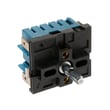


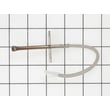




How to order GE appliance parts?
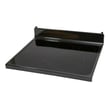
You can order replacement parts for your GE JB860SJ9SS electric range by matching your model number and the exact part ID, then purchasing the part from the parts list for this model. For part identification and diagrams, use the JB860SJ9SS owner's manual.
What we recommend before you order
- Confirm the full model number is JB860SJ9SS (use the rating label on the range).
- Identify the failed system: surface element, oven heat, lighting, or controls.
- Use the parts diagrams and descriptions to match the part ID exactly.
- Compare symptoms to the likely part (switch vs. element vs. sensor).
- If you are replacing an electrical part, shut off power at the breaker first.
Common parts customers order for this model
These are examples of parts available for JB860SJ9SS that often come up during troubleshooting:
| Symptom | Likely part type | Example part on this model page |
|---|---|---|
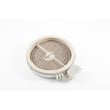
| Burner will not heat or heats erratically | Surface element | GE range halogen surface element WB30T10130 |
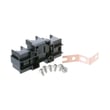
| Burner stuck on high or won’t regulate | Infinite switch/control switch | GE range surface element control switch WB24X25013 |
| Oven temperature seems off | Oven temperature sensor | Kenmore range oven temperature sensor WB21X22134 |
| Oven light out | Light bulb or lamp holder | Oven lamp 40A15 |
How to make sure you get the right part
- Start with the symptom (for example: “right front burner won’t heat”).
- Match the location and function to the part description (element vs. control switch).
- Verify the part ID and compatibility for JB860SJ9SS before checkout.
Why it matters
Ordering by the exact model number and part ID helps ensure the replacement fits your GE free standing electric range, installs correctly, and restores safe, consistent heating performance.
Last updated: February 2026
How to reset GE oven control panel?
To reset the control panel on your GE JB860SJ9SS electric range, press Cancel/Off to stop the current function, then set the clock again if it’s flashing after a power outage. If the panel is locked, use the control lock feature described in the JB860SJ9SS owner's manual.
Quick reset options (start here)
- Cancel/Off reset: Press Cancel/Off once to clear a cooking cycle or many temporary glitches.
- After a power outage: If the clock flashes, press Cancel/Off, then reset the clock and re-enter your cooking mode.
- Control lock reset: If touch pads won’t respond because the panel is locked, use Lock Controls (control lockout) to reactivate the touch pads.
- Hard reset (power cycle): Turn the range’s circuit breaker OFF for 1 minute, then turn it back ON.
What you see on the display and what it usually means
| Symptom on JB860SJ9SS | Most likely cause | What to do |
|---|---|---|
| Clock flashing | Power outage or surge | Press Cancel/Off, then set the clock and restart cooking |
| Display blank | Breaker tripped or fuse blown | Reset breaker or replace fuse, then confirm outlet has power |
| Touch pads not responding | Control lockout enabled or needs cleaning | Unlock controls, then clean and dry the panel |
| Function error code repeats | Control detected a fault | Power cycle once; if it repeats, service is needed |
Control panel cleaning (prevents “dead button” symptoms)
A wet or dirty control panel can act like buttons are stuck or unresponsive. We recommend:
- Wipe after each use with mild soap and water (or vinegar and water)
- Rinse with clean water and polish dry with a soft cloth
- Avoid abrasives, strong liquid cleaners, scouring pads, and oven cleaners on the control panel
Why it matters
Resetting the control panel clears many temporary control glitches after a power interruption and helps you confirm whether the issue is a simple lockout or a power problem versus a failed component.
Last updated: February 2026
How do I find the right GE part number?
For your GE JB860SJ9SS free standing electric range, the most reliable way to get the right part number is to match parts to your exact model number and the correct section diagram (cooktop, oven, control panel). Start by confirming the model and serial label location, then use the parts list for JB860SJ9SS.
Step 1: Confirm the model number on the appliance
GE notes that you can find the model and serial numbers on a label behind the door or drawer. Use that exact model number (JB860SJ9SS) when searching parts to avoid ordering a similar-looking part that will not fit.
- Look behind the oven door area for the rating label
- Check behind the storage drawer area (if your range has one)
- Write down both model and serial numbers for reference
- Use the full model number, including all letters and numbers
Step 2: Match the part to the correct function and symptom
Once you have the model number, identify what is failing (surface heating, baking, temperature accuracy, lights, controls). Then match by part name and location in the diagrams.
Common examples for this model page include:
- Surface burner not heating or stuck on: GE range surface element control switch WB24X25013
- Oven not baking properly: range bake element WB44X45487
- Oven temperature seems off: kenmore range oven temperature sensor WB21X22134
Quick matching guide (what to compare)
| What you are replacing | What to match before ordering | Example part on this page |
|---|---|---|
| Surface element switch | Burner position and wattage rating | WB24X25013 or WB24T10029 |
| Surface element | Size and element type (radiant/halogen/dual) | WB30T10130 or WB30X24111 |
| Oven temperature sensor | Sensor style and connector | WB21X22134 |
| Bake element | Shape, mounting points, and terminals | WB44X45487 |
Why it matters
Electric range parts often look similar across GE models, but small differences (wattage, connector style, element size, or mounting) can cause poor performance or a no-fit situation. Using the JB860SJ9SS model number and the diagrams in the owner's manual keeps the match accurate.
Last updated: February 2026
What is the life expectancy of a GE electric oven?
A GE electric oven typically lasts 13 to 15 years with normal household use and basic maintenance. For your GE JB860SJ9SS free standing electric range, keeping the oven cavity and cooktop clean and addressing heating or control issues early helps you get the full expected lifespan (or longer). See the care and cleaning guidance in the JB860SJ9SS owner's manual.
Typical lifespan and what affects it
Most electric ovens and ranges reach their expected service life based on heat exposure, electrical load, and how often they are used.
Common factors that shorten or extend life:
- Heavy daily use (high heat cycles add wear to elements and controls)
- Frequent self-clean cycles (high heat stresses wiring, sensors, and electronics)
- Spills left to bake on (can damage finishes and create hot spots)
- Power surges or loose connections (can damage the control board)
- Prompt replacement of failing parts (prevents secondary damage)
Parts that commonly impact oven longevity
If baking becomes uneven, preheat takes much longer, or temperatures swing, these parts are often involved:
- Oven temperature sensor: helps the control maintain accurate temperature (example: oven temperature sensor WB23T10015)
- Bake element: provides primary heat for baking (example: range bake element WB44X45487)
- Oven control board: manages heating logic and user inputs (example: range oven control board and overlay WB27X33137)
Quick symptom-to-part guide
| Symptom | Most likely area | What we recommend |
|---|---|---|
| Oven too hot or too cool | Temperature sensing | Test/replace the oven temperature sensor |
| No heat or weak bake heat | Heating circuit | Inspect the bake element for damage |
| Random beeping, dead display, erratic operation | Electronic control | Check wiring connections; replace control board if needed |
Maintenance habits that help you reach 13 to 15 years
Use these practices to reduce stress on the JB860SJ9SS oven and cooktop:
- Clean spills after the oven cools; avoid letting residue carbonize
- Use self-clean only when necessary; follow the cleaning section in the manual
- Keep the door closing smoothly; avoid slamming the oven door
- If a burner or oven heat seems inconsistent, troubleshoot early instead of “cooking around it”
Why it matters
Knowing the typical life expectancy helps you decide whether to repair (sensor, element, switch) or plan for replacement when major components like the control board or door glass are involved.
Last updated: February 2026





