Owner’s manual
 Error Codes


Are GE side by side refrigerators good?
GE side-by-side refrigerators, including model PSS26MSWCSS, are a solid choice for everyday use because they typically deliver consistent cooling, convenient in-door ice and water, and practical storage. Like most modern refrigerators, they can sound different than older units, and that is normal.
What “good” usually means for a side-by-side
We evaluate side-by-side refrigerators on cooling performance, usability, and long-term serviceability.
- Temperature stability: steady fresh food and freezer temps with good airflow
- Convenience features: in-door ice and water, adjustable shelving, bright interior lighting
- Noise expectations: hums, whooshing, clicks, and pops can be normal operating sounds
- Maintenance needs: water filter changes, condenser cleaning, door seal care
- Repair support: common parts like sensors, fans, and defrost components are replaceable
Normal sounds vs. problem sounds
GE notes that newer refrigerators can run longer and sound different due to higher-efficiency compressors and features that protect food.
| Sound | Usually normal? | What it can indicate |
|---|---|---|
| Hum or pulsating | Yes | Compressor running efficiently |
| Whoosh when doors close | Yes | Pressure equalizing |
| Clicks/pops/cracks at startup | Yes | Cooling system adjusting |
| Loud grinding/squealing | No | Fan blade hitting ice or a failing motor |
Quick checks that improve performance
These steps help most side-by-side refrigerators run better day to day.
- Set temps to the recommended range in the PSS26MSWCSS owner’s manual
- Keep vents clear so cold air can circulate
- Replace the water filter on schedule (a clogged filter can slow dispenser flow)
- Make sure doors close fully and gaskets seal all the way around
- If you see frost buildup or warm temps, check defrost-related parts
Parts that commonly affect cooling and ice performance
| Symptom | Common part to check | Example for this model |
|---|---|---|
| Temps swing or read wrong | Temperature sensor | GE profile refrigerator temperature sensor WR55X10025 |
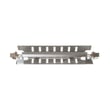
| Frost buildup, warm freezer | Defrost heater | Refrigerator defrost heater WR51X10055 |
| Weak airflow in freezer | Evaporator fan motor | Refrigerator evaporator motor WR60X10307 |
Why it matters
A “good” refrigerator is one that holds safe food temperatures, fits your storage habits, and is maintainable. Side-by-side designs excel at easy access to both compartments, and keeping airflow paths and the water system maintained helps the PSS26MSWCSS perform at its best.
Last updated: February 2026
What is the most common problem with a GE refrigerator?
The most common problem we see with GE refrigerators like model PSS26MSWCSS is poor cooling (fresh food too warm, freezer not holding temperature). In many cases, the root cause is restricted airflow or heat removal, such as dirty condenser coils, blocked vents, or a fan issue.
Quick checks that fix many cooling complaints
- Make sure air vents inside the refrigerator and freezer are not blocked by food packages.
- Clean dust and pet hair from the condenser coil area and the condenser fan area.
- Confirm the doors close fully and the gaskets seal all the way around.
- Listen for the evaporator fan running when the compressor is on (a steady fan sound from the freezer area).
- Allow time for temperatures to stabilize after loading groceries or frequent door openings.
Common causes and the parts that often relate
Cooling problems usually trace back to one of these systems.
| Symptom | Most likely area | Example part for PSS26MSWCSS |
|---|---|---|
| Freezer cold, fresh food warm | Airflow/damper issue | Refrigerator air damper assembly WR60X10229 |
| Frost buildup on freezer back wall, warming over time | Defrost system issue | Refrigerator defrost heater WR51X10055 or refrigerator defrost bi-metal thermostat WR50X10069 |
| Warm temps plus weak airflow | Evaporator fan issue | Refrigerator evaporator motor WR60X10307 |
| Temps seem erratic | Temperature sensing/control | GE profile refrigerator temperature sensor WR55X10025 |
Why it matters
A GE side-by-side can run longer and still not cool if it cannot move air across the evaporator or shed heat at the condenser. That leads to food safety issues, excess frost, and higher energy use. The PSS26MSWCSS owner’s manual also notes that newer refrigerators may run longer than older units, especially with frequent door openings, so confirming a true cooling problem versus normal operation is important.
When to stop and schedule service
Use a technician if you notice any of the following:
- The compressor is extremely hot and the refrigerator never cools.
- You hear repeated clicking and the unit will not start.
- You see heavy ice buildup returning quickly after a manual defrost.
- You suspect a sealed-system issue (evaporator, condenser, compressor, or connecting tubing).
Last updated: February 2026
Where is the reset button on a GE refrigerator?
GE refrigerators, including model PSS26MSWCSS, typically do not use a single dedicated reset button. We reset them by power-cycling the unit or by turning the cooling system OFF and back ON at the control panel, depending on the style of controls.
Fast reset options (safe for most GE side-by-sides)
- Power reset: Unplug the refrigerator (or switch off the breaker) for 60 seconds, then restore power.
- Control reset if cooling was turned OFF: Use the control panel to turn cooling back ON (steps vary by control style).
- After any reset: Allow up to 24 hours for temperatures to stabilize.
- If it seems “dead” but lights work: Check that neither temperature control is set to OFF.
- If it just stopped briefly: A defrost cycle can pause cooling; normal operation returns in about 30 minutes.
Control panel reset: LCD vs non-LCD
Your PSS26MSWCSS controls can be one of two common GE styles. Use the set that matches what you see.
| Control style | What you do to turn cooling OFF | How you turn cooling back ON |
|---|---|---|
| LCD screen controls | Home > Options > Information and Settings > Cooling System Off | Return to that screen, press ON, then ENTER |
| Non-LCD button controls | Press WARMER (fridge or freezer) until the display shows OFF | Press COLDER to return to the preset temperatures |
For the exact button names and menu path used on your specific control panel, follow the PSS26MSWCSS owner’s manual.
Why it matters
On GE side-by-side refrigerators, “resetting” usually means restoring cooling after it was turned OFF at the controls or rebooting the electronics after a power glitch. Using the correct method gets cooling back on without unnecessary parts replacement.
Last updated: February 2026