 Owner’s manual
 Error Codes




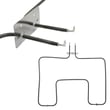



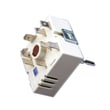

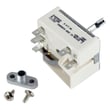

How to replace Kenmore Range oven control board?
To replace the oven control board on Kenmore range model 79046351400, we disconnect power, access the control area, move each wire harness and ribbon connector to the matching terminal on the new board, then reassemble and test bake and broil. Use the 79046351400 owner's manual for control panel and safety guidance.
- Turn off the range at the circuit breaker (240V); confirm the display is dark.
- Let the oven cool completely.
- Use cut-resistant gloves; sheet-metal edges behind panels are sharp.
- Take a clear photo of every connector before removal.
- Avoid touching the new board’s components; handle by the edges.
- Kill power at the breaker.
- Access the control board: remove the rear access panel behind the control console (keep screws organized).
- Label and transfer wires one at a time from the old board to the new board.
- Reconnect the ribbon cable: fully seat it in the connector, then lock the connector (if your connector has a locking tab).
- Reinstall the rear panel, restore power, and set the clock.
Many “control board” symptoms are caused by a sensor or power connection issue.
- Oven temperature is wildly off or error codes point to sensing: check the frigidaire range oven temperature sensor 316217002.
- Oven is dead or intermittent after moving the range: inspect the terminal block 5304409888 for heat damage or loose lugs.
- Only one heating function fails (bake or broil): test the heating element and wiring first.
| Symptom | Most common cause | What we check first |
|---|---|---|
| No display, no oven functions | Power supply issue | Terminal block, cord, breaker |
| Oven overheats or underheats | Sensor or calibration | Sensor resistance, calibration in manual |
| Random beeping or unresponsive keys | Control or keypad issue | Ribbon connection, board, touch panel |
The control board routes power and timing for bake, broil, and temperature regulation. Correct wire placement and a fully seated ribbon connector prevent immediate board damage and nuisance failures.
Last updated: February 2026
What causes a Kenmore oven to stop working?
On a Kenmore 79046351400 electric range, an oven that “stops working” is usually caused by a power supply problem (tripped breaker or loose terminal connection) or a failed heating or temperature-control component such as the bake element, broil element, or oven temperature sensor. Use the 79046351400 owner's manual to confirm normal operation and safety steps, especially after a power failure.
- Verify the range has full 240V power (reset both sides of the double breaker).
- If the oven stopped during an outage, turn the oven off; the manual warns not to operate the oven during a power failure.
- Check for a burning smell or melted wiring at the cord connection area.
- Confirm the control is not in a timed mode or locked-out state.
- If the cooktop works but the oven will not heat, focus on oven-specific parts.
| Symptom | Likely cause | What to check next |
|---|---|---|
| Oven will not heat at all | Failed bake or broil element | Look for blisters, cracks, or arcing marks |
| Oven heats but temps are wrong | Sensor out of range | Test the frigidaire range oven temperature sensor 316217002 with a meter |
| Completely dead or intermittent | Loose/burned power connection | Inspect the terminal block 5304409888 and power cord lugs |
| Oven light works but no heat | Control not sending power | Confirm elements and sensor test good first |
A range can appear “dead” from a simple power issue, but a loose terminal block connection can overheat and damage wiring. Checking power and high-current connections first helps prevent repeat failures and protects the control.
- Breaker trips repeatedly when you start Bake or Broil
- You see melted wires, scorching, or arcing
- The oven begins operating unexpectedly after power is restored
Last updated: February 2026
Where can I find my Kenmore electric range model number?
For Kenmore electric range model 79046351400, the model number is printed on a rating label attached to the range frame. We typically find it in the oven door opening (door jamb area) or around the lower drawer opening; some installations also place it on the back of the range.
- Open the oven door and check the frame around the opening (left or right side).
- Pull out the bottom storage drawer and look on the frame behind the drawer front.
- Look along the lower front frame near the drawer rails.
- If you can safely access it, check the back panel near the vent area.
- Turn the oven light on and use a flashlight to scan the door opening edges.
- If you do not see it, remove the storage drawer and inspect the front frame.
- Write down the full model number exactly as shown (for example, 79046351400).
| What you’ll see | Why it’s important |
|---|---|
| Model number (example: 79046351400) | Ensures you get the correct Kenmore range parts |
| Serial number | Helps identify production run and compatible replacements |
| Electrical ratings | Useful when diagnosing power or heating issues |
We use the model number to match the correct parts and diagrams for your exact Kenmore 790-series electric range. Even small model number differences can change which bake element, surface element, or control parts fit.
For additional model identification details and range feature references, use the 79046351400 owner’s manual.
Last updated: February 2026
Why is my Kenmore electric range not heating up?
If your Kenmore electric range model 79046351400 is not heating, the most common causes are a failed bake or broil element, a bad oven temperature sensor, or a power supply issue (the oven needs full 240 volts). We use the 79046351400 owner's manual to confirm safe operating basics and control use.
- Confirm the display and oven controls respond normally (Bake, Broil, temperature set).
- Make sure the range is not in a power failure state; turn the oven off if power was interrupted.
- Verify the oven is getting 240V at the terminal block (a tripped double breaker can leave you with only 120V).
- Look for visible damage: blisters, cracks, or holes on the bake element.
- If the oven heats but is inaccurate, suspect the sensor before replacing the control.
| Symptom | Most likely cause | What we do next |
|---|---|---|
| No heat in Bake, Broil works | Bake element failed | Test element for continuity; replace if open |
| No heat in Broil, Bake works | Broil element failed | Test broil element for continuity |
| Heats but temperature is wrong | Oven temperature sensor out of range | Test sensor resistance; replace if out of spec |
| Neither Bake nor Broil heats | Power supply, wiring, or control issue | Check breaker, terminal block, then control outputs |
If you’re seeing temperature problems or error behavior, the Kenmore 790 range 4-digit error codes guide helps narrow the failure to the sensor, wiring, or electronic control.
- Bake element 318255006 (if Bake will not heat or heats weakly)
- Range oven temperature sensor 316217002 (if temps are off or heating is erratic)
- Terminal block 5304409888 (if power connection is burned or loose)
An electric oven can appear “on” with lights and a working clock while still failing to heat if it is missing one leg of 240V power or if an element is open. Checking power and the heating circuit first prevents unnecessary part replacement.
Last updated: February 2026





