Owner’s manual
 Error Codes


What is the warranty on LFX25973ST?
For the LG LFX25973ST bottom-mount refrigerator, the compressor warranty is typically longer than the rest of the unit; common coverage is 10 years on compressor parts and 5 years on compressor labor. For the exact terms that apply to your serial number and purchase date, use the LFX25973ST owner’s manual.
What’s usually covered (and what isn’t)
Warranty coverage varies by component and by how the refrigerator is used and installed. In most cases, warranty coverage focuses on defects in materials or workmanship.
- Compressor coverage is often the longest term on the refrigerator
- Labor coverage can be shorter than parts coverage
- Cosmetic items, normal wear, and damage from installation issues are commonly excluded
- Proof of purchase date can affect what coverage applies
- Using non-approved parts or improper repairs can affect coverage
Quick warranty snapshot (common structure)
| Component | Typical parts coverage | Typical labor coverage |
|---|---|---|
| Sealed system compressor | 10 years | 5 years |
| Other refrigerator components | Shorter term than compressor | Shorter term than compressor |
How to confirm the exact warranty for your refrigerator
Use these steps to match the warranty to your specific LFX25973ST:
- Check the warranty section in the LFX25973ST owner’s manual.
- Match coverage by purchase date (receipt) and serial number.
- Identify the failed component (for example, compressor, control board, ice maker, or water filter).
Why it matters
Warranty terms determine whether you should schedule service first or order parts first. For example, a sealed system issue may be covered differently than an ice maker or dispenser issue, and labor coverage can change the total out-of-pocket cost.
Last updated: February 2026
How do I turn on the bottom ice maker on my LG refrigerator?
On the LG LFX25973ST, the bottom (freezer) ice maker is turned on by enabling ice production at the control panel and making sure the ice maker switch or Ice On setting is set to ON. After turning it on, allow up to 24 hours for the first full bin of ice.
Turn on the bottom ice maker (quick steps)
- Confirm the refrigerator is plugged in and cooling normally.
- Open the freezer and make sure the ice maker power switch (if your unit has one on the ice maker) is in the ON position.
- On the dispenser/control panel, set Ice On (or Ice Maker) to ON.
- Make sure Ice Plus is optional; it can speed production but is not required.
- Verify the water supply valve behind the refrigerator is fully open.
- Dump the first batch of ice if the unit has been off for a while.
What to check if it still will not make ice
Most “ice maker off” issues come down to a setting, water supply, or a frozen fill path.
- Control lock: If Control Lock is enabled, turn it off and try enabling Ice On again.
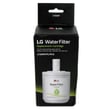
- Water filter: A clogged filter can reduce flow and stop ice production; replace the LG refrigerator water filter ADQ72910911 if it is overdue.
- Air in the water line: Dispense water for 2 to 3 minutes to purge air.
- Freezer temperature: Set the freezer near 0°F; warmer temps slow or stop ice.
- Ice bin position: Make sure the bin is seated fully so the shutoff arm/sensor can work.
Settings and timing guide
| Item | What to expect | Why it matters |
|---|---|---|
| Ice maker turned ON | Ice starts cycling after temps stabilize | Prevents false “no ice” diagnosis |
| First ice after enabling | Often 6 to 12 hours | Normal startup time |
| Full bin | Up to 24 hours | Normal production rate |
Why it matters
If the ice maker is left OFF or water flow is restricted, the ice maker can appear “bad” even though it is working correctly. Verifying the ON setting, water supply, and filter condition prevents unnecessary part replacement.
For model-specific control panel wording and the exact ice maker ON/OFF procedure, follow the LFX25973ST owner's manual.
Last updated: February 2026
What is the bottom part of the fridge called?
On an LG LFX25973ST bottom-mount refrigerator, the “bottom part” most people mean is the compressor compartment area (the machinery section near the lower rear). The key component there is the compressor, which circulates refrigerant to keep the refrigerator and freezer cold.
Common names for the “bottom part”
Depending on what you are pointing to, the bottom area can refer to different parts:
- Compressor compartment: the lower rear service area where cooling components sit
- Freezer drawer: the bottom drawer section on a bottom-mount design
- Toe grille or base grille: the lower front cover (on some refrigerators)
- Condenser area: where heat is released (often near the bottom/rear)
What you will typically find down there
These are the most common components located in the lower rear area:
- Compressor
- Condenser coil
- Condenser fan motor (on many models)
- Drain pan (for defrost water evaporation)
- Wiring harnesses and control components
| If you mean this… | It is usually called… | What it does |
|---|---|---|
| Lower rear “motor” area | Compressor compartment | Houses cooling system components |
| Black can-shaped unit | Compressor | Pumps refrigerant through the sealed system |
| Tubing and coil area | Condenser coil | Releases heat from the refrigerant |
| Bottom pull-out section | Freezer drawer | Stores frozen food |
Parts that match the cooling area on this model
If you are troubleshooting noise, warm temperatures, or poor cooling, these model-matched parts are commonly involved:
Why it matters
Using the right name helps you find the correct diagram and repair steps, especially when ordering LG refrigerator parts or describing a symptom like “buzzing at the bottom” or “not cooling.” For model-specific locations and access steps, use the LFX25973ST manual.
Last updated: February 2026
How to reset LG refrigerator?
For the LG LFX25973ST refrigerator, the most reliable reset is a power reset: unplug the refrigerator (or switch the circuit breaker off) for 60 seconds, then restore power. This reboots the control board and often clears minor glitches after a power outage or control-panel freeze.
Quick reset options (most common)
- Power reset (recommended): Unplug for 60 seconds, then plug back in.
- Breaker reset: Turn the refrigerator breaker off for 60 seconds, then back on.
- Control lock check: If the panel seems “dead,” make sure Control Lock is not enabled (some LG models disable buttons when locked).
- Filter indicator reset: Use the filter reset procedure shown in the LFX25973ST owner's manual.
- Ice maker reset: If ice production is the issue, follow the ice maker reset steps in the LFX25973ST owner's manual.
Step-by-step: power reset (safe DIY)
- Move any perishable items to a cooler if you expect the unit to be off longer than a minute.
- Unplug the power cord (or turn the breaker off).
- Wait 60 seconds.
- Restore power.
- Allow 5 to 10 minutes for the control to stabilize; cooling performance can take several hours to fully recover.
What a reset does (and does not do)
| Reset type | What it helps | What it will not fix |
|---|---|---|
| Power reset | Control glitches, display issues, minor error states | Failed compressor, sealed system leaks, broken fan motor |
| Filter light reset | Turns off “Replace Filter” indicator | Low water flow caused by a clogged filter |
| Ice maker reset | Reboots ice maker logic after a jam | No water supply, frozen fill tube, bad inlet valve |
Why it matters
A reset is a fast first step because it reboots the electronic control board and can restore normal operation without replacing parts. If symptoms return quickly, that points to an underlying issue such as airflow, temperature sensing, or an ice and water supply problem.
If you are troubleshooting ice or water issues after resetting, the how to replace the water filter in an LG refrigerator guide pairs well with this model’s filter maintenance.
Last updated: February 2026
Why does my LG freezer keep icing up at the bottom?
Ice building up on the bottom of the freezer in your LG LFX25973ST almost always happens when the defrost drain is clogged or frozen; defrost water cannot flow to the drain pan, so it refreezes into a sheet of ice. Clearing the drain and fully defrosting the freezer stops the repeat icing.
What to check first (fast, common fixes)
- Unplug the refrigerator or turn off power at the breaker.
- Remove the freezer drawer/bins and look for a solid ice slab on the floor.
- Melt the ice with a hair dryer on low or by leaving the door open with towels (do not chip ice with sharp tools).
- Find the drain opening under/behind the rear freezer panel area and clear any ice or debris.
- Flush the drain with hot water using a turkey baster or squeeze bottle until it flows freely.
- Make sure the door closes tightly and nothing is holding the gasket open.
Step-by-step: clear a frozen/blocked defrost drain
- Empty the freezer and protect the floor with towels.
- Remove the rear freezer panel (if accessible) to reach the drain trough.
- Melt ice in the trough and around the drain hole.
- Flush with hot water until you hear/see water draining to the pan underneath.
- Reassemble, restore power, and allow 12 to 24 hours for temperatures to stabilize.
Parts that can contribute (when the drain keeps freezing)
If the drain clears but refreezes repeatedly, we typically look for airflow or temperature-control issues that increase frost and overwhelm the drain.
| Symptom you notice | Most likely area | What we do next |
|---|---|---|
| Heavy frost on back wall, fan noise changes | Evaporator airflow | Inspect/diagnose the refrigerator evaporator fan motor 4681JB1027C |
| Temps swing, frosting seems random | Temperature sensing | Test the refrigerator temperature sensor 6500JB2002X |
| Water/ice issues plus slow drain | Water system maintenance | Replace the LG refrigerator water filter ADQ72910911 and purge air |
Why it matters
A clogged defrost drain can cause recurring ice sheets, reduced freezer space, warmer temperatures, and water leaks when the ice melts. Fixing the drain protects food quality and helps the compressor run normally.
Helpful DIY guidance
- Use our LFX25973ST manual for panel removal and compartment layout.
- Follow how to get rid of refrigerator puddles if you also see water under the refrigerator.
- Use how to fix your evaporator cooling fan if you suspect weak airflow or unusual fan noise.
Last updated: February 2026
Why is my LG refrigerator not making ice in the bottom?
If your LG LFX25973ST bottom-mount refrigerator is not making ice, the most common causes are a water supply problem, a frozen or blocked fill path, or an ice maker issue in the freezer compartment. Start with the water filter and basic ice maker checks in the LFX25973ST owner’s manual.
Quick checks we recommend first
- Confirm the freezer is cold enough (target about 0°F); ice production drops fast above ~10°F.
- Make sure the ice maker is turned ON and the ice bin is seated correctly.
- Check the shutoff arm or sensor area for anything holding it in the “bin full” position.
- Replace an overdue or clogged water filter; use the correct LG refrigerator water filter ADQ72910911.
- Verify the household water supply valve is fully open and the water line is not kinked.
- Look for ice clumps in the bin; break up clumps and clear the chute area if needed.
What to check next (in order)
1) Water flow to the ice maker
A weak fill usually points to a restricted filter, low house water pressure, or a failing inlet valve.
2) Freezer airflow and cooling
If the freezer is warm or airflow is poor, the ice maker will not cycle normally.
| Symptom | Most likely cause | What we do next |
|---|---|---|
| No ice, no fill sound | No water supply or restriction | Replace filter; check supply valve and line |
| Small/hollow cubes | Low water flow | Filter first; then diagnose inlet valve |
| Ice maker cycles but no cubes drop | Frozen fill tube or ice jam | Defrost/clear blockage; check temps |
| Freezer warm, ice slow | Cooling/airflow issue | Check vents; listen for fan operation |
Parts that commonly relate to this problem
Depending on what you find, these model-matched parts are often involved:
- LG refrigerator water filter ADQ72910911 (restriction is a top cause)
- Ice maker assembly (AEQ73110203) - refrigerator ice making component by LG AEQ73110203 (ice maker not cycling)
- Refrigerator evaporator fan motor 4681JB1027C (poor airflow can reduce ice production)
Why it matters
Ice production depends on three things working together: correct freezer temperature, steady airflow, and consistent water flow. Fixing the root cause prevents repeat clogs, ice jams, and slow ice making.
Helpful DIY guidance
For step-by-step filter and ice system tips, use how to replace the water filter in an LG refrigerator and how to prevent water dispenser and ice maker problems.
Last updated: February 2026
What is the most common problem with an LG refrigerator?
The most common problem we see with LG refrigerators like model LFX25973ST is a cooling problem: the fresh food section or freezer warms up, temperatures swing, or food spoils faster than normal. The next most common issues are ice maker and water dispenser problems, often tied to airflow, filters, or door sealing.
What “cooling problem” usually looks like
- Refrigerator section is warm but freezer seems OK (or the reverse)
- Unit runs a lot, or you hear frequent cycling
- Frost buildup on the back wall or around vents
- Weak airflow from the vents
- Unusual fan noise (especially after the door closes)
For model-specific operating tips and control settings, use the LFX25973ST owner's manual.
Quick checks we recommend first (before replacing parts)
- Confirm settings: fridge about 37°F, freezer about 0°F.
- Check door seal and alignment: gaps or a twisted gasket cause warm air leaks.
- Avoid blocked vents: keep packages from covering interior air returns.
- Clean condenser area: dust buildup raises temps and run time.
- Listen for the evaporator fan: it should run when the compressor is running (door switch closed).
If the door is not sealing well, a worn gasket is a common fix; for example, the refrigerator door gasket, right ADX73550627 is a listed option for this model.
Common causes and what they point to
| Symptom | Most likely area | Typical next step |
|---|---|---|
| Warm fridge, freezer OK | Airflow/evaporator fan | Inspect fan and frost pattern |
| Warm both sections | Sealed system/compressor | Check condenser airflow; service if needed |
| Ice maker slow or no ice | Water supply/filter/ice maker | Replace filter; inspect ice maker |
| Water dispenses slowly | Filter or air in line | Replace filter; purge air |
For water and ice complaints, we often start with the filter; the LG refrigerator water filter ADQ72910911 is a common maintenance item.
Why it matters
Cooling and ice issues usually get worse over time. Catching airflow restrictions, a failing fan motor, or a leaking door seal early helps protect food, reduce energy use, and prevent heavy frost that can block circulation.
Helpful DIY guidance
Last updated: February 2026