Installation guide
 Owner’s manual









Is there a reset button on a Hotpoint dryer?
Hotpoint dryers such as model HTX24GASK0WS typically do not use a dedicated “reset” button for normal operation. Most “reset” situations are handled by restoring power (unplugging or resetting the house breaker) and then starting the dryer normally per the HTX24GASK0WS owner's manual.
How to reset a Hotpoint dryer (safe, common steps)
- Turn the dryer off.
- Unplug the power cord (or switch the dryer breaker off).
- Wait 2 to 5 minutes to clear a minor control glitch.
- Restore power.
- Close the door and press Start (opening the door stops operation; closing it lets you restart).
If the dryer still won’t start
The manual’s troubleshooting points to power supply and door/start inputs first.
- Confirm the plug is fully seated in the outlet.
- Check the home fuse/circuit breaker; many dryers use 2 fuses/breakers, and one can trip without the other.
- Make sure the door is fully closed; a failed door switch can prevent starting.
- If the Start control feels loose or unresponsive, the start switch can be the issue.
| Symptom | Most likely checks | Common related part |
|---|---|---|
| No lights, no response | Outlet power, breaker(s) | None (power supply issue) |
| Lights on, won’t start | Door closed, start input | Dryer push-to-start switch WE4M416 |
| Starts then stops when door moves | Door latch/switch alignment | Dryer door switch WE04X28977 |
Why it matters
A “reset” often masks the real cause: a weak power supply, a tripped breaker, or an intermittent door/start circuit. Fixing the underlying issue prevents repeat no-start problems and reduces wear on the timer and motor.
Last updated: February 2026
What are the parts of a dryer called?
A Hotpoint dryer like model HTX24GASK0WS is made up of airflow parts, drive parts, heat and safety controls, and door and control components. Knowing the correct part names helps you match symptoms (no heat, won’t start, squealing) to the right replacement part.
Common dryer parts and what they do
- Drum: holds clothes and tumbles them through heated airflow
- Drive system: turns the drum (belt, idler pulley, motor)
- Airflow system: moves air through the drum and out the vent (blower wheel, lint screen, lint chute)
- Heat system (gas models): creates heat (igniter, burner and gas valve components)
- Safety and temperature controls: prevent overheating (high-limit thermostat, thermal fuse on many models)
- Door and user controls: allow safe operation and cycle selection (door switch, timer, start switch)
Examples of part names you’ll see for HTX24GASK0WS
| Dryer system | Part name (example) | What you’ll notice when it fails |
|---|---|---|
| Drive | Dryer drum belt WE03X29897 | Drum won’t tumble, motor may run |
| Drive | Dryer idler pulley WE03X31620 | Squealing, thumping, belt slipping |
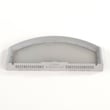
| Airflow | G.e. dryer lint screen WE03X23881 | Poor drying, lint bypassing filter |
| Airflow | Dryer blower wheel WH16X34317 | Weak airflow, long dry times |
| Heat (gas) | Igniter WE04X25996 | No heat, burner never lights |
| Safety | Dryer high-limit thermostat WE04X26138 | Overheating symptoms, heat cycling issues |
Why the names matter when troubleshooting
Using the correct part name helps you:
- Search the right diagram section (drum and motor, controls, cabinet, burner)
- Avoid ordering a look-alike part that does not fit your exact model
- Diagnose faster (airflow problems often mimic heating problems)
Good habits that protect key parts
The manual calls out maintenance and safety steps that directly affect common wear parts:
- Clean the lint screen before or after each load
- Do not run the dryer without the lint filter in place
- Keep the exhaust area clear of lint and debris
- Have the interior and exhaust duct cleaned periodically by qualified service personnel
For part identification and safe handling steps, use the HTX24GASK0WS owner’s manual.
Last updated: February 2026
What does F08 mean on a Hotpoint tumble dryer?
On a Hotpoint tumble dryer, F08 indicates a heater (heating) fault. On your Hotpoint HTX24GASK0WS dryer, this points to a problem in the heating circuit or airflow conditions that can cause the dryer to tumble but not heat properly; use the HTX24GASK0WS owner’s manual to confirm the correct checks and safety steps.
What to check first (safe, quick checks)
- Reset power: turn the dryer off, then restore power at the breaker for 1 minute.
- Confirm the dryer is set to a heat cycle (not Air Fluff or no-heat options).
- Check the house electrical supply; many dryers need both breakers/fuses working to heat.
- For gas models: confirm the gas shutoff valves are fully open.
- Clean lint screen and verify strong airflow at the outside vent hood.
- If the cycle stops mid-cycle, reduce load size and re-try a timed cycle.
Common causes behind an F08 heater fault
F08 is usually triggered by a heating system problem or a safety device opening due to overheating or restricted airflow.
| Likely cause | What you may notice | What we recommend |
|---|---|---|
| Restricted venting or lint buildup | Long dry times, hot cabinet | Clean vent path; verify outside flap opens |
| High-limit thermostat opened | No heat, may run then stop | Test/replace thermostat if failed (unplug first) |
| Ignition failure (gas) | No flame, no heat | Inspect igniter and gas valve operation |
| Power supply issue | Tumbles, no heat | Check both breakers/fuses and cord connection |
Parts that often relate to “no heat” symptoms
If your HTX24GASK0WS tumbles but won’t heat, these model-matched parts are commonly involved:
Why it matters
A heater fault can be caused by overheating from poor airflow, which also increases dry time and stress on components like thermostats and the burner system. Fixing venting and heat control issues helps restore normal drying and prevents repeat shutdowns.
For step-by-step symptom diagnosis, use gas dryer wont heat troubleshooting video.
Last updated: February 2026
Why is my Hotpoint dryer not blowing heat?
If your Hotpoint dryer model HTX24GASK0WS tumbles but doesn’t blow heat, the most common causes are a tripped breaker or blown fuse (the dryer can still run), the temperature set to No Heat/Air Fluff, or a gas supply issue on gas models. Use the checks in the HTX24GASK0WS owner’s manual to confirm settings and power.
Quick checks we recommend first
- Make sure the cycle is not set to Air Fluff/No Heat.
- Check your home electrical panel; reset both breakers or replace both fuses if your setup uses them.
- If this is a gas dryer, confirm the gas shutoff valves at the dryer and main supply are fully open.
- Clean the lint screen and confirm strong airflow at the outside vent hood.
- Let the dryer warm up if it was stored below freezing; the controls can act up until it reaches room temperature.
What usually causes “runs but no heat” on HTX24GASK0WS
The manual calls out a few model-relevant causes that match this symptom.
| Symptom | Most likely cause | What to do next |
|---|---|---|
| Drum turns, no heat | One breaker tripped or one fuse blown | Reset/replace both; retest on a heat cycle |
| Drum turns, no heat (gas) | Gas service off | Open shutoff valves; retry ignition |
| Heat is weak, long dry times | Restricted exhaust ducting | Clean venting; verify proper duct material and length |
If airflow is poor, fix venting before replacing parts
Restricted venting is a top reason dryers stop heating correctly or trip safety thermostats.
- Do not use plastic vent.
- Do not add a screen over the duct.
- Do not use a booster fan in the exhaust duct.
- Keep duct length within the installation limits.
For step-by-step help, use our dryer takes a long time to dry guide.
Parts that commonly fail when heat is missing (gas models)
If power, settings, and venting check out, heat problems often come from the ignition and safety circuit.
- Igniter (common no-heat cause on gas dryers): igniter WE04X25996
- High-limit thermostat (can open if overheating occurs): dryer high-limit thermostat WE04X26138
- Burner and gas valve assembly (less common, but possible): Hotpoint dryer burner and gas valve assembly WE03X29452
Why it matters
A dryer that tumbles without heat is often a simple power or gas-supply issue, but vent restrictions can also cause overheating and repeated no-heat shutdowns. Correcting airflow first prevents repeat failures and improves drying performance.
Last updated: February 2026