 Installation guide
 Owner’s manual
 Error Codes




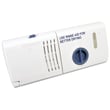
Where is the filter on a Kenmore quiet guard dishwasher?
On Kenmore dishwasher model 66516032401, the filter is located on the bottom of the dishwasher tub, typically around the sump area beneath the lower rack and near the lower spray arm. You access it by removing the lower rack, then lifting or twisting the filter assembly out for cleaning (see the 66516032401 owner's manual for the exact removal steps for your version).
How to find and access the filter
- Turn the dishwasher off at the control panel (and let hot parts cool).
- Pull out the lower dishrack.
- Look at the tub floor near the center or slightly toward the back where the wash water collects.
- Remove the lower spray arm if it blocks access (some versions lift off; others use a retaining nut).
- Remove the filter or filter screen assembly (commonly a twist-lock or lift-out style).
Quick checklist before you remove anything
- Make sure the tub is empty and cool
- Remove the lower rack for clear access
- Check for broken glass or bones around the sump
- Rinse the filter under warm water; use a soft brush if needed
- Reinstall the filter fully seated so it does not interfere with wash action
What you should see (typical layouts)
| What you see at the tub bottom | What it usually is | What to do |
|---|---|---|
| Round or oval twist-out piece | Main filter | Turn counterclockwise (typical) and lift out |
| Flat screen near the sump | Filter screen | Lift out and rinse |
| Small dome in front-right corner | Overfill protection float | Keep it moving freely; do not block it |
Why it matters
A clogged or mis-seated filter can reduce cleaning performance, cause debris to recirculate onto dishes, and contribute to odors. Keeping the filter clean helps the pump and spray arms move water properly during the wash cycle.
Related maintenance tip
For routine care steps (including cleaning guidance), follow the maintenance section in the 66516032401 owner's manual.
Last updated: January 2026
Why is the start button not working on my Kenmore Ultra Wash quiet guard?
On your Kenmore dishwasher model 66516032401, the Start/Resume button typically won’t respond when the door is not fully closed and latched, or when the Start/Resume light is flashing after the door was opened mid-cycle or power was interrupted. Closing and latching the door, then pressing Start/Resume, usually restores operation.
Quick checks we recommend first
- Press the door firmly closed until you feel the latch catch; then press START/RESUME.
- If the START/RESUME light is flashing, press START/RESUME to resume the cycle.
- Check your home breaker or fuse; restore power if it tripped.
- Wait a few minutes if the motor overloaded; it can reset automatically.
- Confirm the water shut-off valve (if installed) is turned on.
What the lights are telling you
The control panel indicators help narrow down whether this is a “won’t start” issue or a safety interlock.
| What you see | What it usually means | What to do |
|---|---|---|
| Start/Resume light flashing | Door opened during cycle or power interruption | Close and latch door; press Start/Resume |
| Clean light flashing | Heater circuit problem | Stop using heated cycles; check heater circuit components |
| No response at all | No power, door not latched, or control issue | Check power, latch, then control connections |
Parts that commonly cause a no-start condition
If the dishwasher has power but still will not start after the checks above, these are common suspects:
- Door latch switch or latch alignment (the dishwasher will not run unless it senses a latched door)
- Electronic control or user interface (especially if some keys work and others do not)
- Heater circuit issues if the Clean light is flashing; the heater and related wiring can be involved
If you’re troubleshooting a heater-circuit related fault, the model-specific replacement part is the dishwasher heater W10518394.
Why it matters
A Kenmore dishwasher is designed to prevent starting when the door is unlatched or when the control detects an interruption. Using the indicator lights and the built-in resume behavior avoids unnecessary part replacement and gets you back to washing safely.
For the exact indicator-light behavior and troubleshooting steps for model 66516032401, follow the 66516032401 owner's manual.
Last updated: January 2026
What are common problems with Kenmore dishwashers?
Common Kenmore dishwasher issues (including model 66516032401) are no-start or stopping mid-cycle, poor cleaning, draining problems, and door or rack troubles. Many “failures” are simple checks first: door latch, power, water supply, and cycle selection; see the 66516032401 owner's manual.
Most common symptoms and what usually causes them
- Won’t start or stops during a cycle: door not latched, wrong cycle, power interruption, tripped breaker, or motor overload reset.
- Start/Resume light flashing: door opened mid-cycle or power was interrupted.
- Not draining well: clogged drain path, blocked air gap, kinked drain hose.
- Poor drying or water left inside: heater or venting issue, rinse aid low, cycle options.
- Leaks at the door: worn door seal or misaligned door.
Quick checks we recommend first (fast, no parts)
- Confirm the door closes tightly and latches.
- Verify the breaker is on and the dishwasher has power.
- Make sure the water shut-off valve is fully open.
- Re-start the cycle after any interruption (opening the door can trigger a flashing Start/Resume).
- Clean the filter area and check the drain air gap (if your setup has one).
Parts that commonly solve these problems
If the basic checks do not fix the symptom, these parts are frequent repair items on dishwashers like this Kenmore:
| Symptom | Common part to inspect | Example part for this model |
|---|---|---|
| Poor drying, cool water | Heating circuit | Dishwasher heater W10518394 |
| Leaking at the door | Door gasket | Dishwasher door seal W10542314 |
| Not draining | Drain line restriction | Dishwasher drain hose 8269144A |
| Dead/no power | Electrical protection | Fuse 8193762 |
Why it matters
Catching the simple causes first (door latch, power, water supply, drain restrictions) prevents unnecessary part replacement and helps protect the dishwasher from repeat stoppages and water issues.
Last updated: January 2026
How to hard reset a Kenmore dishwasher?
For Kenmore dishwasher model 66516032401, the most reliable “hard reset” is to cancel the current cycle so the control clears selections and drains if needed, then restart. Use CANCEL/DRAIN followed by START/RESUME after you reselect a cycle.
Reset steps for model 66516032401
- Close the door fully (the dishwasher must be closed to drain).
- Press CANCEL/DRAIN once.
- Let the dishwasher run the drain sequence (about 2 minutes if it needs to drain).
- When the Cancel/Drain light turns off, select your new cycle and any options.
- Press START/RESUME to begin.
For the exact indicator-light behavior and button labels on your console, use the 66516032401 owner's manual.
If the controls seem “locked” or won’t respond
This model includes a control lock feature (often shown as Lock On) that disables buttons when active. Use the lock instructions in the 66516032401 owner's manual to turn the lock off, then repeat the reset steps above.
- Look for a Lock On indicator light.
- Follow the manual’s lock on/off procedure for your exact keypad.
- Close the door firmly until it latches.
- Press START/RESUME to continue after unlocking.
Quick reference: what each action does
| Action | What it does | What to expect |
|---|---|---|
| CANCEL/DRAIN | Cancels the cycle; drains water if needed | Drain runs about 2 minutes |
| START/RESUME | Starts or resumes the selected cycle | Light may flash if door is open |
| Control lock off | Re-enables buttons when Lock On is active | Lock indicator turns off |
Why it matters
Canceling with CANCEL/DRAIN clears cycle logic and prevents starting a new wash with leftover water or a partially completed program, which helps protect the pump and improves wash results.
Last updated: January 2026







