Owner’s manual
 Error Codes


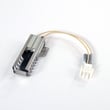

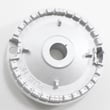

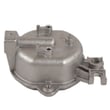
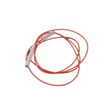
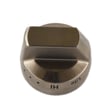
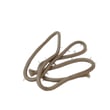
What part number is the Samsung NX58H9500WS igniter?
For the Samsung NX58H9500WS gas slide-in range, the exact igniter part number depends on which igniter you mean (surface burner spark electrode vs. oven bake igniter vs. broil igniter). The model’s documentation we have does not list a specific igniter part number, so we recommend confirming the igniter type using the NX58H9500WS user manual before ordering.
On this Samsung range, customers commonly mean one of these:
- Surface burner ignition: the spark electrode at each cooktop burner (you hear clicking)
- Oven bake ignition: the igniter that lights the bake burner
- Oven broil ignition: the igniter that lights the broil burner
- Ignition system issue: wiring, spark module, or control problem (not the igniter itself)
These steps help confirm whether you have an igniter problem or a different issue:
- If all surface burners fail to click/light, verify power to the range (ignition needs electricity)
- If one surface burner fails, inspect that burner’s cap/head alignment and clean/dry the electrode area
- If the oven won’t light, confirm the control is set correctly and the gas supply is on
- If you smell gas, shut off the gas supply and follow the safety steps in the manual
The NX58H9500WS uses electronic ignition for surface burners (clicking in the LITE position) and also describes manual lighting during a power failure. Use the ignition section in the NX58H9500WS user manual to match symptoms to the correct ignition component.
| Symptom | Most likely area | What to verify first |
|---|---|---|
| Clicking but no flame on one burner | Burner cap/head/electrode | Cap seated, burner dry/clean |
| No clicking on any burner | Power/ignition circuit | Outlet, breaker, range power |
| Oven won’t ignite | Oven ignition/burner system | Correct mode/settings, gas on |
Ordering “an igniter” without narrowing down the exact location can lead to the wrong part and the same no-heat/no-light problem. Confirming whether it’s a cooktop electrode or an oven igniter saves time and avoids repeat repairs.
Last updated: January 2026
How to reset Samsung gas oven?
To reset a Samsung gas slide-in range like model NX58H9500WS, we recommend doing a power reset by turning the range’s circuit breaker OFF for at least 30 seconds, then turning it back ON. This clears many control glitches and temporary error codes.
- Press OFF/CLEAR once to stop any active cooking cycle.
- Turn the range’s circuit breaker OFF (or unplug the power cord if accessible).
- Wait 30 to 60 seconds.
- Restore power (breaker ON or plug back in).
- Set the Clock again if it flashes or is incorrect.
This model can lock the control panel and oven door.
- Press and hold OFF/CLEAR for 3 seconds to toggle the lock.
- If the display shows a lock icon and the oven will not start, open the oven door and press START/SET for 3 seconds (this is a common door-lock reset method on this platform).
- If “SAb” is showing, the Sabbath feature is on; hold BAKE and TOUCH TO WAKE-UP together for 3 seconds to turn it off.
| Situation | Reset usually helps? | What to do next |
|---|---|---|
| Display glitch, unresponsive keys | Yes | Power reset, then re-set clock |
| Error code appears once | Often | Power reset; if it returns, troubleshoot the code |
| Burner will not ignite | Sometimes | Check gas supply and igniter clicking |
| Smell of gas | No | Do not operate the range; follow gas safety steps |
A power reset restores the electronic oven control to a known good state. On gas ranges, the control board manages ignition timing, safety lockouts, and temperature regulation, so a reset can quickly clear false lockouts and minor software hiccups.
For control locations, lock features, and troubleshooting tables specific to this range, use the NX58H9500WS user manual.
Last updated: January 2026
Where is the model number on a Samsung gas range?
On the Samsung gas slide-in range model NX58H9500WS, the exact model-number label location is not specified in the model-specific manual text we have for this range. In practice, Samsung typically prints the model and serial on a rating label attached to the range body; you can find it by checking a few common spots.
- Open the oven door and inspect the front frame around the oven opening
- Check the drawer frame area (warming drawer or lower storage drawer opening)
- Look along the side trim just inside the door opening
- If accessible, check the back panel of the range near the power cord or gas connection
- Use a flashlight; the label is often small and can be low-contrast
The rating label is usually a white or silver sticker/plate that includes:
- Model number
- Serial number
- Gas type and electrical ratings
- Certification markings
| Label field | Example you might see | Why to record it |
|---|---|---|
| Model | NX58H9500WS (may also show a suffix like /AA) | Ensures correct parts match |
| Serial | A mix of letters and numbers | Helps date/production identification |
| Gas type | Natural gas or LP | Confirms correct setup and orifices |
Samsung model suffixes (such as “/AA”) can change which igniter, burner components, or control parts fit. Recording the full model and any suffix helps us match the correct diagrams and replacement parts.
For model-specific operation and safety details, use the NX58H9500WS user manual.
Last updated: January 2026