 Installation guide
 Owner’s manual
 Error Codes




How do I find the model of my KitchenAid oven?
On the KitchenAid KEBS207SSS04 built-in double wall oven, the model number is on the model and serial number plate located on the right mounting rail (the front frame area you see when you open the oven door). Confirming this number ensures you get the correct parts and instructions.
Open the upper oven door (or lower door) and check these common spots:
- The right-hand mounting rail (most common on this model family)
- The front frame just inside the oven opening
- Near the door hinge area on the right side
- On a plate that lists both model and serial numbers
For a diagram and the labeled location, see the KEBS207SSS04 use & care manual.
- Turn the oven light on so the plate is easier to read
- Look for a metal or foil label that says Model/Serial
- Write the model number exactly as shown (letters and numbers)
- Take a clear photo of the label for reference when ordering parts
| Label item | What it’s used for |
|---|---|
| Model number (example: KEBS207SSS04) | Matching parts diagrams and compatible replacement parts |
| Serial number | Identifying production details for service and support |
| Electrical ratings | Verifying power requirements during installation/service |
KitchenAid wall ovens often have similar-looking designs across multiple model numbers. Using the exact model number (like KEBS207SSS04) helps us match the correct components (such as an oven light, door latch, or temperature sensor) and avoid returns due to incompatibility.
Last updated: January 2026
What is the Sabbath mode on a KitchenAid wall oven?
On the KitchenAid KEBS207SSS04 electric wall oven, Sabbath mode keeps the oven running in a bake setting until you turn it off (or for a timed Sabbath period). While it’s active, tones are muted and the display will not show temperature changes or messages. See the KEBS207SSS04 use & care manual for the exact key sequence and behavior.
Sabbath mode is designed to limit control and display activity while maintaining baking heat.
- Only the number keys and START work for most actions
- Audible tones are off
- The display does not show temperature changes or scrolling messages
- Heat source icons stay lit while Sabbath mode is running
- Opening or closing the door will not switch the oven light on or off
- Heating elements do not react immediately to door movement (there is a short delay)
This model uses the OPTIONS key to access hidden functions, including Sabbath mode.
- One-time enable: The oven must be enabled for Sabbath mode before it can be set normally.
- Start Bake first: Select upper or lower oven (double oven), choose BAKE, set temperature, then press START.
- Turn on Sabbath mode: Press OPTIONS, then select the Sabbath option (listed as option 7 in the manual).
You can change temperature while Sabbath mode is running, but the display will not confirm the change the way it does in normal operation.
| What you do | What you will notice | What happens in the oven |
|---|---|---|
| Press a number key (0-9) then START | No normal temperature display update | Temperature shifts to a preset value tied to that key |
| Open/close the door | Light does not toggle | Heat response is delayed |
Sabbath mode can prevent accidental beeps, prompts, and visible temperature updates while still allowing the oven to maintain a steady bake cycle. That helps avoid interruptions during extended baking periods.
Last updated: January 2026
What does F1 mean on a KitchenAid oven?
On the KitchenAid KEBS207SSS04 electric wall oven, an F1 error typically points to a problem the control is detecting with the oven’s electronic control system or temperature-sensing circuit. A power reset may clear it briefly, but recurring F1 usually needs troubleshooting and repair.
- Turn the oven off at the breaker for 1 minute, then restore power.
- If the display shows "Err" or the code returns quickly, stop using the oven until it’s checked.
- If the code appeared during or after self-clean, let the oven cool completely before retesting.
- Verify the oven door is fully closed and not obstructed.
- If you recently cleaned the control panel, make sure it’s dry and no keys are stuck.
F1 is most often tied to one of these areas:
- Electronic oven control (control board) detecting an internal fault
- Temperature sensor circuit reading out of range
- Loose, damaged, or overheated wiring/connectors between the sensor and control
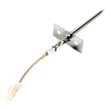
A frequent first part to test in the temperature circuit is the wall oven temperature sensor WPW10131825.
| What you notice | More likely | Less likely |
|---|---|---|
| F1 appears immediately at power-up | Control board fault | Sensor issue |
| F1 appears after preheat starts | Sensor circuit/wiring | Keypad issue |
| F1 appears after self-clean | Overheated wiring/connector, sensor drift | Random glitch |
An F1 code can shut down heating or cause unreliable temperature control. On a built-in double oven like the KEBS207SSS04, that can mean uneven baking, cancelled cycles, or the oven disabling itself for safety.
Use the KEBS207SSS04 use & care manual to confirm how your display reports faults (for example, "Err" messages), and to review basic operating checks before scheduling service.
Last updated: January 2026







