Owner’s manual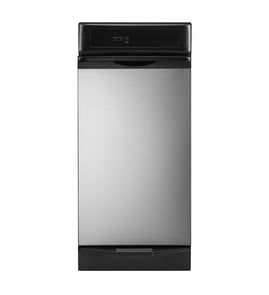

Can you get parts for a KitchenAid mixer?
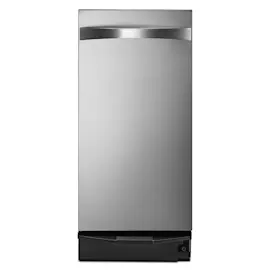
Yes. We carry replacement parts, accessories, and repair components for many KitchenAid appliances; for this page specifically, the parts list is for the KitchenAid trash compactor model KUCC151JBL0, not a stand mixer. Use your mixer’s full model number to match the correct parts list, diagrams, and compatible part numbers.
How to make sure you order the right KitchenAid mixer part
KitchenAid uses model-specific parts, so the model number is the key to getting a correct fit.
- Find the model number on the mixer’s rating label (often under the base, on the underside, or on the neck/hinge area)
- Write down the full model number exactly as shown (letters and numbers)
- Compare the part description to your symptom (noise, leaking grease, won’t start, speed issues)
- Match the part number and any revision notes shown in the parts list
- If your mixer is older, confirm color/finish and bowl-lift vs tilt-head style before ordering
What we can help with on this KUCC151JBL0 page
If you are actually shopping for KUCC151JBL0 trash compactor parts, we can help you identify common replacements and confirm compatibility using the diagrams and the KUCC151JBL0 owner's manual.
Common KUCC151JBL0-RELATED parts shown on this page include:
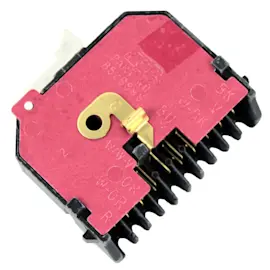
- Trash compactor top limit and directional switch WP777811 (cycle direction and top-limit sensing)
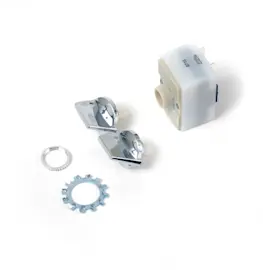
- Off switch 675382 (power on/off control)
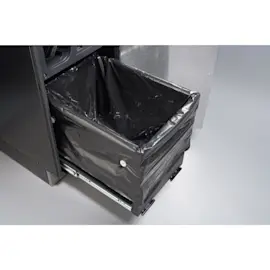
- Trash compactor bag, 180-pack W10165295RP (replacement bags)
Quick comparison: mixer parts vs trash compactor parts
| Item you have | What to use to find parts | Example parts you might see |
|---|---|---|
| KitchenAid stand mixer | Mixer model number on the mixer label | gears, motor brushes, speed control, bowl/latch parts |
| KitchenAid trash compactor KUCC151JBL0 | KUCC151JBL0 parts list and KUCC151JBL0 owner's manual | switches, bags, ram/drive components |
Why it matters
KitchenAid parts are model-specific. Using the correct model number prevents ordering a part that looks similar but will not fit, mount correctly, or work with your appliance’s wiring and controls.
If you want to search beyond this model page, you can also look up parts by model number on Sears PartsDirect.
Last updated: February 2026
Where is the model number on a KitchenAid trash compactor?
On the KitchenAid trash compactor model KUCC151JBL0, the model and serial number label is located on the inside panel of the compactor drawer. Pull the drawer open fully and look along the inner drawer panel for the identification label; it lists both the model number and serial number.
How to find it quickly
- Turn the compactor OFF before reaching inside the drawer area.
- Pull the drawer out to its normal open position.
- Look for a model and serial number label on the inside panel of the drawer.
- Wipe dust or residue off the label so the full model number is readable.
- Write down the complete model number and serial number exactly as shown.
What the label typically includes
| Label item | What it’s used for | Example for your unit |
|---|---|---|
| Model number | Matching parts and diagrams | KUCC151JBL0 |
| Serial number | Identifying production details | Varies by unit |
| Electrical info | Verifying power requirements | Varies by unit |
Why it matters
We use the complete model number (like KUCC151JBL0) to match the correct KitchenAid trash compactor parts, such as switches, the ram assembly, or the drawer slide kit. Even small model-number differences can change which parts fit.
Next step after you find it
- Use the model number to confirm the exact replacement part you need.
- If you are ordering common wear items, check the parts list for items like the trash compactor top limit and directional switch WP777811 or trash compactor bag, 180-pack W10165295RP.
- If you want to search beyond the parts shown for this model, you can also search by model number on Sears PartsDirect.
For the exact label location details and other identification notes, refer to the owner's manual.
Last updated: February 2026
What is a common problem with trash compactors?
A very common trash compactor problem is a “misload” that makes the ram stop and return to the up position without compacting. On KitchenAid model KUCC151JBL0, this often happens when bottles or cans are not centered and get caught between the ram and the drawer; the drawer monitor switch senses the misload.
Common problems we see (and what they look like)
- Misload (ram goes up, no compaction): load shifts or an item wedges between the ram and drawer.
- Trash not compacting well: drawer is not more than half full yet (normal early in the bag).
- Unit will not run: drawer not fully closed, key switch not turned fully to START, or power issue.
- Drawer feels stuck: something in the drawer path, an overfilled bag, or a jammed load.
Quick checks you can do safely
- Unplug the compactor before reaching into the drawer area.
- Open the drawer and re-load items in the center (especially bottles and cans).
- Confirm the drawer is more than 1/2 full before expecting strong compaction.
- Close the drawer firmly and try a cycle again.
- Avoid problem loads: do not compact hot items, aerosol cans, or flammables.
Parts that commonly relate to “won’t start” or “stops mid-cycle” symptoms
If the compactor has power but behaves inconsistently, these parts are common suspects on many compactors:
| Symptom | Common area to inspect | Example part on this model |
|---|---|---|
| Ram reverses or stops | Limit/monitor switching | Trash compactor top limit and directional switch WP777811 |
| No response at controls | On/off switching | Off switch 675382 |
| Drawer operation issues | Drawer hardware and fit | Bag fit and loading (see manual) |
Why it matters
A misload is more than an annoyance; repeated jams can stress the drive system and keep the compactor from completing a cycle. Center-loading and using the correct bags helps the drawer close properly and lets the ram compress the load as designed.
For model-specific operating steps and safety warnings, follow the KUCC151JBL0 owner's manual. If you need to order replacement parts for KUCC151JBL0, use the parts list for this model or search by model number on Sears PartsDirect.
Last updated: February 2026
Why is my KitchenAid trash compactor not closing?
If your KitchenAid trash compactor KUCC151JBL0 drawer will not close, the usual causes are an overfilled or misloaded drawer, a trash bag that is folded over the rim, or an item stuck behind the drawer. Close the drawer firmly so the safety interlock can engage.
Quick checks that fix most “won’t close” problems
- Pull the drawer out and remove anything that fell behind it (cans, bottles, packaging).
- Reseat the trash bag fully into the container; keep the top edge smooth and below the rim.
- Reduce the load; bulky items can shift and block the drawer.
- Load bottles and cans in the center so they do not wedge between the ram and drawer.
- Check the drawer slides for binding; the drawer should sit square in the opening.
Step-by-step: clear a jam and restore normal closing
- Unplug the compactor.
- Open the drawer and remove the bag if it is overfilled.
- Inspect and clean the rear and side tracks; remove sticky residue.
- Reinstall the bag so it sits flat in the container.
- Slide the drawer in firmly until it seats; restore power.
When a part is the cause
If the drawer physically closes but the compactor behaves like it is not closed (interlock not sensing), check these common items.
| What you notice | What it points to | Model-compatible part |
|---|---|---|
| Drawer closes, unit will not start | Limit/sensing switch issue | Trash compactor top limit and directional switch WP777811 |
| Drawer binds or feels crooked | Worn slide hardware | Kenmore elite trash compactor drawer slide kit W11722978 |
Why it matters
KUCC151JBL0 is designed not to run unless the drawer is completely closed; forcing the drawer can damage slides or the switch mechanism. For loading and operating details, use the KUCC151JBL0 manual. Parts for this model can be ordered from the parts list, or you can search by model number on Sears PartsDirect.
Last updated: February 2026