 Owner’s manual











What is the average lifespan of a Samsung dryer?
A Samsung dryer typically lasts 10 to 15 years. For your Samsung DVE45N5300F, consistent airflow (clean lint filter and venting), avoiding overloads, and fixing heat or drum issues early are the biggest factors that keep it closer to the 15-year range; see the DVE45N5300F owner’s manual for model-specific care and maintenance.
What affects dryer lifespan the most
- Airflow and venting: restricted exhaust overheats components and shortens life.
- Lint filter habits: clean before every load.
- Load size: chronic overloading strains the drum, belt, idler, and motor.
- Heat system health: weak heat or overheating accelerates wear.
- Noise and vibration: ignored squeals or thumps often turn into bigger repairs.
Maintenance checklist (best return on effort)
- Clean the lint screen every cycle; wash and dry it periodically if residue builds up.
- Inspect and clean the vent duct and outside hood regularly.
- Keep the dryer level to reduce drum and bearing wear.
- Stop using the dryer if you smell burning or notice repeated overheating.
- Address long dry times quickly (they usually point to airflow restriction).
Common wear items and what they usually cause
| Symptom | Most common area | Typical result if ignored |
|---|---|---|
| Squealing or chirping | Belt and idler system | Belt failure, drum not turning |
| Thumping or scraping | Drum support and drum | Drum damage, louder operation |
| Long dry times | Venting or heat system | Overheating, higher energy use |
| No heat | Heating circuit | Clothes stay damp, repeated cycles |
If you’re hearing squealing or the drum stops turning, the drum belt and idler are frequent culprits; the Samsung dryer drum belt 6602-001655 is a common wear item on this platform.
Why it matters
A dryer that runs hot or runs too long per load wears out the heating system, thermostats, and motor faster. Keeping airflow strong and fixing early symptoms is the simplest way to extend the service life of the DVE45N5300F.
Last updated: February 2026
Is it worth replacing a heating element in a Samsung dryer?
Yes. For Samsung dryer model DVE45N5300F, replacing the heating element is usually worth it when the dryer tumbles normally but will not heat, because the part cost is typically far less than replacing the entire dryer. Confirm the no-heat cause first using the troubleshooting steps in the DVE45N5300F owner's manual.
When replacement makes sense
Replacing the heater is a good value when the rest of the dryer is in solid shape and airflow is correct.
- The drum turns and the timer runs, but clothes stay cold
- Cycles complete, but drying performance is poor even with a clean lint filter
- You have no burning smell and no signs of wiring damage at the terminal block
- The dryer is otherwise quiet and stable (no belt squeal, no thumping)
Quick cost and decision guide
| Situation | Typical best move | Why |
|---|---|---|
| Dryer runs but has no heat | Replace the heater circuit part that failed | Most no-heat issues are isolated to heater, fuses, or thermostats |
| Dryer is overheating or shutting off | Fix airflow first, then test safety parts | Restricted venting can repeatedly blow fuses/thermostats |
| Multiple major issues (no heat + won’t start + loud) | Consider broader repair estimate | Several parts plus labor can approach replacement cost |
Parts commonly involved in “no heat” on this model
A failed heating element is common, but safety parts can mimic the same symptom.
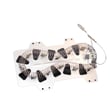
- Samsung dryer heating element DC47-00019A (heater coil that produces heat)
- Dryer thermal cut-off thermostat DC47-00016A (opens if temperatures get too high)
- Dryer high-limit thermostat DC47-00018A (protects against overheating)
- Dryer thermal cut-off fuse, 320-degree f DC47-00015A (one-time safety fuse)
- Dryer thermistor DC32-00007A (temperature sensor used for control)
Why it matters (and what to do first)
If airflow is restricted (lint buildup, crushed vent, blocked exhaust duct), the dryer can overheat and repeatedly trip or blow thermal safety devices. We recommend cleaning the lint filter every load and making sure the exhaust duct is clear and not kinked; then test the heater circuit parts before replacing anything.
Last updated: February 2026
How to reset a Samsung Moisture Sensor dryer?
For our Samsung DVE45N5300F moisture-sensor (Sensor Dry) cycles, the most reliable “reset” is a power cycle: turn the dryer off, unplug it (or switch the breaker off) for 5 minutes, then restore power and start a new cycle. If drying is still inconsistent, cleaning the sensor bars and checking airflow fixes the root cause more often than repeated resets.
Quick reset steps (power cycle)
- Press POWER to turn the dryer off.
- Unplug the dryer (or turn the circuit breaker off).
- Wait 5 minutes.
- Restore power.
- Press POWER, select a Sensor Dry cycle, then press and hold START/PAUSE to begin.
Clean the moisture sensor (the step that usually matters most)
Moisture-sensor dryers estimate remaining time based on humidity; residue on the sensor bars can make the dryer stop early or run too long.
- Locate the two metal sensor bars inside the drum (typically near the lint filter housing).
- Wipe them with rubbing alcohol on a soft cloth; dry completely.
- Avoid abrasive pads that can scratch the bars.
- Reduce dryer sheet use if you see recurring waxy buildup.
Check venting with the built-in Vent Blockage Test
Restricted venting can mimic a “bad moisture sensor” by overheating the dryer and confusing Sensor Dry timing.
- Start with the dryer cool and the drum empty.
- Enter the test mode using the button sequence in the DVE45N5300F owner’s manual.
- Run the test and correct any duct restriction before re-testing.
| Test result | What it means | What to do next |
|---|---|---|
0 |
Venting is normal | Re-test Sensor Dry after cleaning sensor bars |
CLg |
Venting cannot exhaust properly | Clean/shorten duct, clear outside hood, re-run test |
When a reset and cleaning do not solve it
These symptoms point to a control or sensing issue rather than a simple reset:
- Sensor Dry ends quickly but clothes are still damp
- Time display jumps around dramatically during Sensor Dry
- Dryer heats but cycles are consistently inconsistent across loads
In those cases, a failed temperature sensor can contribute to poor automatic drying. For this model, the dryer thermistor DC32-00007A is a common temperature-sensing part to check during diagnosis.
Why it matters
Sensor Dry is designed to stop when the selected dryness level is reached; clean sensor bars and proper airflow help the dryer measure moisture accurately, prevent overdrying, and reduce cycle time.
Last updated: February 2026









