 Installation guide
 Owner’s manual
 Error Codes





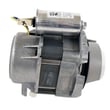
How do I fix the F9 E1 error code on my KitchenAid dishwasher?
The F9 E1 error on your KitchenAid KUDP02CRBS1 dishwasher points to a draining problem (water is not leaving the tub fast enough). We fix it by clearing the drain path first, then checking the drain hose and drain pump, and finally testing the electrical safety fuse if the unit stops mid-cycle. See the troubleshooting and cycle steps in the KUDP02CRBS1 owner's manual.
- Turn off power at the breaker before servicing.
- Cancel the cycle and let the dishwasher attempt to drain.
- Remove standing water (if needed) so you can inspect the sump area.
- Check the drain hose routing for kinks, crushing, or a clogged high loop/air gap.
- Inspect the sink/disposer inlet where the dishwasher drain connects (common clog point).
- If the drain path is clear but it still will not drain, suspect the drain pump.
If the drain path is clear and the dishwasher still will not pump water out, these parts are the most common fixes:
| Symptom you see | Most likely area | Part to consider |
|---|---|---|
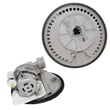
| Hums but does not move water | Drain pump jammed or failed | Dishwasher drain pump WPW10348269 |
| Drains slowly or backs up | Restricted or leaking drain line | Dishwasher drain hose 8269144A |
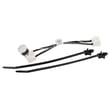
| Dead/no response after a drain issue | Control protection opened | Fuse W10258275 |
Our installation guide recommends verifying operation by running the shortest wash cycle and checking for water in the tub after the first couple of minutes. After you restore power:
- Start the shortest cycle.
- After about 2 minutes, unlatch the door, wait 5 seconds, then open.
- Confirm there is water in the bottom of the tub (proves filling).
- Let it continue and confirm it drains at the end.
A true F9 E1 drain fault can leave dirty water in the tub, cause odors, and stop the cycle early. Clearing restrictions first prevents unnecessary part replacement and helps protect the pump motor and electronic control.
Last updated: February 2026
How do you reset the clean light on a KitchenAid dishwasher?
On the KitchenAid KUDP02CRBS1 dishwasher, the Clean light typically turns off after a full cycle completes normally. If the Clean light is flashing, it indicates a malfunction (commonly in the heater circuit) and a simple reset usually will not clear it until the underlying issue is corrected; use the troubleshooting steps in the KUDP02CRBS1 owner's manual.
From the troubleshooting guidance for this dishwasher:
- Clean light flashing: the dishwasher has malfunctioned and the heater circuit needs to be checked.
- Clean light on steady: the cycle finished normally.
- Clean light does not come on: the cycle may have been canceled, interrupted, or power was lost.
Try these in order to clear a stuck control state and confirm the dishwasher can complete a cycle:
- Press Cancel/Drain (or the model’s cancel function) and let it finish draining.
- Turn power off at the breaker for 1 minute, then restore power.
- Start the shortest wash cycle and let it run.
- After about 2 minutes, unlatch the door, wait 5 seconds, then open and confirm there is water in the bottom of the tub.
- Let the cycle finish; the Clean light should come on steady at the end.
A flashing Clean light on KUDP02CRBS1 points to a heater circuit problem. These checks help narrow it down:
| What to check | What you’re looking for | Related part (if needed) |
|---|---|---|
| Water temperature | About 120°F (49°C) entering the dishwasher | None |
| Heating function | Cycle pauses while heating; no heat can trigger faults | Heater element WPW10082892 |
| Overheat protection | Open safety device can stop heating | Dishwasher thermostat WP661566 |
| Control protection | Blown protection device can cause no-heat/no-run symptoms | Fuse W10258275 |
The Clean light is more than a “status” indicator on this KitchenAid dishwasher. When it flashes, the dishwasher is telling you it detected a condition that can prevent proper heating, cleaning, and drying, and it may stop mid-cycle to protect components.
Last updated: February 2026
What does the blue light mean on my dishwasher?
On the KitchenAid KUDP02CRBS1 dishwasher, a blue light is typically a cycle status indicator (the dishwasher is running, in a delay, or has completed a cycle). If the light is blinking or the dishwasher will not run, check for a control lock, a paused cycle, or a fault indicated by other lights in the console; confirm the exact light behavior in the KUDP02CRBS1 owner's manual.
- Press Cancel/Drain once, then press Start/Resume to restart the cycle.
- Make sure the door is fully latched; many models will flash a status light if the door is not latched.
- If the dishwasher seems “stuck,” wait a few minutes; some cycles pause briefly during the main wash.
- Check your home power: a tripped breaker or blown household fuse can leave the control acting odd.
- If the unit has power but will not run, look for a control lock or a delayed start setting.
Some KitchenAid dishwashers use a flashing status light along with other indicators to point to a problem.
| What you see | What it usually means | What to do next |
|---|---|---|
| Blue light solid | Cycle is running or in progress | Let the cycle finish; avoid opening the door often |
| Blue light blinking | Paused cycle, door not latched, or a fault | Re-latch door; press Start/Resume; then check for error indicators |
| Clean light flashing | Heater circuit fault is suspected | Stop the cycle and troubleshoot heating components |
If you get a heater-related symptom (for example, Clean flashing), common repair paths include checking the heating circuit and related parts such as the heater element WPW10082892 and the dishwasher thermostat WP661566.
The status light helps you tell the difference between a normal pause (sensor checks, water heating, or programmed delays) and a true problem like a heating fault or a door-latch interruption. That saves time and prevents unnecessary part replacement.
Last updated: February 2026









