Installation guide
 Owner’s manual
 Error Codes



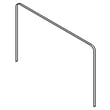
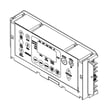
How to fix F5 e1 Whirlpool oven?
On a Whirlpool WFE525S0HV0 electric range, an F5 E1 error points to a problem with the oven door latch/lock system (the latch is not moving or the control is not sensing it correctly). We start by resetting power, then checking the door lock assembly and its wiring.
Quick fixes to try first
- Turn the range off, then flip the circuit breaker OFF for 60 seconds and turn it back ON.
- Make sure the oven door is fully closed and nothing is pressing on the door.
- If the error appeared after Self-Clean, let the oven cool completely; the latch can stay engaged while hot.
- If the control is locked, review the lockout steps in the WFE525S0HV0 owner's manual.
Parts that commonly cause F5 E1
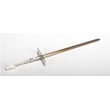
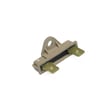
In this model, the most common repair is replacing the door lock/latch assembly.
| Symptom | Most likely cause | What we typically do |
|---|---|---|
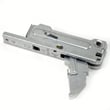
| F5 E1 won’t clear after reset | Door lock motor/switch failure | Replace range oven door lock assembly WPW10107820 |
| Error comes and goes when opening/closing door | Loose connection | Inspect and reseat latch wiring harness connectors |
| Door seems stuck locked after Self-Clean | Latch not returning home | Power reset; if still stuck, replace lock assembly |
Safe troubleshooting steps (before replacing parts)
- Disconnect power at the breaker.
- Pull the range forward enough to access the rear if needed; avoid stressing the power cord.
- Inspect the door lock assembly wiring for loose plugs, pinched wires, or heat damage.
- Restore power and test Bake; if F5 E1 returns, replace the door lock assembly.
Why it matters
The control uses the latch position to prevent unsafe operation during Self-Clean. If the latch cannot move or be sensed correctly, the range may disable heating and display F5 E1 to protect the appliance.
Last updated: February 2026
How to fix oven temperature sensor Whirlpool?
On a Whirlpool WFE525S0HV0 electric range, “fixing” the oven temperature sensor usually means testing it and replacing it if it is out of range or causing inaccurate baking. If the oven is consistently too hot or too cool, we also recommend using the control’s temperature calibration feature described in the WFE525S0HV0 owner’s manual.
Quick checks before replacing parts
- Confirm the oven is fully preheated before testing results.
- Avoid relying on a basic oven thermometer for quick swings; elements cycle on and off and readings lag.
- If food is consistently overbrowning or underbrowning, try calibration first.
- Make sure the door closes fully and seals well.
- Cancel any active cooking mode and restart a normal BAKE cycle.
Calibrate the oven temperature (often the real “fix”)
If the oven heats but cooks faster or slower than expected, adjust the oven temperature offset:
- Press and hold BAKE for 5 seconds until the display shows the current calibration value.
- Use the TEMP/TIME up or down arrows to adjust (typically in 10°F steps).
- Press START to save.
Calibration vs replacement
| Symptom | Best first step | Likely part if it persists |
|---|---|---|
| Oven heats, but bakes consistently too hot/cool | Calibrate temperature offset | Range oven temperature sensor WPW10181986 |
| Oven shows an error code or temperature seems erratic | Check error code list, then test sensor | Range oven temperature sensor WPW10181986 |
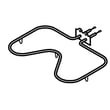
| Oven will not heat at all | Troubleshoot heating circuit | Bake element W11182108 (common cause) |
Replacing the oven temperature sensor (overview)
If calibration does not correct the issue, the sensor may be failing.
- Disconnect power at the breaker before servicing.
- Access the sensor inside the oven cavity (typically rear wall) and remove mounting screws.
- Carefully pull the sensor forward to reach the connector; disconnect and reconnect the new sensor.
- Route wiring back through the opening so it does not contact hot surfaces.
Why it matters
A drifting sensor can make the control “think” the oven is at temperature when it is not, leading to long preheat, uneven baking, or repeated overcooking. Calibration corrects small offsets; sensor replacement restores accurate feedback when the sensor itself is faulty.
Last updated: February 2026
What is the average lifespan of a Whirlpool oven?
A Whirlpool electric oven like model WFE525S0HV0 typically lasts 13 to 15 years with normal household use and basic maintenance. Keeping the oven clean, avoiding heavy spills on the bake element area, and addressing heating issues early helps you reach the full expected service life.
Typical lifespan by oven type
Most homeowners see these averages:
| Oven type | Typical lifespan | Notes |
|---|---|---|
| Electric oven/range | 13 to 15 years | Heating elements and controls are common wear items |
| Gas oven/range | 15 to 17 years | Fewer electrical heating components |
What shortens (or extends) lifespan
These factors make the biggest difference:
- Frequent high-heat use (daily baking, long broils)
- Self-clean cycles used often (extra heat stress on wiring and controls)
- Power surges or loose power connections at the terminal block
- Heavy spills and baked-on residue that insulate heat and cause hot spots
- Replacing wear parts early (elements, sensor, hinges) instead of running them to failure
Parts that commonly affect “end of life” decisions
If performance drops, these are the first components we check on an electric range:
- Bake element (no heat or uneven baking): bake element W11182108
- Oven temperature sensor (temperature swings, error codes): range oven temperature sensor WPW10181986
- Electronic control (dead display, random beeping, error codes)
- Door hinges (door won’t close tightly, heat loss)
Why it matters
Knowing the 13 to 15 year average helps you decide whether to repair or replace. If your WFE525S0HV0 is within that window, replacing a common wear part is often the fastest way to restore normal preheat times and even baking.
Where to confirm model-specific care and operating tips
For cleaning guidance, feature use, and operating recommendations that help maximize lifespan, follow the maintenance and usage sections in the WFE525S0HV0 owner's manual.
Last updated: February 2026
What is wrong with my Whirlpool oven?
If your Whirlpool WFE525S0HV0 oven is not heating or acting erratically, the most common causes are a power supply problem, a failed heating component (bake or broil), or a sensor/control issue. Start with power and settings checks, then move to the bake system.
Quick checks we recommend first
- Confirm the range is fully plugged into a grounded outlet.
- Check the home breaker or fuse; reset or replace if tripped/blown.
- Make sure the oven is not in a locked-out state (control lock feature).
- Verify you are selecting BAKE or BROIL, setting a temperature, then pressing START.
- If the display shows an error code (such as F9 or F9 E0), treat it as an electrical supply issue and have the supply verified.
Most likely failed parts (and what they affect)
When power is good but the oven will not heat, these are the usual suspects on an electric range:
| Symptom | Most likely cause | What to check next |
|---|---|---|
| No heat on Bake, Broil works | Bake element failure | Inspect for blisters/breaks; test continuity; consider replacing bake element W11182108 |
| No heat on Broil, Bake works | Broil element failure | Inspect element; test continuity; consider replacing range broil element W10856603 |
| Temperature is way off | Oven temperature sensor issue | Check sensor connection; consider replacing range oven temperature sensor WPW10181986 |
| Oven dead or intermittent | Control or wiring issue | Check terminal block and wiring; consider range terminal block WPW10245259 if connections are burned |
Why it matters
An oven that will not heat is often a simple power or heating-element problem. Catching a loose/burned connection early (especially at the terminal block) helps prevent repeated failures and keeps baking temperatures stable.
Where to find model-specific steps
Use the troubleshooting and feature instructions in the WFE525S0HV0 owner’s manual for keypad sequences, lockout behavior, and the recommended troubleshooting flow.
Last updated: February 2026