Installation guide
 Owner’s manual
 Error Codes


How do I reset a Kenmore stove?
To reset a Kenmore stove like model 66595142300, restore the control to a known “ready” state by clearing the display and, if needed, power-cycling the range. After a power interruption, pressing STOP/CLEAR clears the PF message and resets the clock functions.
Quick reset options (start here)
- Clear the control panel: Press STOP/CLEAR once to stop active oven functions and clear messages.
- Clear a PF message: If the display shows PF, press STOP/CLEAR to remove it and reset the clock.
- Power-cycle the range: Turn the range off at the breaker (or unplug if accessible), wait about 1 minute, then restore power.
- Confirm the range is ready: Make sure all surface controls are in OFF after power is restored.
- Retry the function: Select Bake or Broil, set temperature, then press START.
What you should see on the display
| Display behavior | What it means | What to do |
|---|---|---|
| PF appears | Power failure was detected | Press STOP/CLEAR |
| START? appears | A function was selected but not started | Press START |
| Letter + number code repeats | A fault is being detected | Clear with STOP/CLEAR; if it returns, service is needed |
If the oven still will not heat after a reset
- Verify the house breaker is fully reset (flip OFF, then ON).
- Check that the oven is not in a locked-out state (some models have cooktop or oven lockout).
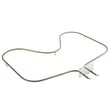
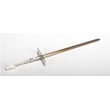
- If baking is weak or uneven, a failed heating component is common; the bake element is a frequent cause.
- If temperatures seem inaccurate, the oven temperature calibration may need adjustment.
- If the display shows an error code, use our Kenmore 665 error codes reference to match the code to the most likely cause.
Parts that commonly relate to “won’t heat” symptoms
| Symptom | Common part to check | Example part for this model |
|---|---|---|
| Oven not heating or underheating | Bake element | Bake element WPW10308477 |
| Temperature swings or inaccurate temps | Oven sensor | Oven sensor WPW10181986 |
Why it matters
A proper reset clears temporary control glitches and power-failure states (like PF) so the electronic oven control can accept commands normally. If the problem returns immediately after resetting, it usually points to a power supply issue, a heating circuit problem, or a failed component.
For control features and display messages specific to this range, use the 66595142300 owner's manual.
Last updated: January 2026
How do I tell what model Kenmore stove I have?
For Kenmore electric range model 66595142300, the model number is printed on the model and serial number plate located behind the left side of the storage drawer. Pull the drawer out and look on the frame area behind it; write down the full model number exactly as shown.
Where to look on your range
On this Kenmore range, the most reliable spot is the identification plate behind the storage drawer.
- Turn the oven off and let everything cool
- Pull the storage drawer straight out (remove it if needed)
- Look behind the left side of the drawer opening for the model and serial number plate
- Copy the model number and serial number exactly (letters and numbers)
- Take a clear photo of the label for ordering parts later
For diagrams showing the drawer area and other features, use the 66595142300 owner's manual.
Quick checklist: model number vs. serial number
| What you see on the label | What it’s used for | Example format |
|---|---|---|
| Model number | Identifies the exact range design and parts list | 66595142300 |
| Serial number | Identifies the production unit and date coding | Varies |
Why it matters
We use the model number to match the correct Kenmore parts and wiring configuration for your exact electric range. Even small model changes can affect which bake element, oven sensor, or control switch fits.
Tips if the label is hard to read
- Wipe dust and grease off the plate with a damp cloth (do not soak it)
- Use your phone flashlight and take a close-up photo
- If you’re ordering heating parts, confirm the model first so you get the correct bake element WPW10308477 or oven sensor WPW10181986
Last updated: January 2026
What does F3 mean on a Kenmore oven?
On the Kenmore electric range model 66595142300, an F3 (sometimes shown as F30 or F31) error points to an oven temperature sensing problem. In most cases, the issue is the oven temperature sensor circuit (the sensor itself, its wiring, or the control reading).
What to check first (safe, quick steps)
- Press STOP/CLEAR to clear the code and see if it returns.
- Turn power off at the breaker for 1 minute, then restore power.
- If the code returns, avoid using Self-Clean until the issue is fixed (high heat can make sensor problems show up more often).
- If the oven still heats but cooks unevenly, use the calibration feature described in the 66595142300 owner's manual (calibration is for fine-tuning, not for fixing a failed sensor).
Most common causes
- Failed oven temperature sensor (probe)
- Loose or damaged sensor wiring harness connection
- Pinched/burned wires near the rear panel
- Electronic oven control problem (less common)
Parts that commonly solve an F3-type sensor issue
If the sensor circuit is the problem, the most common replacement is the sensor used on this model:
| Symptom | Most likely area | Typical next step |
|---|---|---|
| F3 appears as soon as you start Bake | Sensor circuit open/short | Inspect sensor connector, then replace sensor |
| F3 appears after preheat or during long bakes | Sensor drifting when hot | Replace sensor |
| Oven temperature seems off but no error | Calibration or normal variance | Adjust calibration in the manual |
Why it matters
The oven control relies on the temperature sensor to regulate bake and broil heat. When the control sees an out-of-range sensor signal, it can stop heating or heat unpredictably, which affects cooking results and can trigger repeated error codes.
Last updated: January 2026