 Owner’s manual
 Error Codes
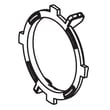
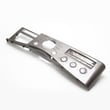
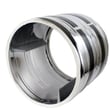
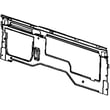
What is the most common problem with LG dryers?
For the LG DLEX2501V dual-fuel dryer, the most common problem we see is long dry times caused by restricted airflow (a clogged lint filter or blocked exhaust duct). After airflow issues, the next most common complaints are “no heat” and noisy tumbling from worn drive parts.
- Clothes take too long to dry: lint filter needs cleaning, exhaust duct is blocked/dirty, or the vent run is too long.
- Dryer shuts off early or cycles heat oddly: overheating from poor airflow, or a temperature-sensing issue.
- Dryer runs but does not heat: power or gas supply issue, or a failed heating component.
- Squealing, thumping, or grinding: worn belt, idler pulley, or drum support rollers.
- Weak airflow at the outside vent hood: crushed duct, heavy lint buildup, or a stuck damper.
- Clean the lint filter (LG specifies cleaning it after every cycle); see the DLEX2501V owner’s manual.
- Inspect the vent path from the dryer outlet to the outside hood; remove lint and fix kinks.
- Confirm the dryer is set to an appropriate cycle and heat level for the load size.
- If it is a gas model installation, confirm the house gas shutoff and dryer shutoff are fully open.
| Symptom | Commonly involved part | Example from this model’s parts list |
|---|---|---|
| Noisy tumbling, drum not turning well | Belt or idler pulley | Dryer drum belt 4400EL2001F, dryer idler pulley 4560EL3001A |
| No heat or overheating behavior | Thermostats, thermistor, heater | Dryer high-limit thermostat 6931EL3001F, dryer thermistor AGM30045804, dryer heating element 5301EL1001J |
| Poor airflow noise or vibration | Blower wheel/housing issues | Dryer blower wheel 5835EL1002A |
Restricted airflow is the root cause behind many LG dryer complaints because it increases drying time and can trigger overheating protection. Fixing airflow first prevents repeat failures of heating and temperature-control parts.
You can order replacement parts for your LG DLEX2501V from the parts list for this model, or search by model number on Sears PartsDirect.
Last updated: February 2026
How do you reset the flow sensor on a LG dryer?
On the LG DLEX2501V dryer, a “Flow Sense” airflow warning clears by fixing the airflow restriction first, then power-cycling the dryer. We recommend cleaning the lint filter and venting, then unplugging the dryer (or switching the breaker off) for about 5 minutes and restarting the cycle.
- Turn the dryer off.
- Clean the lint screen completely; wash it with warm water if you see residue, then dry it.
- Check the exhaust path for restriction (crushed flex duct, clogged wall cap, long run).
- Unplug the dryer for 5 minutes (or turn the breaker off), then restore power.
- Run a timed dry cycle for 10 to 15 minutes and confirm airflow at the outside vent.
Restricted airflow is the main reason Flow Sense warnings appear. Focus on the full vent path:
| Area to check | What “good” looks like | What causes Flow Sense |
|---|---|---|
| Lint filter area | Screen is clean and seated flat | Lint buildup, residue film |
| Flexible duct behind dryer | Short, smooth, not kinked | Crushed, kinked, too long |
| Wall duct and outside hood | Strong warm airflow outside | Lint clog, stuck damper, bird screen |
If the venting is clear and the warning keeps returning, a sensing or heating issue can be involved. For this model, common related parts include the dryer thermistor AGM30045804 and the dryer blower thermostat 6931EL3002M.
Flow Sense is designed to protect drying performance and reduce overheating risk. When airflow is restricted, dry times increase, temperatures can rise, and thermostats can trip.
You can also look up cycle and control details for your exact model in the DLEX2501V owner’s manual, and order replacement parts from the parts list for this model or search by model number on Sears PartsDirect.
Last updated: February 2026
What is the average lifespan of an LG dryer?
Most LG dryers, including the LG DLEX2501V, typically last 10 to 15 years with normal household use and basic upkeep. Consistent lint and vent cleaning, avoiding overloads, and fixing heat or airflow problems early are what most often determine whether you land closer to 10 years or 15.
- Airflow and venting: A restricted vent makes the dryer run hotter and longer.
- Lint control: Cleaning the lint screen every load reduces strain on the blower and heater.
- Load size: Overloading accelerates wear on the drum belt, rollers, and motor.
- Heat regulation: Failed thermostats or sensors can cause overheating or long dry times.
- Moisture sensing: Sensor-dry systems adjust time based on moisture; dirty sensors can extend cycles.
Use your owner's manual for the exact cleaning intervals and access points.
- Clean the lint screen before every load.
- Inspect and clean the exhaust ducting periodically; keep the run short and free of kinks.
- Wipe the moisture sensor bars inside the drum if sensor cycles seem inconsistent.
- Listen for squealing or thumping; address it before it damages the drum or motor.
- If dry times increase, check airflow first before replacing heating parts.
If you notice noise, slipping, or poor tumbling, these are common culprits on many LG dryers:
| Symptom | Most common area | Example part on this model |
|---|---|---|
| Drum not turning, motor runs | Drive system | Dryer drum belt 4400EL2001F |
| Squealing or chirping | Idler pulley | Dryer idler pulley 4560EL3001A |
| Long dry times, overheating | Temperature control | Dryer high-limit thermostat 6931EL3001F |
A dryer that runs with poor airflow or failing temperature control can overheat components and dramatically increase cycle time. Keeping airflow strong and replacing worn drive parts early helps the DLEX2501V dry efficiently and reach its full 10 to 15 year lifespan.
For replacement parts listed for your model, order directly from the parts list for LG DLEX2501V or search by model on Sears PartsDirect.
Last updated: February 2026
How to reset LG dryer error code?
For the LG DLEX2501V dryer, the reliable “reset” for most error codes is a power reset: turn the dryer off, disconnect power for a few minutes, then restore power and start a new cycle. If the code returns right away, the dryer is detecting an active problem that needs troubleshooting.
- Press Power to turn the dryer off (note: pressing Power during a cycle cancels the cycle and clears the current settings).
- Unplug the dryer (or switch the breaker off) for 3 to 5 minutes.
- Restore power.
- Press Power, select a cycle, then press Start/Pause.
- If the dryer was paused, press Start/Pause to resume; if it sits too long paused, it can shut off automatically.
For control and button behavior specific to this model, use the owner's manual.
Many dryer “errors” are triggered by a condition the control can still see after a reset. Check these common causes first:
- Airflow restriction: clean the lint filter, confirm the vent is not crushed, and make sure the outside damper opens.
- Power supply issue: reset the house breaker or replace a blown fuse (do not upsize the fuse).
- Gas supply issue (gas/dual-fuel operation): confirm the house gas shutoff and dryer gas shutoff are fully open.
- Overload or wet load: reduce load size and retry a timed cycle.
- Sensor-related codes: if the display indicates a thermistor-related error (often shown as tE/tE2), the sensor circuit is involved.
If troubleshooting points to a failed component, these model-matched parts are commonly involved:
- Dryer thermistor AGM30045804
- Dryer high-limit thermostat 6931EL3001F
- Dryer blower thermostat 6931EL3002M
- Dryer heating element 5301EL1001J
| Action | What it affects | What it will not fix |
|---|---|---|
| Power reset (unplug/breaker) | Clears temporary control glitches and restarts the control | A failed sensor, thermostat, heater, motor, or blocked vent |
| Starting a new cycle | Rechecks sensors and safety circuits | The underlying condition that triggered the code |
Repeatedly clearing an error without fixing the cause can lead to long dry times, no-heat symptoms, or repeated shutdowns. Addressing airflow, power, and heat-safety components first prevents repeat codes and protects the dryer’s heating system.
To order replacement parts for your LG DLEX2501V, use the parts list for this model or search by model number on Sears PartsDirect.
Last updated: February 2026












