 Installation guide
 Owner’s manual
 Error Codes


How to hard reset a Kenmore dishwasher?
To hard reset the Kenmore Elite dishwasher model 66512762K311, we recommend using the built-in control reset: press and hold CANCEL/DRAIN twice to reset the control, then reselect your cycle and press START/RESUME. See the exact steps in the 66512762K311 owner's manual.
Hard reset (control reset) steps
- Open the door slightly to stop the cycle; wait for spraying to stop.
- Open the door fully.
- Press and hold CANCEL/DRAIN twice to reset the control.
- Select the new cycle and any options.
- Close the door and press START/RESUME.
What you should see
- The dishwasher stops the current cycle.
- If water is in the bottom, it may run a drain cycle.
- The Cancel/Drain light can stay on for up to about 2 minutes while it drains.
If the dishwasher still will not start after resetting
These checks solve the most common “won’t run” complaints after a reset.
- Make sure the door is fully closed and latched (a blinking Start/Resume light usually means the door is not latched).
- Confirm a cycle is selected before pressing START/RESUME.
- Check house power (a tripped breaker or blown fuse can stop the dishwasher).
- Look for loading interference (large pans or cutting boards can prevent the door from latching).
- If multiple lights are blinking and it will not run, schedule service.
Quick reference table
| Situation | What to do | What it means |
|---|---|---|
| Start/Resume light blinking | Close door, press START/RESUME | Door not latched or cycle paused |
| Need to restart from the beginning | CANCEL/DRAIN twice, then reselect cycle | Control reset |
| Water remains in tub | Run Cancel/Drain and wait | Unit is draining (up to ~2 minutes) |
Why it matters
A proper hard reset clears a stuck cycle and gets the electronic control back to a known state, which helps restore normal filling, washing, and draining without replacing parts.
Last updated: January 2026
How to identify Kenmore dishwasher model?
To identify the model on your Kenmore Elite dishwasher, open the door and look for the rating label on the inside edge of the tub (commonly along the left side). The label lists the model number and serial number; for this unit, the model is 66512762K311. See the 66512762K311 owner's manual for the exact label location diagram.
Where to look on the dishwasher
Check these common spots first:
- Inside the door opening on the tub frame (left side is most common)
- Along the top edge of the tub opening
- Along the right side of the tub opening
- On the side of the door itself (near the latch area)
What to write down (and why)
Record both numbers from the rating label:
- Model number: identifies the exact design and parts list
- Serial number: helps match production changes and correct revisions
- Brand line: confirms Kenmore Elite series
- Electrical ratings: useful when troubleshooting power issues
Quick reference table
| Label item | What it’s used for | When you need it |
|---|---|---|
| Model number (example: 66512762K311) | Correct parts and diagrams | Ordering a door latch, rack parts, pumps |
| Serial number | Version and production run | When parts vary by series break |
| Electrical info | Safe troubleshooting | Checking wiring, control issues |
Why it matters for parts and repairs
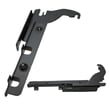
Kenmore dishwashers often have multiple similar-looking versions. Using the exact model number helps us match the right components the first time, such as the dishwasher door latch WPW10653840 or rack hardware.
Last updated: January 2026
What are the common problems with Kenmore dishwashers?
Common Kenmore dishwasher problems (including Kenmore Elite model 66512762K311) usually fall into a few buckets: it will not start or run, it will not fill, it will not drain (water left in the tub), it does not dry well, cycles run too long, or cleaning results are poor due to hard water, odors, or loading issues. For model-specific checks and indicator light behavior, use the 66512762K311 owner's manual.
Most common symptoms and what they usually mean
- Dishwasher does not run: door not fully closed and latched, Start/Resume needs to be pressed, or a power issue (tripped breaker or blown fuse).
- Will not fill: water supply issue, inlet valve problem, or a cycle/door latch issue.
- Water remains in tub / will not drain: kinked drain hose, disposer knockout plug not removed, or a clog in the drain path.
- Detergent remains in dispenser: dispenser blocked by dishes, tablet dropped to the tub bottom, or spray action is restricted.
- Not drying: rinse aid not used, cycle selection, or heater-related problems.
- Hard water residue, cloudy dishes, odors, noisy operation: mineral buildup, filter maintenance needed, or normal sounds versus abnormal grinding.
Quick checks we recommend first (fast, no parts)
- Confirm the door is closed and latched, then press START/RESUME if the light is blinking.
- Check the house breaker or fuse supplying the dishwasher.
- Inspect for loading interference (large dishes can prevent proper door closure or block spray).
- Look for kinks in the drain hose and confirm the disposer knockout plug is removed (if connected to a disposer).
- For hard water and spotting, use rinse aid, fresh detergent, and clean the filters monthly.
Parts that commonly relate to these problems on this model
If the quick checks do not resolve the issue, these parts are frequent suspects on 66512762K311:
| Symptom | Common part involved | Example part for this model |
|---|---|---|
| Will not fill | Water inlet valve | Dishwasher water inlet valve W11175771 |
| Will not drain / water left | Drain pump or drain hose | Dishwasher drain pump WPW10531320 |
| Not drying | Heater | Dishwasher heater W10703867 |
| Door will not latch / won’t start | Door latch | Dishwasher door latch WPW10653840 |
Why it matters
Catching the symptom category early prevents repeat wash failures and helps you avoid secondary issues like standing water odors, mineral buildup from hard water, and poor cleaning from blocked spray or incorrect loading.
Last updated: January 2026
Why is the start button not working on my Kenmore Ultra Wash quiet guard?
On the Kenmore Elite dishwasher model 66512762K311, the Start/Resume button usually won’t respond when the controls are locked, the door isn’t fully closed and latched, or the cycle is paused after the door was opened. Start by checking Control Lock and the door latch, then restore power to reset the control.
Quick checks that fix most “won’t start” issues
- Make sure the door is closed and latched; if the Start/Resume light is blinking, close the door and press START/RESUME.
- Turn Control Lock off (when Locked is lit, all buttons are disabled and the dishwasher cannot start).
- If you opened the door for more than about 5 seconds during a delay start, press START/RESUME again to continue the countdown.
- Confirm a cycle is selected (a dishwasher won’t run without a cycle choice).
- Check household power: a tripped breaker or blown fuse can leave the panel lit but prevent operation.
How to turn Control Lock off (common cause)
Control Lock is designed to prevent unintended button presses between cycles.
- If the dishwasher seems “asleep,” wake it by pressing START/RESUME or CANCEL/DRAIN, or by opening and closing the door.
- Press and hold TOP RACK ONLY for 3 seconds to toggle Control Lock off.
For the exact button sequence and indicator behavior, use the 66512762K311 owner's manual.
When the door latch is the real problem
If the door won’t latch firmly, the dishwasher may act like Start is “dead” because it will not run with the door unlatched.
- Check for interference from large dishes that prevent the door from closing.
- Inspect the latch strike area for debris or misalignment.
- If the latch feels loose, cracked, or won’t hold, replacement is the next step.
Related part: Dishwasher door latch WPW10653840
What to try before replacing parts
| Symptom | Most likely cause | Best next step |
|---|---|---|
| Locked light on | Control Lock enabled | Turn Control Lock off |
| Start/Resume light blinking | Door not fully closed | Close door, press START/RESUME |
| Lights blink and won’t run | Control issue or door issue | Reset power, then recheck latch |
Why it matters
A Kenmore dishwasher is designed to block starting when the door isn’t latched or when Control Lock is on. Fixing those two items prevents unnecessary control board replacements and gets the cycle running safely.
Last updated: January 2026









