Installation guide
 Owner’s manual


How to do a hard reset on a Kenmore dishwasher?
For Kenmore dishwasher model 66513832K601, the most reliable “hard reset” is to cancel the current cycle and let the unit drain, then restart a fresh cycle. This clears selected options and gets the control ready to run normally (it is the reset method described in the 66513832K601 owner's manual).
Hard reset steps (cancel and drain reset)
- Close the door fully (the dishwasher must be closed to drain).
- Press CANCEL/DRAIN.
- Wait about 2 minutes while the dishwasher drains (if needed).
- When the Cancel/Drain light turns off, select your new cycle and options.
- Press START/RESUME to begin.
If the controls seem “frozen” or buttons do nothing
A locked control panel can look like a control failure. On this style of Kenmore control, the lock feature is toggled with the Heated Dry button.
- Press and hold HEATED DRY for 4 seconds to turn Lock On on or off.
- If Lock On is lit, most buttons are disabled.
- After unlocking, press START/RESUME to continue the cycle.
Quick reference table
| What you want to do | What to press | What to expect |
|---|---|---|
| Clear cycle/options and reset | CANCEL/DRAIN | 2-minute drain, then ready to reselect |
| Stop the drain early | CANCEL/DRAIN again | Drain stops |
| Unlock/lock controls | Hold HEATED DRY 4 seconds | Lock On light toggles |
Why it matters
Cancel/Drain reset is the safest reset because it clears the cycle logic and removes standing water before you restart. That helps prevent incomplete washes, poor draining, and false “won’t start” symptoms.
Last updated: January 2026
What are the most common issues with 66513832K601?
The most common issues we see with the Kenmore 66513832K601 dishwasher are draining problems, poor cleaning, leaks at the door, and drying or heating complaints. These symptoms usually trace back to a clogged filter or sump area, a failing drain pump, a worn door seal, or a heating circuit problem.
Common problems and what they look like
- Won’t drain or drains slowly: standing water in the tub, gurgling at the sink drain
- Poor wash performance: gritty dishes, soap left behind, weak spray action
- Leaks: water at the front corners or under the door
- Not drying or not heating: cool water, wet dishes at end of cycle, long cycle times
- Won’t start or stops mid-cycle: dead panel, intermittent operation, beeping
Quick checks we recommend first
- Reset power: turn the breaker off for 1 minute, then back on.
- Check the drain path: confirm the sink/disposer inlet is clear and the drain hose is not kinked or crushed.
- Clean the filter area: remove debris from the bottom of the tub and rinse the filter components.
- Verify water supply: make sure the shutoff valve is fully open and the fill is strong.
- Confirm loading and detergent: blocked spray arms and too much detergent can mimic a “bad pump” or “not cleaning” issue.
Parts that commonly solve these symptoms
| Symptom | Likely area | Example part for this model |
|---|---|---|
| Won’t drain | Drain pump or drain hose | Dishwasher drain pump WPW10348269 |
| Leaks at door | Door seal | Dishwasher door seal W10542314 |
| Not heating or poor drying | Heating circuit | Dishwasher heating element W10518394 |
| Poor cleaning | Filter, sump, chopper | Roper dishwasher filter W10084567 |
Why it matters
Drain, heat, and wash issues can cascade: a partial clog can overload the pump motor, low heat reduces cleaning, and leaks can damage flooring. Catching the root cause early keeps cycles shorter, dishes cleaner, and repairs simpler.
Helpful model-specific references
- Use the troubleshooting and cycle information in the 66513832K601 owner’s manual.
- If you’re seeing a blinking pattern or error, match it using Kenmore 665 model dishwasher error codes.
Last updated: March 2026
What is the service code f4e1 on a Kenmore Elite dishwasher?
On Kenmore model 66513832K601, the F4E1 service code points to a wash motor or wash pump problem (the dishwasher is not circulating water as expected). After correcting the cause, follow the reset steps in the 66513832K601 owner's manual so the dishwasher can run a new cycle normally.
What F4E1 usually means (and what to check first)
F4E1 is commonly tied to the circulation system. Before replacing parts, we check the basics that can stop proper wash action.
- Make sure the door is fully closed and latched
- Confirm the water supply valve is turned on
- Start a short cycle and verify there is water in the bottom of the tub after the first couple of minutes
- Check for a blocked spray arm or heavy debris in the sump area
- Reset power at the breaker for 1 minute, then try a new cycle
Likely fixes for a wash pump or motor-related code
If the tub fills but you do not hear normal wash action (spraying), the circulation components are the next place to focus.
| Symptom | Most likely area | Common next step |
|---|---|---|
| Tub fills, then quiet or only humming | Wash motor/pump | Inspect for jam; test motor, replace if failed |
| Poor cleaning, intermittent wash pressure | Sump and motor area | Check for debris; inspect seals and impeller area |
| Stops mid-cycle with standing water and no wash | Control or motor circuit | Check wiring connections; evaluate control if needed |
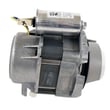
Parts that can be involved (when symptoms match): the circulation motor/pump assembly and related components. If you’re diagnosing a no-wash condition, the pump motor WPW10780877 is one of the key assemblies used on this model.
Resetting and confirming operation
After a repair or jam removal, we run a quick verification:
- Restore power
- Start the shortest wash cycle
- After about 2 minutes, unlatch the door, wait 5 seconds, then open it
- Confirm there is water in the tub and signs of active spraying
For the exact button sequence and model-specific steps, use the 66513832K601 owner's manual.
Why it matters
When the dishwasher cannot circulate water, dishes stay dirty and the unit may stop to protect itself. Addressing the circulation issue early also helps prevent overheating and repeat error codes.
Last updated: January 2026