- Kenmore refrigerator water filters
- Whirlpool refrigerator water filters
- Samsung refrigerator water filters
- GE refrigerator water filters
- LG refrigerator water filters
- Frigidaire refrigerator water filters
- KitchenAid refrigerator water filters
- Maytag refrigerator water filters
- Kenmore Elite refrigerator water filters
- Estate refrigerator water filters
- GE Profile refrigerator water filters
- Amana refrigerator water filters
- Bosch refrigerator water filters
- Dacor refrigerator water filters
- Electrolux refrigerator water filters
Top DIY repair help
View All Repair Categories
Appliances
Lawn & Garden
Power Tools
Home Improvement
Sports & Leisure
Heating & Cooling
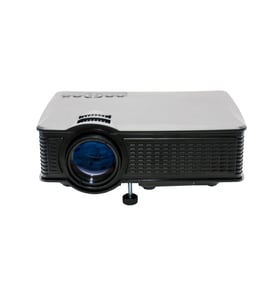
Texas Instruments Office Parts — Browse All Models
You depend on your Texas Instruments office products to run your business efficiently. Communication devices made by Texas Instruments rarely break down but parts failures in your office equipment can happen at any time. When Texas Instruments office equipment failures occur, find the parts you need to fix the equipment at Sears PartsDirect.

Texas Instruments 850C business center
Texas Instruments PROFESSIONAL COMPUTER professional computer
Texas Instruments 851 business center
Texas Instruments 850 business center
Texas Instruments HTM/850C business center
Texas Instruments XL851 business center
Popular maintenance items for Office
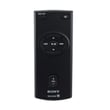
Remote Commander (rm-x400)
In Stock
$25.03
19% OFF Phone Price : $31.03

Qty


Agri-fab Lawn & Garden Equipment Washer
Part #44008
This item is not returnable
In Stock
$2.74
27% OFF Phone Price : $3.74
Qty
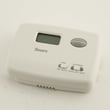
Sears Central Air Conditioner Wall Control Thermostat
In Stock
$25.59
25% OFF Was : $34.12
Qty
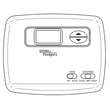
Sears White-rodgers Thermostat
In Stock
$16.80
40% OFF Was : $28.00
Qty

Spring(9142)
In Stock
$29.13
Qty
Refrigerator Drawer Slide Rail Assembly
In Stock
$42.92
12% OFF Phone Price : $48.92
Qty
Maintenance tips for your Texas Instruments office equipment
- Keep equipment positioned properly so cooling airflow reaches control boards in the unit. Many office machines have control boards that generate heat during operation. Failure to properly position equipment to ensure proper airflow can damage control boards and cause premature equipment failure.
- Clear paper jams quickly. Paper jams can cause excessive wear or damage to levers and other moving parts in the equipment.
- Clean the equipment regularly. Clean dust and dirt out of all air vent slots. Clean debris and residue out of internal equipment parts. Keep covers closed when equipment isn't in use.
- Have your equipment serviced by a technician periodically to prevent unexpected failures.
Texas Instruments office equipment safety tips
- Check the condition of power cords connected to your office equipment often. Replace any worn or damaged power cords to prevent electrocution and shock hazards.
- Use proper lifting techniques and wear a back support belt when moving or installing office equipment. Use proper tools and helpers to move extremely heavy equipment.
- Limit screen time to prevent eye damage. Use proper screen settings to minimize eye strain.
- Some office equipment contains high-voltage capacitors that can retain a lethal electrical charge even when the equipment is unplugged from the power supply. Don't attempt to repair office equipment yourself unless you're completely confident that you can safely perform the repair. Have a service technician make repair on any office equipment that contain capacitors that may retain an electrical charge after the equipment is powered off.
- Read and follow all safety warnings and operation procedures in the owner's manual for your office equipment.
Parts & More
Bottom-Mount Refrigerator
Dehumidifier
Front-Engine Lawn Tractor
Gas Walk-Behind Mower
Parts
Scroll Saw
Side-By-Side Refrigerator