 Installation guide
 Owner’s manual
 Error Codes











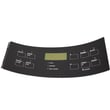
How do I get my Kenmore oven out of lock mode?
To unlock your Kenmore 79096002600 electric range, press and hold the Oven Lockout pad for 3 seconds until the control unlocks. If the door is locking or unlocking, wait about 15 seconds and do not pull on the door.
Quick unlock steps (control lockout)
- Press and hold the Oven Lockout key for 3 seconds.
- Watch for “Loc” to clear and the Door Locked/LOCK indicator to stop flashing.
- Wait about 15 seconds for the motorized latch to finish moving.
- Open the door normally once the lock indicator is off.
- If you press other keys while locked, “Loc” may show until you release the key.
For the exact button name and display behavior on your control, follow the steps in the owner's manual.
If the oven is locked after Self-Clean
After a Self-Clean cycle, the door stays locked until the oven cools.
- Press Cancel/Stop to end the cycle if needed.
- Let the oven cool for about 1 hour.
- Open the door only after the LOCK light goes out.
- Do not force the door open; that can damage the automatic door locking system.
What you should see (normal behavior)
| Situation | Display/light behavior | What to do |
|---|---|---|
| Lockout turned on | “Loc” shows; Door Locked light flashes | Wait about 15 seconds for latch to close |
| Unlocking | Light may flash briefly | Keep hands off the door until it finishes |
| After Self-Clean | “CLn” or “End”; LOCK light stays on | Wait for cool-down (about 1 hour) |
Why it matters
The lockout feature prevents accidental starts and disables oven control pads. Waiting for the latch motor to finish protects the door lock mechanism and helps avoid a stuck door.
Last updated: February 2026
How do you reset a Kenmore 79096002600 oven?
To reset your Kenmore 79096002600 electric range oven, turn the oven off, then cycle power at the breaker (or unplug the range) for about 1 minute and restore power. After power returns, reset the clock and reselect your oven function as needed (bake, broil, timer).
Quick reset options (use the one that matches your situation)
- Control reset (most common): Turn the oven off, then switch the range circuit breaker OFF for 60 seconds, then ON.
- After a power outage: Make sure all knobs are OFF; when power resumes, reset the clock and reselect cooking mode.
- If the controls are locked: Cancel the oven lockout by pressing and holding the lockout pad for about 3 seconds until the control unlocks.
Step-by-step: breaker reset (recommended)
- Turn the oven OFF.
- Switch the range breaker OFF (or unplug the power cord if accessible).
- Wait 60 seconds.
- Restore power.
- Set the time using the clock instructions in the owner's manual.
If it still will not respond
These checks solve most “won’t start” or “buttons not working” complaints after a reset:
- Confirm the display is on and not showing Loc (control lock).
- If the oven door is locked after self-clean, wait for the oven to cool; the lock can stay engaged for about 1 hour after cooling begins.
- Verify the range is getting full power (a tripped breaker can look “half on”).
- If the oven light is out and you recently replaced it, confirm power was restored and the clock was reset; use a correct appliance bulb such as range oven light bulb 316538904 if needed.
What “reset” fixes vs. what it does not
| Symptom | Reset helps? | What to check next |
|---|---|---|
| Display frozen or beeping oddly | Yes | Lockout, power cycle |
| Oven will not heat | Sometimes | Bake/broil element, control settings |
| Door locked after self-clean | Sometimes | Cool-down time, do not force door |
Why it matters
A power cycle clears minor control glitches and restores normal keypad operation. It also prevents the oven from resuming an unintended cooking mode after a power interruption once you reset the clock and settings.
Last updated: February 2026
How to replace a burner switch on a Kenmore stove?
To replace a burner (surface element) switch on your Kenmore electric range model 79096002600, disconnect power, remove the control knob and backguard/control panel to access the switch, move the wires to the new switch one at a time, then reassemble and restore power. Use the wiring diagram in the 79096002600 owner's manual for terminal locations.
Safety first
- Turn off the range at the breaker (240V) or unplug it before opening the console
- Confirm the cooktop is cool and all knobs are in OFF
- Take a clear photo of the switch wiring before you move anything
- Use needle-nose pliers on wire terminals (not the wire) to avoid damage
- If you see melted wiring or a burned terminal, stop and repair the wiring/terminal before installing the new switch
Step-by-step: replacing the surface element switch
- Kill power at the breaker.
- Pull the knob straight off the switch shaft (the manual notes knobs remove by pulling straight off when set to OFF).
- Access the control console: remove the rear control panel/backguard screws and carefully tilt the panel forward to expose the switches.
- Label and transfer wires: move wires from the old switch to the new switch one wire at a time to the matching terminal (use the manual wiring diagram for reference).
- Remove the old switch: take out the mounting screws (or retaining nuts, depending on console style) and lift the switch out.
- Install the new switch and secure it.
- Reassemble the console, push the knob back on (align the flat sides), then restore power and test the burner.
Which part usually fixes it?
On this model, the surface element switch is commonly replaced with a control switch such as:
| Symptom | Most likely part | Notes |
|---|---|---|
| Burner stays on high or won’t regulate | Range surface element control switch 316436001 | Typical failure is worn internal contacts |
| Small burner won’t regulate (some positions dead) | Oven switch 316436000 | Often used for a smaller surface element circuit |
Why it matters
A failing burner switch can overheat cookware, trip the breaker, or damage the terminal block and wiring. Replacing the switch restores proper heat control and helps prevent heat-related damage inside the control console.
Last updated: February 2026
What does F90 mean on a Kenmore stove?
On the Kenmore 79096002600 electric range, an F90 error typically points to a self-clean door lock problem: the control senses the oven door lock is not locking or not unlocking when it should, often right after a self-clean cycle.
What to do first (safe reset and quick checks)
- Press STOP/CLEAR once to stop the beeping and clear the code.
- Let the oven cool completely if the code appeared after self-clean; the lock will not release until temperatures drop.
- Try a power reset: turn the range breaker OFF for 5 minutes, then turn it back ON.
- Check that the oven door is fully closed and not being held open by a rack, foil, or a warped gasket.
- If the door is locked, avoid forcing it; forcing can bend the latch or damage the door.
What usually causes an F90 code
F90 is most often triggered by the range not seeing the expected door-latch position during self-clean.
| Likely cause | What you may notice | Typical fix |
|---|---|---|
| Door lock/latch mechanism sticking | Door stays locked after self-clean | Cool down, reset power; service latch if it keeps sticking |
| Door lock switch not changing state | Code returns quickly after clearing | Test/replace lock switch or latch assembly |
| Wiring/connection issue to latch circuit | Intermittent F90 | Inspect harness connections during service |
| Electronic oven control issue | Random lock errors with normal latch | Diagnose control and latch circuit together |
Parts that are commonly involved
We start diagnosis with the latch circuit and related wiring; if the oven also will not heat correctly, we also check heating components.
- Door lock/latch assembly and lock switches (most common)
- Wiring harness connections to the latch circuit
- Electronic oven control (less common)
- If heat complaints exist at the same time: frigidaire range bake element 316075103
Why it matters
During self-clean, the oven must lock for safety. When the control cannot confirm the lock position, it stops the cycle and posts an error to prevent unsafe operation and overheating.
For model-specific control behavior and self-clean steps, follow the 79096002600 owner's manual.
Last updated: February 2026
Where to find model number on Kenmore electric stove?
On the Kenmore electric range model 79096002600, the model and serial number are printed on the identification (serial) plate on the right side of the oven front frame, inside the storage or warmer drawer compartment. Pull the drawer out and look along the right-side frame.
Where to look first (fastest method)
- Turn the oven off and let it cool.
- Pull the storage drawer (or warmer drawer) open.
- Look on the right side of the oven front frame for the serial plate.
- If your range has a front lower panel instead of a drawer, open that panel and check the same area.
- Write down both the model number and serial number for parts lookup and service.
For the exact plate location illustration, use the 79096002600 owner's manual.
Other common label locations (if the plate is missing or unreadable)
If the serial plate is damaged (heat, cleaning chemicals, or wear), these are the next most common places to check on electric ranges:
- Door jamb area around the oven opening
- Behind the bottom drawer (on the frame lip)
- Back panel near the power cord entry/vent area
Quick reference table
| Location | What you’ll see | Best for |
|---|---|---|
| Storage/warmer drawer compartment (right front frame) | Model and serial plate | Correct parts match |
| Oven door jamb/frame | Model/serial sticker or plate | Quick confirmation |
| Back panel | Rating label | Electrical info and ID |
Why it matters
We use the full model number (for example, 79096002600) to match the correct Kenmore range parts, wiring layout, and control features. A single digit difference can change which bake element, control overlay, or surface element switch fits.
Last updated: February 2026
Why is my Kenmore Elite stove not working?
If your Kenmore electric range model 79096002600 is not working at all, the most common causes are a power supply problem (tripped breaker, loose cord connection), a terminal block wiring issue, or an electronic control fault showing an F-code. Use the 79096002600 owner's manual troubleshooting checklist to narrow it down safely.
Quick checks we recommend first (no tools)
- Confirm the range is not in a power failure state; the manual notes not to operate during an outage and to reset the clock after power returns.
- Check the home electrical panel; reset the double-pole range breaker fully OFF then ON.
- Verify the outlet and cord are fully seated (if your installation uses a cord and receptacle).
- If the control is beeping and shows an F code (example: F11), press STOP/CLEAR to stop the beeping and clear the display; if it returns, record the code.
- If only one burner or the oven is affected, confirm the correct knob or oven mode was selected.
What the symptom usually points to
| What’s not working | Most likely area | What to do next |
|---|---|---|
| Nothing works (no display, no heat) | House power, cord, terminal block | Check breaker; inspect terminal block for heat damage |
| Display works but oven will not heat | Bake/broil circuit, control, sensor | Test bake and broil functions; look for error codes |
| One surface element will not heat | Element switch or element | Try a different burner; check the control switch |
| Beeping with F-code | Electronic control detected a fault | Clear with STOP/CLEAR; record code if it returns |
Parts that commonly fail for “not working” complaints
These are model-matched parts we often see involved depending on the exact symptom:
- Kelvinator range terminal block 5304409888 (burned or loose power connections can stop the whole range)
- Range surface element control switch 316436001 (a burner will not heat or heats incorrectly)
- Frigidaire range bake element 316075103 (oven will not bake or heats unevenly)
- Frigidaire range broil element 316203200 (broil will not heat)
Why it matters
A range that is completely dead is frequently an electrical connection issue at the breaker, cord, or terminal block. Catching a loose or overheated connection early helps prevent repeated shutdowns and protects the wiring and control.
Helpful reference
- Use Kenmore 790 range 4-digit error codes when the display shows an F-code and the range beeps.
Last updated: February 2026






