Owner’s manual
 Error Codes



How to hard reset a Samsung oven?
To hard reset a Samsung oven such as model NE59M4320SG, disconnect power to the range for at least 30 seconds, then restore power. This clears many control glitches and is also the recommended step after certain information codes.
Hard reset steps (power cycle)
- Turn the oven off using OFF/CLEAR.
- Switch OFF the range circuit breaker (or remove the fuse) that supplies the oven.
- Wait at least 30 seconds.
- Switch the breaker ON (or reinstall the fuse).
- Set the clock if needed, then try Bake or Broil again.
For control-panel button locations and normal operation, use the NE59M4320SG owner's manual.
When a reset is especially useful
A hard reset is a strong first step when:
- The oven will not start even though settings look correct.
- The display is frozen or keys do not respond.
- You see an information code related to sensors or keys (for example, codes that instruct you to remove power for 30 seconds).
What to check if the oven still will not turn on
If the reset does not restore operation, focus on power and basic setup:
- Confirm the range is fully plugged into a live, properly grounded outlet.
- Check for a tripped breaker or blown fuse (reset or replace as needed).
- Verify the cooking mode and temperature were set correctly, then press START/SET.
- Let the oven cool if it was overheated.
Quick decision table
| What you see | What we recommend |
|---|---|
| Display/keys acting odd | Hard reset (30+ seconds power off) |
| No heat and no response | Check breaker, outlet power, and control settings |
| Code returns after reset | Service diagnosis is typically needed |
Why it matters
A hard reset restores the oven control to a known good state after a power glitch or control lockup. It also helps you separate a temporary control issue from a true failure in a component such as a sensor, wiring, or control board.
Last updated: February 2026
Is the NE59M4320SG a freestanding range?
Yes. The Samsung NE59M4320SG is a freestanding electric range; it has a finished backguard/control panel and is designed to sit between cabinets without needing to be built into surrounding cabinetry. For model-specific features and safety details, use the NE59M4320SG user manual.
How we identify it as freestanding
In the NE59M4320SG manual, Samsung describes the appliance as an “Electric Range” and shows a full range overview with an oven control panel, glass cooktop, oven door, and storage drawer, which matches a typical freestanding range layout.
Key freestanding traits you will see on this model:
- Finished sides and a complete cooktop surface
- Rear control panel/backguard (not a separate wall oven control)
- Storage drawer below the oven door
- Anti-tip bracket requirement for a slide-in or freestanding range installation
Freestanding vs. slide-in: quick comparison
| Feature | Freestanding range (NE59M4320SG) | Slide-in range |
|---|---|---|
| Backguard/control panel | Yes | Often no (front controls) |
| Side panels | Finished | May be less finished |
| Fits between cabinets | Yes | Yes |
| Needs countertop overlap | No | Often yes |
Why it matters
Freestanding vs. slide-in affects fit, appearance, and installation details (especially clearances and how the range meets the countertop). It also impacts safety setup; this model must be secured with an anti-tip device as described in the manual.
Installation and safety notes we recommend following
- Confirm the anti-tip device is installed and engaged after positioning the range
- Avoid pulling the range out without re-engaging the anti-tip bracket afterward
- Keep the oven vent area (above the right rear surface unit) unblocked
Last updated: February 2026
How do I clear the error code on my Samsung oven?
On the Samsung NE59M4320SG range, most oven information codes clear by pressing OFF/CLEAR to stop the current operation, then restarting the oven. If the code returns, reset power to the range for at least 30 seconds, then try baking again (steps and code meanings are in the NE59M4320SG owner's manual).
Quick reset steps (works for most codes)
- Press OFF/CLEAR to cancel the current oven function.
- Wait 10 seconds.
- Start a simple Bake cycle (example: 350°F) and press START/SET.
- If the code reappears, turn the range OFF at the breaker (or unplug if accessible).
- Leave power off for 30 seconds or longer, then restore power.
- Re-test Bake and watch for the code to return.
What the code usually points to
Many codes are telling you the control detected a sensor, door lock, or keypad issue. Use this table to decide what to check next.
| Code | What it indicates | What to do first |
|---|---|---|
| C-20 | Oven sensor open while operating | Cancel with OFF/CLEAR, restart; then power reset 30 seconds |
| C-21 | Internal temperature rose abnormally high | Cancel, let oven cool fully; retry Bake |
| C-d1 | Door lock mispositioned | Cancel; check door is fully closed and lock area is unobstructed |
| C-d0 | Control key shorted for 1 minute | Press OFF/CLEAR; check for stuck/contaminated keys |
| C-30 / C-31 | PCB sensor issue or PCB temperature too high | Power reset; if it returns, service is typically needed |
When a part is likely involved
If you repeatedly get a sensor-related code (especially C-20), the oven temperature sensor circuit is a common place to focus.
- Inspect the sensor wiring connection at the back of the oven cavity (power off first).
- Look for pinched, burned, or loose wires.
- If wiring looks good and the code persists, replacement of the sensor is a common repair: Samsung range oven temperature sensor DG32-00002B.
Why it matters
Clearing the code correctly helps you confirm whether it was a one-time control glitch or an ongoing problem (sensor, door lock, or keypad). That prevents repeated shutdowns, overheating events, and inconsistent baking temperatures.
Last updated: February 2026
Does the NE59M4320SG have a self-cleaning feature?
Yes. The Samsung NE59M4320SG electric freestanding range includes a self-cleaning oven cycle, and it also offers a steam-cleaning option for lighter messes. Self-clean locks the door during the cycle and unlocks after the oven cools (about 1 hour). See the NE59M4320SG owner's manual for the exact steps and safety notes.
How self-clean works on NE59M4320SG
Self-clean uses very high heat to burn off baked-on soil; after the cycle, you wipe out the remaining ash.
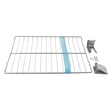
- Remove oven racks and accessories before starting self-clean.
- Choose a clean time (commonly 2, 3, or 5 hours depending on soil level).
- Press START/SET; the motor-driven door lock engages automatically.
- If you need to stop the cycle, press OFF/CLEAR.
- Wait for the oven to cool; the door typically unlocks after about 1 hour.
Self-clean vs. steam-clean: which should you use?
Steam-clean is designed for light cleaning and uses water in the oven bottom; self-clean is better for heavy soil.
| Feature | Best for | What to expect |
|---|---|---|
| Self-clean | Heavy baked-on grease and soil | Longer cycle, more heat, door locks |
| Steam-clean | Light spills and routine freshening | Shorter cycle, add about 10 oz (300 ml) water |
Why it matters
Using the right cleaning mode helps protect key components like the oven door gasket and reduces smoke. For example, wiping up heavy soil before self-clean can shorten the cycle and cut down on smoke.
Last updated: February 2026