




How long does a Maytag Bravos dryer last?
A Maytag Bravos dryer typically lasts 10 to 15 years with normal household use and basic maintenance. For your Maytag model LDE5004ACW, keeping airflow strong and fixing wear items early usually makes the biggest difference in real-world lifespan.
Typical lifespan and what affects it
Most dryers fail early due to heat and airflow stress, not because the cabinet or drum “wears out.”
- Vent restriction (long runs, crushed flex duct, lint buildup) overheats components
- Overloading strains drum support parts and the drive system
- High-heat cycles used constantly accelerate thermal wear
- Poor drum support causes noise and extra drag
- Electrical issues (loose connections, failing safety devices) stop heat or operation
Quick maintenance checklist (best ROI)
- Clean the lint screen every load
- Inspect and clean the vent ducting regularly; keep the outside hood clear
- Keep the dryer level to reduce drum and roller wear
- Stop using the dryer if you smell burning or notice repeated overheating
- Address new squealing, thumping, or scraping promptly
Common “life-extending” repairs on this style of Maytag dryer
These are typical wear or safety parts that often restore performance when symptoms show up:
| Symptom | Common cause | Example part for LDE5004ACW |
|---|---|---|
| Dryer runs but no heat | Blown safety device from overheating | Dryer thermal fuse, 243-degree f WP307473 |
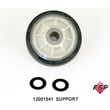
| Loud rumble or thump | Worn drum support | Roller w/bea 12001541 |
| Squeal or scraping | Worn drum seal or bearing surfaces | Dryer drum felt seal WP314820 |
Why it matters
A dryer that is overheating or dragging the drum works harder, dries slower, and can repeatedly trip safety parts. Restoring airflow and replacing worn support components usually costs less than replacing the dryer and helps you reach that 10 to 15 year range.
Last updated: January 2026
Why is my Maytag Bravos XL dryer not drying?
If your Maytag dryer is running but not drying, the most common causes are restricted airflow (lint screen, vent, or outside hood), a failed heat component, or a load issue (overloading or clothes too wet). For model LDE5004ACW, start with airflow checks, then test the heating circuit.
Quick checks that fix most “not drying” complaints
- Clean the lint screen before every load.
- Confirm strong airflow at the outside vent hood while the dryer runs.
- Inspect the vent path for kinks, crushed flex duct, or heavy lint buildup.
- Try a timed dry cycle; if timed dry also does not heat, focus on heat components.
- Reduce load size; bulky loads need more space for air to move.
Heat system parts to suspect on LDE5004ACW
On gas models, the igniter and flame sensing system are common failure points; on electric models, the heater circuit is the focus. These parts on your model page are often involved in “runs but no heat” or “heats then stops” symptoms:
| Symptom | What it often points to | Example part for this model |
|---|---|---|
| No heat at all | Ignition or heater circuit failure | Gas igniter 4391996 |
| Heats briefly, then no heat | Gas valve coils weakening when hot | Second coil 279834 |
| Dryer overheats or shuts heat off | Airflow restriction or safety device opening | Dryer thermal fuse, 243-degree f WP307473 |
How we recommend diagnosing (safe, practical order)
- Airflow first: a clogged vent can mimic a bad heating element or gas burner.
- Confirm heat: check for warm air at the exhaust after 3 to 5 minutes on timed dry.
- Test key parts with a meter: continuity checks help pinpoint a blown fuse or open heater circuit; use how to use a multimeter to test electrical parts video.
- If gas: watch for ignition sequence (igniter glow, then flame). If it glows but no flame, suspect coils or gas valve components.
Why it matters
Poor airflow and failed heat components both increase dry times and can cause repeated shutdowns. Fixing the venting and replacing the correct Maytag dryer part restores normal cycle performance and helps prevent repeat failures.
Last updated: January 2026
How to reset error code on Maytag dryer?
To clear many error codes on your Maytag dryer model LDE5004ACW, we reset power to the control by unplugging the dryer (or switching the breaker off) for about 1 to 5 minutes, then restoring power and trying a cycle again.
Quick reset steps
- Turn the dryer OFF.
- Unplug the power cord (or turn the dryer breaker OFF).
- Wait 1 to 5 minutes.
- Restore power.
- Start a timed dry cycle and watch for the code to return.
If the code comes back right away
An error code that returns immediately usually points to an ongoing issue (heat, airflow, or an electrical component) rather than a one-time glitch.
Common checks we recommend first
- Clean the lint screen and confirm strong airflow at the outside vent.
- Make sure the door closes firmly and the door switch clicks.
- For gas models, confirm the gas shutoff valve is fully open.
- For electric models, confirm the dryer has full power (a tripped breaker can cause heat issues).
- If the dryer will not heat, test safety devices and heating components.
Helpful troubleshooting resources
Use these guides to narrow down whether you are dealing with a blown fuse, wiring issue, or a failed component.
| What you want to do | Best resource to use | Why it helps |
|---|---|---|
| Check whether a fuse is open | How to tell if a fuse is blown | Confirms if a safety device stopped the dryer |
| Test parts safely and accurately | How to use a multimeter to test electrical parts video | Helps verify continuity and voltage checks |
| Repair a damaged wire/connector | How to repair broken or damaged wires video | Prevents repeat failures and intermittent codes |
Why it matters
Resetting clears the control temporarily, but if the underlying problem remains (restricted venting, overheating, or a failing component), the error code will return and the dryer can stop mid-cycle or lose heat.
Last updated: January 2026
What is the most common problem with Maytag dryers?
For Maytag dryer model LDE5004ACW, the most common problem we see is no heat or the dryer stopping due to overheating, usually caused by restricted airflow (lint buildup or a clogged vent) that can blow the thermal fuse or stress heating components.
Quick checks we recommend first
- Clean the lint screen and confirm strong airflow at the outside vent hood.
- Inspect the vent duct for kinks, crushed sections, or heavy lint buildup.
- If the dryer runs but won’t heat, check the heating circuit parts (thermal fuse, thermostat, igniter or radiant sensor depending on gas/electric setup).
- If the dryer is noisy or thumping, inspect drum support rollers, drum bearing, and drum seals.
- If the dryer runs hot, shuts off early, or takes too long, treat airflow as the first priority.
Common symptoms and likely causes
| Symptom | Most common cause | Related parts you may need |
|---|---|---|
| Dryer won’t start | Blown thermal fuse from overheating | Thermal fuse (model-specific) |
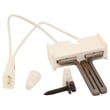
| Runs but no heat (gas) | Ignition system issue | Gas igniter 4391996, gas sensor WP338906 |
| Runs but no heat (electric) | Heater circuit issue | Dryer heating element WP307178 |
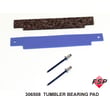
| Loud rumbling or thumping | Worn drum support parts | Roller w/bea 12001541, dryer drum bearing kit 306508 |
| Burning smell or very long dry times | Restricted venting | Vent cleaning and airflow correction |
Why it matters
Poor airflow makes the dryer run hotter than designed. That overheating can repeatedly blow safety parts (like a thermal fuse), shorten the life of thermostats and heaters, and increase dry times.
Helpful DIY guidance
- Use a meter to confirm whether a fuse or thermostat is open; see how to tell if a fuse is blown.
- If you’re testing live circuits, follow safe meter practices; see how to use a multimeter to test electrical parts video.
Last updated: January 2026





