 Installation guide
 Owner’s manual
 Error Codes





How do I reset my Kenmore Elite electric oven?
To reset your Kenmore Elite electric wall oven model 79048173000, start with a power reset at the breaker; it clears most control glitches and restores normal keypad operation. For model-specific electrical safety steps and wiring details, use the 79048173000 installation guide.
Quick reset options (start here)
- Power reset (most common): Turn the oven circuit breaker OFF for 1 to 2 minutes, then turn it ON.
- Hard reset: If the display is still frozen, turn the breaker OFF for 5 minutes, then restore power.
- After reset: Set the clock, then test Bake at 350°F for 10 minutes.
- If the breaker trips: Leave power OFF and check the junction box and supply wiring before restoring power.
If the oven still will not heat after a reset
A reset will not correct a failed heating or sensing component. These parts commonly cause “no heat” or unstable temperatures:
- Bake element
- Broil element
- Oven temperature sensor
- High-limit thermostat
Common symptoms and what they point to
| Symptom | Most likely cause | What to do next |
|---|---|---|
| Oven powers on, no Bake heat | Failed bake element | Inspect for blisters or breaks; test continuity |
| Temps are off by 25°F to 75°F | Sensor drifting | Test sensor resistance; replace if out of range |
| Oven shuts down mid-cycle | High-limit opening | Check cooling airflow and thermostat function |
If you suspect a sensor issue, the range oven temperature sensor 5304504897 is a common replacement for this model.
Why it matters
Resetting clears temporary electronic control faults, but repeated shutdowns or breaker trips point to an electrical or component problem. The installation instructions emphasize disconnecting power before servicing and using proper grounding practices; follow the 79048173000 installation guide.
Last updated: February 2026
What are the parts of an electric oven?
An electric wall oven like Kenmore Elite 79048173000 is built around heating, temperature sensing, airflow, lighting, and door components. The main parts you will see are the bake and broil elements, an oven temperature sensor, a control system, and cooling or convection fans.
Main electric oven components (what they do)
- Bake element: provides the primary heat for baking and roasting.
- Broil element: provides high, direct top heat for broiling.
- Oven temperature sensor: tells the control how hot the oven is so it can regulate heat.
- Convection fan and fan blade (on convection models): circulates hot air for more even cooking.
- Cooling fan: helps cool electrical and electronic components; it can keep running after the oven is turned off if temperatures are high.
- Oven light and cover: illuminates the oven cavity.
- Door system: inner glass, hinges, and handle help seal the cavity and allow safe operation.
Common parts customers replace on model 79048173000
If the oven heats unevenly, takes too long to preheat, or overheats, these parts are common suspects:
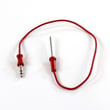
- Range oven temperature sensor 5304504897
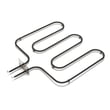
- Frigidaire range bake element 318254902
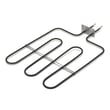
- Range broil element 318255606
- Range oven cooling fan assembly 318073028
- Wall oven door inner glass 318212200
Quick “symptom to part” guide
| Symptom | Most likely area | Example part type |
|---|---|---|
| Oven temperature is inaccurate | Temperature sensing | Temperature sensor |
| No bake heat, broil works | Heating (bake) | Bake element |
| No broil heat, bake works | Heating (broil) | Broil element |
| Fan runs after shutoff | Cooling system | Cooling fan |
Why it matters
Knowing the major oven parts helps you troubleshoot faster and order the right replacement the first time. For example, a failed sensor causes temperature swings, while a weak bake element causes slow preheat and underbaking.
For wiring, cutout, and mounting details (plus notes about the cooling fan running after shutoff), use the 79048173000 installation guide.
Last updated: February 2026
What is the error code fo on a Kenmore oven?
On the Kenmore Elite wall oven model 79048173000, the F0 (or “FO”) error code indicates a problem in the electronic control input circuit; most often a stuck key or failing touchpad, or an oven control (clock/ERC) that is misreading a key press.
What to do first
- Press CANCEL/OFF and wait 30 seconds.
- Reset power at the breaker for 1 minute, then restore power.
- If the code started after cleaning, steam, or a spill, let the control area dry completely and retry.
- If F0 returns quickly or the oven beeps continuously, stop using the oven until it’s diagnosed.
- Follow any reset or diagnostic steps listed in the 79048173000 installation guide.
Common causes and what they look like
| Likely cause | What you may notice | Typical fix |
|---|---|---|
| Touchpad/keypad issue | Beeping, random button behavior, F0 returns after reset | Replace the touchpad or control panel assembly (by design) |
| Oven control (ERC/clock) issue | Controls unresponsive, F0 returns immediately | Replace the oven control board |
| Loose/burnt wiring connection | Intermittent F0, worse after moving the oven | Reseat connectors, repair wiring, replace damaged parts |
Parts that are often checked during diagnosis
F0 is usually a control-input fault, but power and wiring problems can trigger false signals.
- Wall oven wire harness 5304506984 (loose or damaged connectors)
- Terminal block 5304409888 (burnt power connections causing voltage issues)
Why it matters
When the control cannot reliably interpret keypad input, the oven can beep, shut down mid-cook, or act unpredictably. Fixing the underlying control or wiring issue restores safe, consistent operation.
Last updated: February 2026
Where is the model number on a Kenmore Elite stove?
On Kenmore Elite model 79048173000, the model number is typically on a rating label around the oven door opening (door jamb) or on the frame behind the door. If it is not there, check the back panel or a side panel of the unit; the exact label location is shown in the 79048173000 installation guide.
Common places to check first
- Open the oven door and look along the left or right door jamb
- Check the front frame behind the door (around the opening)
- Look on the back of the oven near the wiring cover area
- Check a side panel (especially if the oven is partially pulled from the cabinet)
- For some ranges, the label can be behind the storage drawer (not typical for a wall oven)
What the label looks like (and what to write down)
The rating label usually includes the model and serial information you need for parts and service.
| What to capture | Example format | Why it matters |
|---|---|---|
| Model number | 79048173000 | Ensures parts match your exact Kenmore Elite wall oven |
| Serial number | Letters and numbers | Helps date the unit and confirm production run |
| Electrical rating | Volts/amps | Useful for installation and electrical troubleshooting |
Why it matters for parts and troubleshooting
Kenmore Elite wall ovens can use different bake elements, sensors, and wiring harnesses across similar-looking units. Using the exact model number helps us match the correct replacement part the first time.
If you are diagnosing heating problems after you find the model number, a common part to check is the range oven temperature sensor 5304504897.
Last updated: February 2026
Why is my Kenmore Elite oven not heating up?
If your Kenmore Elite wall oven model 79048173000 is not heating, the most common causes are a failed bake or broil heating circuit, a bad oven temperature sensor, or a power supply issue (one leg of 240V missing). Start with safe power checks, then test the sensor and elements per the 79048173000 installation guide.
Quick checks that solve many “no heat” problems
- Confirm the oven is not in Sabbath, Demo, or Control lock mode (settings vary by model).
- Verify the oven is fully seated in the cabinet and the wiring is not pinched.
- Check your home breaker: a tripped double-pole breaker can leave the oven with lights but no heat.
- If the display works but heat never starts, listen for a relay click when you press Bake or Broil.
- If the oven overheated recently, let it cool completely and try again (some protection devices reset only after cooling).
Parts to test first (most likely)
For model 79048173000, these parts commonly affect heating:
- Oven temperature sensor: if it reads out of range, the control may prevent heating. Consider the range oven temperature sensor 5304504897.
- Bake element: a broken or shorted element stops baking heat. Consider the frigidaire range bake element 318254902.
- Broil element: some models use broil during preheat; a failure can cause weak or no heat. Consider the range broil element 318255606.
What each symptom usually points to
| Symptom | Most common cause | What to do next |
|---|---|---|
| Oven has lights/display but won’t heat | Missing 240V (one breaker leg) | Reset breaker; verify supply wiring at junction box |
| Preheats very slowly or never reaches temp | Weak bake element or bad sensor | Inspect element; test sensor resistance |
| Broil works but bake does not | Failed bake element | Replace bake element |
| Bake works but broil does not | Failed broil element | Replace broil element |
Safety and access notes (built-in wall oven)
Because this is a hardwired wall oven, disconnect power at the breaker before removing panels. The installation instructions call out grounding and disconnecting power at the junction box before electrical work; follow those steps in the 79048173000 installation guide.
Why it matters
A wall oven can appear “on” with only 120V available, but heating requires full 240V. Testing the sensor and heating elements early prevents unnecessary control board replacement and gets baking performance back to normal faster.
Last updated: February 2026
Why is my Kenmore oven fan not spinning?
On Kenmore Elite wall oven model 79048173000, the convection fan can stop (or appear to stop) for normal reasons, especially if the oven door is open; on many models the convection fan shuts off when the door opens. If it never runs during convection, the issue is usually power, wiring, the fan motor, or the control circuit; confirm operation steps in the 79048173000 installation guide.
What to check first (fast, no tools)
- Make sure you are using a convection bake/roast mode (standard Bake may not run the convection fan).
- Close the oven door fully; many convection systems stop the fan when the door opens.
- Listen for the cooling fan (upper rear area) versus the convection fan; they are different fans.
- Cancel the cycle and restart; some controls delay fan start until preheat or a temperature threshold.
- If the oven overheats, a safety device can interrupt operation until it cools.
Likely causes and what they look like
| Symptom | Most common cause | What we recommend |
|---|---|---|
| Fan stops when door opens | Normal convection behavior | Test with door closed in convection mode |
| Fan hums but does not spin | Obstruction or failing motor | Inspect blade area; service motor if needed |
| Fan never runs in convection | Failed motor, wiring, or control | Electrical checks; repair as needed |
| Oven runs hot, fan behavior odd | Sensor or high-limit issue | Test sensor and safety thermostat |
Parts that commonly relate to fan and temperature control
If the fan issue is tied to overheating, poor temperature regulation, or shutdowns, these model-matched parts are often involved:
- Range oven temperature sensor 5304504897 (helps the control regulate oven temperature)
- Range high-limit thermostat 318004902 (safety device that can open if temperatures get too high)
- Range convection fan blade 318398302 (a damaged or loose blade can prevent proper spinning)
Safe troubleshooting steps (basic)
- Shut off power at the breaker before removing panels or touching wiring.
- Check for debris or a warped fan blade that rubs the housing.
- Inspect harness connections for heat damage; repair any damaged conductors using best practices from how to repair broken or damaged wires video.
- If you use a meter, follow how to use a multimeter to test electrical parts video to confirm whether the motor is receiving voltage during a convection call.
Why it matters
A non-spinning convection fan can cause uneven baking, longer cook times, and overheating that stresses wiring, sensors, and safety thermostats.
Last updated: February 2026





