 Installation guide
 Owner’s manual
 Error Codes


What are common problems with Kenmore dishwashers?
Common problems we see on the Kenmore Elite 66512773K310 dishwasher include poor cleaning, not draining, not filling, leaks, and control issues (won’t start or lights blinking). Many of these trace back to a clogged filter, a restricted drain path, or a failing fill or pump component; review the 66512773K310 installation guide for safe access basics.
- Not cleaning well: clean the filter, confirm spray arms spin freely, and use fresh detergent plus rinse aid.
- Not draining: check the sink/disposer connection, drain hose routing, and the drain pump.
- Not filling: verify the shutoff valve is fully open and hot water is available; then suspect the inlet valve.
- Leaking: inspect the door seal area and look for drips under the unit.
- Buttons not working or lights flashing: try a power reset; if it repeats, match the pattern to an error code.
If troubleshooting points to a failed component, these parts are commonly involved on model 66512773K310:
| Symptom | Often involved part | What it does |
|---|---|---|
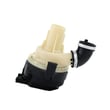
| Not draining | Dishwasher drain pump WPW10531320 | Pumps water out through the drain hose |
| Not filling | Dishwasher water inlet valve W11175771 | Opens to let water into the dishwasher |
| Poor cleaning | Dishwasher filter W10872845 | Traps food soil to protect the wash system |
| Leaking at door | Dishwasher door seal W11177741 | Seals the tub opening to help prevent leaks |
Catching the symptom early helps prevent repeat wash failures (dirty dishes, standing water, odors) and can reduce the chance of cabinet or floor damage from a slow leak.
- If the dishwasher won’t run, confirm the door is fully latched and the house breaker is not tripped.
- If you recently installed or moved the unit, re-check drain hose routing and connections.
- For flashing lights or recurring stoppages, use Kenmore 665 model dishwasher error codes to narrow the cause.
Last updated: January 2026
How to force a Kenmore dishwasher to drain?
On the Kenmore Elite 66512773K310 dishwasher, you can typically force a drain by canceling the current cycle; most Kenmore dishwashers run an automatic drain-out when a cycle is canceled. For the exact control sequence and button names on your console, use the 66512773K310 user manual.
- If a cycle is running: press the control used to cancel the cycle and close the door.
- If the dishwasher is idle with water in the tub: start any wash cycle, then cancel it.
- Keep the door closed while it drains; the pump may run for a short period.
- When the pump stops, open the door and check whether the water level dropped.
- If the controls are unresponsive, turn power off at the breaker for 1 minute, then retry.
A forced drain will not work if the drain path is blocked or the pump cannot move water. Check these common causes:
- Garbage disposer inlet plug was not removed (common after a disposer install)
- Drain hose is kinked, crushed, or routed incorrectly
- High loop under the counter is missing, or an air gap is clogged (if your setup uses one)
- Filter area is packed with debris (food, labels, glass)
- Drain pump is jammed or failed; a compatible replacement is the dishwasher drain pump WPW10531320
| What you notice | What it usually indicates |
|---|---|
| Steady pump sound and water rushing at the sink/disposer | Normal drain-out |
| Humming but little or no water movement | Pump jam or blockage |
| Drains briefly then stops with water left | Restriction in hose, disposer, air gap, or filter |
Forcing a drain clears standing water so you can safely clean the filter area, verify drain hose routing, and reduce odors before troubleshooting deeper issues.
Last updated: January 2026
How to do a hard reset on a Kenmore dishwasher?
For Kenmore Elite dishwasher model 66512773K310, the most reliable “hard reset” is a power reset: turn the dishwasher’s circuit breaker OFF for 60 seconds, then turn it back ON and start a new cycle. For model-specific reset steps and control behavior, use the 66512773K310 user manual.
- Cancel/Drain: Press Cancel/Drain once; wait for the drain to finish.
- Hard reset (power reset): Circuit breaker OFF 60 seconds, then ON.
- Restart correctly: Select a cycle, press Start/Resume, then close the door within 3 seconds.
- Control lock check: If the keypad seems unresponsive, make sure Control Lock is not enabled.
- Confirm the door closes firmly and latches; the dishwasher will not run if it cannot sense a closed door.
- Check for flashing lights or an error code and match it using Kenmore 665 model dishwasher error codes.
- Verify the water supply valve under the sink is fully open.
- Look for standing water that indicates a drain problem.
| Symptom | What it often points to | What to check next |
|---|---|---|
| Lights on, won’t start | Door not sensed as closed | Latch/strike alignment; consider the dishwasher door latch W10619006 if damaged |
| Stops mid-cycle | Drain or fill issue | Drain hose routing, disposer inlet plug, water supply |
| No lights, no response | Power problem | Breaker, outlet (if corded), wiring connections |
A hard reset clears a stuck cycle and reboots the electronic control. If you need to reset frequently, it often points to a door-latch sensing issue, a power interruption, or a control problem.
Last updated: January 2026









