Owner’s manual
 Error Codes



What is the capacity of the WRF535SMBM00?
The Whirlpool WRF535SMBM00 bottom-mount refrigerator has a total capacity of 25.2 cu. ft. This is the overall storage volume across the fresh food section and the freezer, before shelves and bins reduce usable space.
Total capacity is the manufacturer’s measured interior volume. Your day-to-day usable space is typically a bit less because of:
- Shelves, drawers, and door bins taking up room
- Air channels needed for proper cooling and airflow
- Ice maker components (if equipped)
| Spec | Value |
|---|---|
| Model | WRF535SMBM00 |
| Total capacity | 25.2 cu. ft. |
| Refrigerator type | Bottom-mount |
We recommend checking the product specifications section in the WRF535SMBM00 owner's manual. It is the best place to verify capacity along with electrical requirements and installation clearances.
Capacity helps you compare refrigerators accurately and plan kitchen fit and food storage. It also helps when choosing organization accessories and setting expectations for how much the freezer drawer will hold.
Last updated: February 2026
Where is the water filter on a Whirlpool refrigerator WRF535SMBM00?
On the Whirlpool WRF535SMBM00, the water filter is inside the fresh food (refrigerator) compartment in the upper right-hand corner. Open the filter cover to access it, then turn the filter to remove and replace it as needed (typically every 6 months). See the WRF535SMBM00 owner's manual for the exact filter cover location and replacement steps.
- Dispense water for at least 2 minutes before removing the filter (this helps prevent the filter from ejecting due to trapped air).
- Open the filter cover in the upper right corner of the refrigerator compartment.
- Turn the filter counterclockwise to remove it.
- Remove the sealing label from the new filter.
- Insert the new filter into the filter head and turn it clockwise until it stops.
- Snap the filter cover closed.
Flushing clears air and carbon fines so your water and ice taste normal.
| Task | What to do | What to expect |
|---|---|---|
| Flush the system | Dispense about 4 gallons (15 L) total in cycles | Water may spurt as air clears |
| Reset the filter light | Press and hold Filter Reset for 3 seconds | “Order/Replace” light turns off |
| Watch ice quality | Discard the first batch or two if cloudy | Ice clears after flushing |
- Water flow at the dispenser slows down
- Ice maker production drops
- Ice looks gray or dark (often needs additional flushing after a filter change)
- Water tastes or smells off
A properly installed, flushed water filter helps maintain normal water flow to the dispenser and ice maker, improves taste and odor, and reduces nuisance issues like spurting water or discolored ice after a filter change.
Last updated: February 2026
How do I find the model number on my WRF535SMBM00?
For your Whirlpool WRF535SMBM00 refrigerator, the model number (and serial number) is printed on a label inside the fresh food compartment; look on an inside wall of the refrigerator section. The exact label location is shown in the owner's manual.
- Open the refrigerator (fresh food) door, not the freezer drawer
- Check the inside wall of the refrigerator compartment
- Look for a rating label that lists Model and Serial
- Write the model number exactly as shown (letters and numbers)
- Take a clear photo of the label for ordering parts later
| Label item | What it’s used for | Example for this model |
|---|---|---|
| Model number | Matching parts and diagrams | WRF535SMBM00 |
| Serial number | Identifying production details | Unique to your unit |
| Electrical ratings | Verifying power requirements | Listed on label |
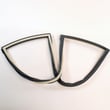
We use the model number to match the correct Whirlpool parts for your exact configuration (door style, ice maker setup, and internal components). Even small model differences can change which control board, door gasket, or ice maker fits.
- Wipe the label gently with a damp cloth and dry it
- Use your phone’s flashlight or zoom for small print
- Copy characters carefully; common mix-ups are 0 vs O and 1 vs I
Last updated: March 2026