Owner’s manual
 Error Codes


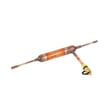
How to tell if a Kenmore refrigerator compressor is bad?
If your Kenmore Elite refrigerator model 79574043410 is not cooling well and the compressor runs almost constantly, gets unusually hot, or makes loud clicking/buzzing noises, the compressor system may be failing. First rule out normal long run times caused by warm rooms, frequent door openings, or a dirty condenser cover.
Quick checks before blaming the compressor
Many “bad compressor” symptoms are caused by airflow, temperature, or door-seal issues.
- Confirm the doors close fully and seal all the way around
- Reduce door openings and let temperatures stabilize for 24 hours
- Check room temperature; compressors run longer in warm conditions
- Clean dust from the condenser cover and vents (do not remove the panel)
- Listen for the evaporator fan running when the doors are closed
- Look for heavy frost buildup that points to a defrost problem
For model-specific operating guidance and cleaning cautions, use the 79574043410 owner's manual.
What “normal” compressor operation looks like
Your manual notes that at normal room temperatures (around 70°F), it is typical for the compressor to run about 40% to 80% of the time. In hotter conditions, it can run even more often.
| Symptom | More likely normal | More likely a problem |
|---|---|---|
| Runs a lot on hot days | Yes | No |
| Runs constantly and fridge is warm | No | Yes |
| Loud clicking every few minutes | No | Yes |
| Compressor very hot and no cooling | No | Yes |
Signs the compressor (or sealed system) is actually failing
These are the most reliable red flags after basic airflow and door checks.
- Refrigerator and freezer both warm even though the unit runs
- Repeated clicking from the start device area with little or no cooling
- Breaker trips when the compressor tries to start
- You hear a hum, then a click, and the cycle repeats
- Cooling is weak even after condenser vents are cleaned
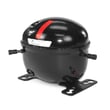
If you suspect a sealed-system issue, we recommend professional service. A compressor replacement such as the refrigerator compressor TCA38091801 is a major repair that typically requires specialized tools and refrigerant handling.
Why it matters
A compressor that cannot start or cannot pump refrigerant will cause rising temperatures, food spoilage, and extended run time that increases energy use. Ruling out door seal and condenser airflow problems first prevents unnecessary parts replacement.
Last updated: February 2026
What are the common problems with Kenmore Elite refrigerators?
Common problems on the Kenmore Elite refrigerator model 79574043410 include warm temperatures (often from airflow or defrost issues), ice maker and dispenser troubles, water leaks, and door sealing problems. Many of these are resolved with basic maintenance, cleaning, and targeted part replacement using the troubleshooting steps in the 79574043410 owner's manual.
Most common symptoms and what usually causes them
- Not cooling or weak cooling: dirty condenser coil, failed evaporator fan, defrost system problem, or sealed system/compressor issue
- Freezer cold but fridge warm: blocked air vents, failed damper, frost buildup on the evaporator
- Ice maker not making ice: water supply restriction, frozen fill tube, ice maker failure, dispenser/auger issue
- Water leaking: clogged defrost drain, loose water line connection, filter housing leak
- Doors not sealing: torn or warped gasket, door alignment issue, bins/shelves preventing full closure
Quick checks we recommend first (before buying parts)
- Confirm controls are set correctly and allow 24 hours after any adjustment.
- Clean dust from the condenser area; restricted airflow is a top cause of poor cooling.
- Make sure food packages are not blocking return vents in the fresh food section.
- Look for heavy frost on the rear freezer panel (points to a defrost problem).
- If the ice maker is slow, replace the water filter and purge air from the water line.
Parts that commonly solve these problems on 79574043410
| Problem area | What fails most often | Example model-matched part |
|---|---|---|
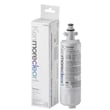
| Water taste/slow dispense | Clogged water filter | Genuine Kenmore refrigerator water filter 9690 AGF80300801 |
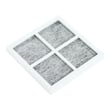
| Odors/airflow freshness | Saturated air filter | Lg refrigerator air filter ADQ73214408 |
| Frost buildup/temperature swings | Defrost sensor issues | Refrigerator defrost sensor assembly 6615JB2005R |
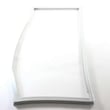
| Door not sealing | Worn gasket | Refrigerator door gasket, right ADX72930461 |
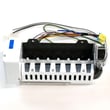
| No ice or dispensing issues | Ice maker failure | Lg refrigerator ice maker AEQ73130004 |
Why it matters
Cooling, ice, and leak complaints often share the same root causes: restricted airflow, frost buildup from a defrost problem, or water flow restrictions. Fixing the underlying cause protects food temperatures, reduces compressor run time, and prevents repeat failures.
Helpful DIY guidance
- Use Kenmore 795 model bottom freezer refrigerator error codes to interpret display codes before troubleshooting.
- Follow how to replace the water filter in a Kenmore refrigerator to restore water flow and ice production.
Last updated: February 2026
What does DH mean on Kenmore Elite refrigerator?
On Kenmore Elite refrigerator model 79574043410, DH typically indicates a defrost heater (defrost heating) problem. It usually means the refrigerator is not sensing the expected temperature change during defrost, so the unit may start warming up, frost over, or show poor airflow.
What to check first (safe, quick steps)
- Power reset: Unplug the refrigerator (or switch off the breaker) for 5 minutes, then restore power.
- Look for airflow symptoms: weak cooling in the fresh food section, heavy frost in the freezer, or a noisy fan.
- Check door sealing: a leaking gasket can drive excess frost and trigger defrost-related issues.
- Confirm settings: make sure freezer and refrigerator temps are set to normal ranges.
- Use the model troubleshooting steps in the 79574043410 owner's manual.
Likely causes of a DH/defrost-heating error
In this Kenmore Elite bottom-mount design, DH is most often tied to the defrost system components.
| What can fail | What you may notice | Typical result |
|---|---|---|
| Defrost sensor/thermistor | Frost buildup returns quickly | Defrost cycle ends incorrectly |
| Defrost heater circuit | Ice sheet on evaporator cover | Airflow gets blocked |
| Control not driving defrost | Repeating DH indication | Cooling becomes inconsistent |
A common service check is verifying the control is sending power to the defrost heater circuit during a defrost event; we recommend following the diagnostic flow in the manual.
Parts that commonly relate to defrost symptoms
If you confirm a defrost-sensing issue, this model uses a dedicated sensor assembly. The exact diagnosis matters before replacing parts.
- Refrigerator defrost sensor assembly 6615JB2005R (sensor feedback for defrost temperature)
- Evaporator area components (ice buildup can also affect fan airflow)
- Main control logic (if the sensor and wiring test good)
Why it matters
A DH condition is not just a display message; it often points to frost buildup on the evaporator that restricts airflow. That can cause warm temperatures, spoiled food, and extra compressor run time.
For model-specific error code guidance, we also use the Kenmore 795 model bottom freezer refrigerator error codes reference alongside the manual.
Last updated: February 2026
What is the average lifespan of a Kenmore Elite refrigerator?
Most Kenmore Elite refrigerators, including model 79574043410, last 10 to 15 years. With steady upkeep (good airflow, clean seals, and routine filter changes), it’s common to reach the high end of that range before major sealed-system or control issues show up.
What affects lifespan the most
- Condenser cleanliness: Dusty coils make the compressor run hotter and longer.
- Door seal condition: Air leaks force longer run times and create frost and moisture issues.
- Ice maker and dispenser use: Heavy use increases wear on motors, valves, and moving parts.
- Water quality and filter changes: Protects the dispenser and ice maker from restriction and scale.
- Ventilation and leveling: Poor airflow around the cabinet increases heat load.
Maintenance schedule we recommend
| Task | Typical frequency | Why it helps |
|---|---|---|
| Replace water filter | Every 6 months | Maintains water flow and ice quality |
| Replace air filter (if equipped) | Every 6 months | Reduces odors and helps food stay fresher |
| Clean condenser area | Every 6 to 12 months | Reduces compressor run time and heat |
| Inspect/clean door gaskets | Every 3 to 6 months | Prevents air leaks and frost |
Parts that commonly drive “repair vs. replace” decisions
These are the components that most often turn a normal aging fridge into an expensive repair:
- Compressor (sealed system)
- Electronic control board
- Evaporator fan and airflow components
- Ice maker and auger motor assemblies
- Door gaskets
If you’re maintaining water and ice performance on this model, using the correct refrigerator water filter 9690 AGF80300801 helps prevent low flow and ice maker fill problems.
Why it matters
A refrigerator that runs longer to hold temperature uses more electricity and puts extra wear on the sealed system. Simple maintenance (especially airflow and gasket care) is the most reliable way to keep a Kenmore Elite bottom-mount refrigerator operating through its full expected lifespan.
Last updated: February 2026
What size is Kenmore refrigerator model 79574043410?
Kenmore Elite refrigerator model 79574043410 is a bottom-mount design in the 795.7402_/7404 family; its exact exterior dimensions vary by the specific configuration. Most Kenmore bottom-mount units in this class are about 33 inches wide, 30 to 34 inches deep, and 67 to 70 inches tall; confirm the exact measurements in the 79574043410 owner's manual.
How to confirm the exact dimensions (best method)
Use the model’s documentation and measure your unit so you know it will fit your cabinet opening.
- Check the “Refrigerator Installation” section in the 79574043410 owner's manual for clearance and placement guidance.
- Measure width at the widest point (often the doors or hinges).
- Measure height from floor to top of hinge cover (leveling legs set as installed).
- Measure depth in two ways: cabinet only, and to the front of handles.
- Allow extra space for door swing and drawer pull-out.
Typical size ranges you can plan around
These ranges help with rough planning for a Kenmore Elite bottom-mount refrigerator like 79574043410.
| Measurement | Typical planning range |
|---|---|
| Width | 32.5 to 33.5 in. |
| Height | 67 to 70 in. |
| Depth (without handles) | 29 to 33 in. |
| Depth (with handles) | 31 to 35 in. |
Why it matters
Correct sizing prevents installation problems like doors hitting cabinets, poor airflow around the condenser area, and drawers that cannot fully open. It also helps you plan for water line routing if you use the dispenser and refrigerator water filter 9690 AGF80300801.
Last updated: February 2026
Where to find model number on Kenmore Elite refrigerator?
On Kenmore Elite model 79574043410, the model number is printed on the appliance identification label (rating plate). The most common location is inside the fresh food compartment on a side wall or near the top, where it is easy to read when the door is open. For diagrams and feature locations, use the 79574043410 owner's manual.
Common places to check
Look for a white or silver sticker with a barcode and a model number that starts with 795.
- Inside the refrigerator section on the left or right interior wall
- On the ceiling area inside the fresh food compartment (near the light housing)
- Behind the crisper drawers (check the side wall just above the drawer rails)
- On the door frame (the vertical frame the gasket seals against)
- On the back exterior panel (less common, but worth a quick look)
What the label looks like (and what to write down)
The label typically includes several identifiers. Record them exactly as shown.
| Label item | Example format | Why you need it |
|---|---|---|
| Model number | 795.74043410 (may include a dot) | Ensures parts fit your exact refrigerator |
| Serial number | Letters and numbers | Helps date the unit and confirm production run |
| Electrical info | Volts/amps | Useful for service diagnostics |
Tips to avoid mix-ups when ordering parts
- Match the full model number character-for-character (including any dots or suffixes).
- Use the model number, not the brand name alone; Kenmore Elite has many similar-looking refrigerators.
- If you are replacing maintenance items, confirm the part by model first; for example, the water filter for this model is the genuine Kenmore refrigerator water filter 9690 AGF80300801.
Why it matters
Kenmore Elite 795-series refrigerators share many design features, but bins, filters, ice maker components, and control boards can vary by model. Using the exact model number prevents ordering the wrong refrigerator parts and avoids installation and fit issues.
Last updated: February 2026
Why is my Kenmore bottom freezer fridge not cooling?
If your Kenmore Elite 79574043410 bottom-mount refrigerator is not cooling, the most common causes are the controls being set to OFF, the refrigerator being in Demo Mode, or the unit being in a normal defrost cycle. Start by confirming the control settings, then allow 30 minutes after defrost to see if temperatures recover (full cool-down can take up to 24 hours after installation).
Quick checks we recommend first
- Make sure the refrigerator control is not set to OFF (some models have an OFF position that stops cooling).
- Check for Demo Mode; lights and display work, but cooling is disabled.
- Wait 30 minutes if it is in a defrost cycle, then recheck temperatures.
- If it was just installed, allow up to 24 hours to reach set temperatures.
- Confirm doors close fully and are not being held open by bins or food packages.
Step-by-step troubleshooting (in order)
- Verify control settings using the 79574043410 owner's manual.
- Disable Demo Mode if enabled (the manual’s “Setting the controls” section covers the exact button sequence).
- Give it time after defrost: a slight temperature rise during defrost is normal; cooling returns after the cycle.
- Check airflow basics: listen for fans, avoid blocking vents with food, and keep the freezer drawer sealing properly.
- Clean heat-exchange surfaces: dusty condenser areas reduce cooling efficiency.
Common causes and what you’ll notice
| What’s happening | Typical symptom | What to do |
|---|---|---|
| Control set to OFF | Lights work, no cooling | Turn control ON; set temps |
| Demo Mode enabled | Display works, warm compartments | Disable Demo Mode |
| Defrost cycle running | Temps rise briefly | Wait 30 minutes |
| Recent install/relocation | Slow pull-down to temp | Allow up to 24 hours |
Parts that can be involved (when basic checks pass)
If the controls are correct and it still will not cool, cooling failures often involve airflow or sealed-system components. For example, a failed compressor can stop cooling entirely.
Why it matters
A refrigerator that is not cooling can lead to unsafe food temperatures. Getting the controls, modes, and defrost timing right first prevents unnecessary part replacement and helps you pinpoint whether the issue is settings-related or a true cooling-system problem.
Last updated: February 2026