Owner’s manual
 Error Codes



What does 4E2 mean on a Samsung washer?
On the Samsung WF405ATPAWR washer, the 4E2 code indicates a water temperature problem during filling, most commonly because the hot and cold supply hoses are reversed or the incoming water temperature is outside the expected range. Confirm hose connections and water supply first; then retest the cycle using the guidance in the WF405ATPAWR user manual.
What to check first (fast fixes)
- Verify the hot hose is connected to the hot faucet and the cold hose to the cold faucet.
- Make sure both faucets are fully open.
- Check for kinked, pinched, or crushed inlet hoses behind the washer.
- Clean the inlet screen filters at the water valve connections (sediment can restrict flow and affect temperature control).
- Run a quick test cycle (for example, Rinse+Spin) after correcting connections.
Step-by-step: confirm correct hose hookup
- Turn off the washer and close both water faucets.
- Trace each hose from the washer to the wall:
- The hose labeled or routed to HOT should go to the hot faucet.
- The hose labeled or routed to COLD should go to the cold faucet.
- Reconnect as needed; tighten by hand until snug, then an additional partial turn with pliers.
- Turn faucets on and check for leaks.
Why it matters
If the washer senses the wrong incoming temperature, it can stop the cycle to protect wash performance and prevent issues like poor cleaning, detergent not dissolving, or unexpected hot fills on delicate loads.
When it’s not just the hoses
If hoses are correct and 4E2 returns, the issue is often in one of these areas:
| Possible cause | What you may notice | Typical next step |
|---|---|---|
| Restricted inlet flow (screens/hoses) | Slow fill, intermittent fill | Clean screens; check hose condition |
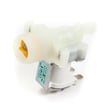
| Water inlet valve problem | One temperature barely fills | Test/replace inlet valve |
| Temperature sensing/control issue | Code appears even with normal supply | Service diagnosis of sensor/control |
For more Samsung washer code help, we also recommend Samsung front load washer error codes.
Last updated: January 2026
What is the most common problem with the Samsung washing machine?
For the Samsung WF405ATPAWR washer, the most common service issues we see are drain and spin related: the washer won’t drain (or drains slowly), won’t spin properly, or stops with an information code. These problems are often caused by a clogged debris filter, a kinked drain hose, or an unbalanced load (see the WF405ATPAWR user manual).
What to check first (fast, no parts)
- Unplug the washer for safety.
- Reduce the load size; bulky items can trigger out-of-balance behavior.
- Verify the washer is level on all four legs; re-level if it rocks.
- Check the drain hose for kinks and confirm the standpipe height is at least 18 inches.
- Clean the debris filter (coin trap) and drain any trapped water.
Most common symptoms and likely causes
| Symptom | Most likely cause | What usually fixes it |
|---|---|---|
| Won’t drain / slow drain | Clogged debris filter, restricted drain hose | Clean filter; straighten hose |
| Shakes or bangs in spin | Unbalanced load, washer not level | Rebalance load; level legs |
| Stops mid-cycle with a code | Drain, fill, or balance condition | Address drain/fill; restart cycle |
| Musty odor / residue | Detergent buildup, moisture left in tub | Run tub clean cycle; improve airflow |
Why it matters
Drain and spin problems can leave water in the tub, increase vibration, and cause repeated cycle interruptions. Fixing the root cause (filter restriction, leveling, load balance) helps protect the drain pump, door lock, and motor system from extra strain.
Helpful model-specific resources
- The WF405ATPAWR manual includes steps for cleaning the debris filter, door seal care, and using the tub-clean cycle; see the WF405ATPAWR user manual.
- For drain-related codes and troubleshooting steps, we also recommend Samsung front load washer nd error code.
Last updated: January 2026
How to force a Samsung washer to drain?
On the Samsung WF405ATPAWR washer, we force a drain by canceling the cycle and running a drain/spin function (Spin Only or No Spin), or by manually draining through the small drain tube next to the debris filter behind the lower front access cover. See the steps in the WF405ATPAWR user manual.
Fast ways to drain (try in this order)
- Cancel and restart: Press Power to stop the cycle, wait 10 seconds, then power back on.
- Spin Only (control-panel drain option): Press Power, then press and hold Spin for about 2 seconds to enter Spin Only, choose a spin level, then press Start/Pause.
- No Spin (drain without spinning): Select a cycle, set Spin to No Spin, then press Start/Pause. This drains the tub and is safer for very delicate loads.
- Manual drain (if the washer will not run): Open the lower front filter cover, pull out the drain tube, and drain into a shallow pan; then clean the debris filter.
Manual drain and debris filter cleanout (front access)
- Unplug the washer.
- Place towels and a shallow pan under the lower front access area.
- Open the filter cover; pull out the small drain tube and remove its cap to drain water.
- After draining, remove and clean the debris filter (coins, lint, hair, small socks).
- Reinstall the filter tightly, cap the drain tube, close the cover, then run Rinse+Spin to confirm normal draining.
What you’ll see and what it usually means
| What happens | Likely cause | What to do next |
|---|---|---|
| Hums but won’t drain | Clogged debris filter or pump inlet | Manual drain, clean filter |
| Stops mid-cycle with water in tub | Drain restriction or control interruption | Power reset, then Spin Only |
| Drains slowly | Kinked drain hose or standpipe issue | Check hose routing and standpipe height |
Why it matters
A forced drain is often the quickest way to prevent door-lock delays, reduce odor from standing water, and avoid repeat drain errors. If draining problems keep returning after filter cleaning, the drain pump or wiring may need diagnosis.
Related help
Last updated: January 2026